ClearRoute: Extracting an iOS POST Body Before It Leaves the App
An iOS network instrumentation writeup for ClearRoute, covering in-process JSON and NSURLSession hooks to recover a hidden flag from a protected POST request.
ClearRoute is an iOS network interception challenge. The application attempts to send a POST request containing a hidden flag.
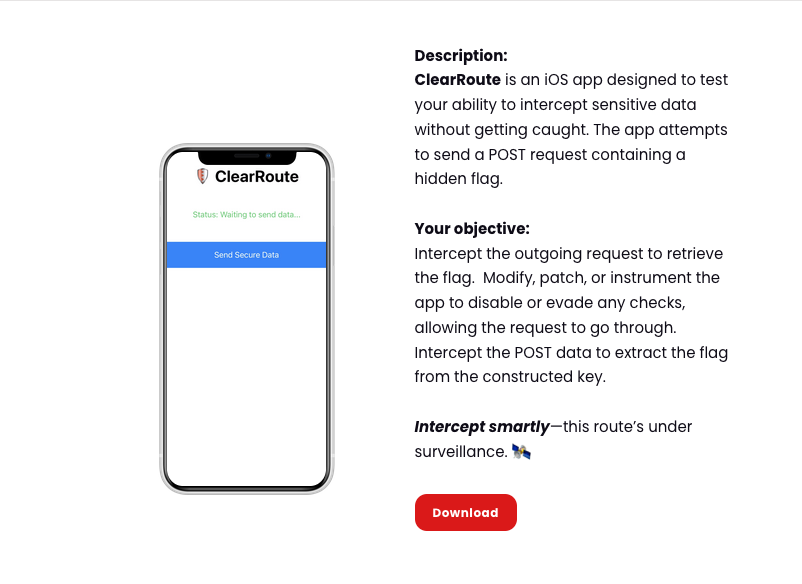
The objective was to intercept the outgoing request and extract the flag from the constructed POST data.
CTF{no_proxies_allowed}The app hints that the route is being monitored. In practice, normal proxy-based interception may not be the cleanest path because the request can be affected by SSL pinning, proxy detection, or runtime network checks.
Objective
Intercept the outgoing POST request and recover the hidden flag from the request body.
Environment
The challenge was solved on a jailbroken iPhone with Frida. After launching the app, the screen showed a Send Secure Data button. When the button was pressed while using a Burp proxy, the app displayed an error:
Status: Some Error Occured, Please Try again.
Since the goal was to extract the POST data, the request did not need to complete successfully. The important data was already being constructed inside the process before dispatch.
Identifying the Target Process
The target process was first identified with:
frida-ps -U -ai
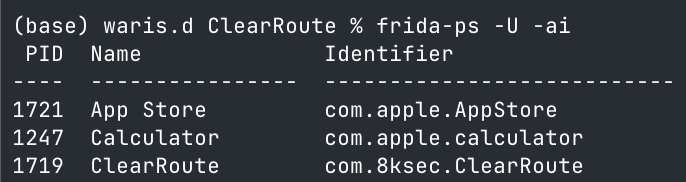
The relevant output showed:
PID   Name        Identifier
1719  ClearRoute  com.8ksec.ClearRoute
The running process was confirmed with:
frida-ps -U | grep -i Clear

Runtime Interception Strategy
At first, SSL pinning bypass may seem like the obvious solution. However, the key observation was that the flag had to be constructed before the request was sent.
That made in-process instrumentation more useful than only watching traffic at the proxy layer. Frida can inspect the payload before TLS handshake, SSL pinning failure, proxy detection, network errors, or server-side responses.
The request flow looked like a standard JSON POST pipeline:
NSDictionary / Swift Dictionary
        |
NSJSONSerialization
        |
NSData JSON body
        |
NSMutableURLRequest setHTTPBody:
        |
NSURLSession dataTaskWithRequest:
        |
Network
The useful hooks were:
+[NSJSONSerialization dataWithJSONObject:options:error:]
-[NSMutableURLRequest setHTTPBody:]
-[NSURLSession dataTaskWithRequest:completionHandler:]
Running the Network Payload Tracer
For the first pass, I used my Frida CodeShare script:
ios-network-payload-tracer
https://codeshare.frida.re/@Waariss/ios-network-payload-tracer/
The script was attached to the running process with:
frida -U -n ClearRoute --codeshare Waariss/ios-network-payload-tracer
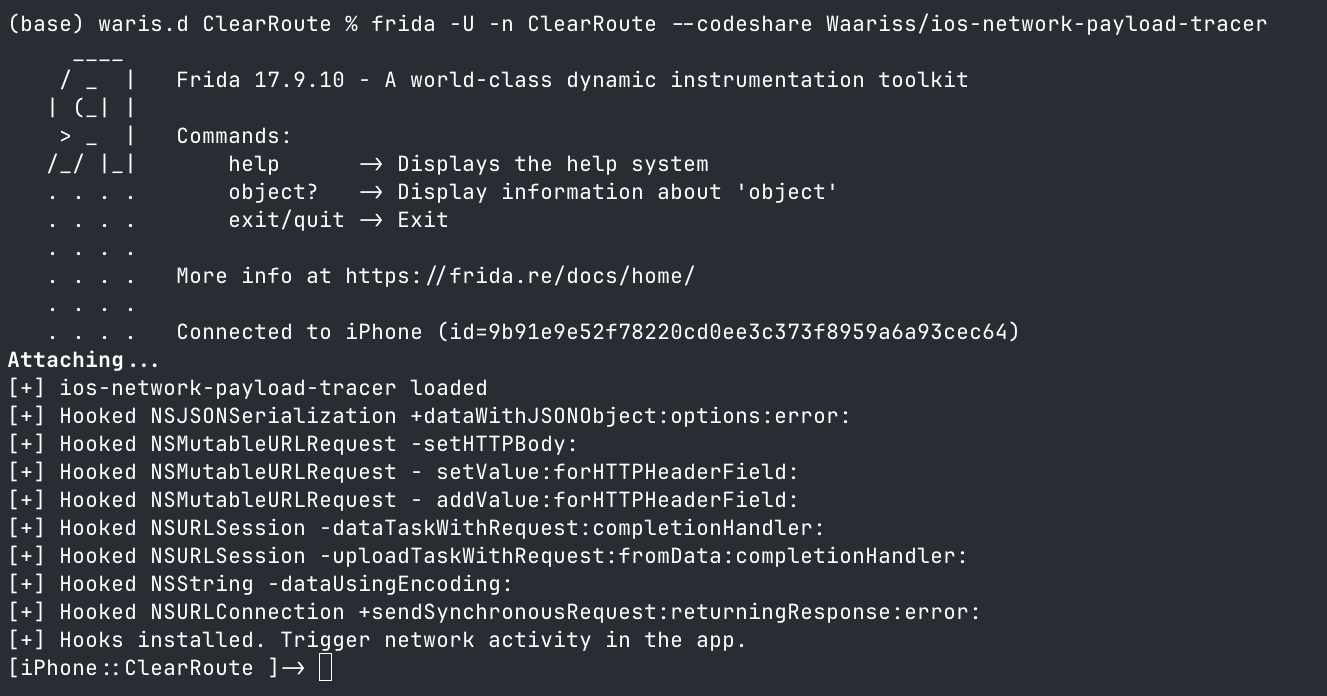
The hooks loaded successfully across JSON serialization, request body assignment, headers, and NSURLSession dispatch.
Capturing the JSON Object
The first useful hit came from NSJSONSerialization. This hook catches the object before it is serialized into an HTTP body.
const jsonMethod = ObjC.classes.NSJSONSerialization['+ dataWithJSONObject:options:error:'];

Interceptor.attach(jsonMethod.implementation, {
  onEnter(args) {
    const jsonObject = new ObjC.Object(args[2]);
    const text = jsonObject.toString();
    console.log(text);
    printFlagIfFound(text, 'NSJSONSerialization object');
  },
  onLeave(retval) {
    const jsonBody = nsdataToString(retval);
    printFlagIfFound(jsonBody, 'NSJSONSerialization data');
  }
});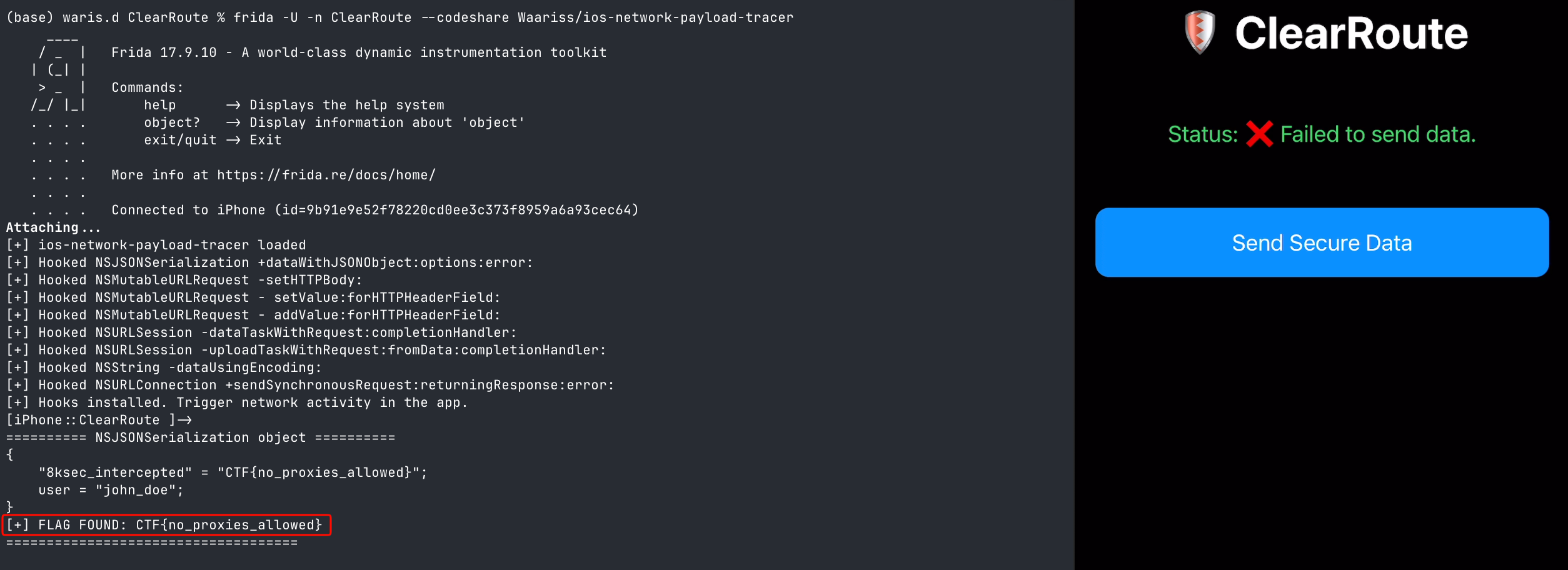
The captured object immediately revealed the flag inside the 8ksec_intercepted key:
{
    "8ksec_intercepted" = "CTF{no_proxies_allowed}";
    user = "john_doe";
}
Capturing the Serialized JSON Body
The same hook also captured the serialized JSON data returned by NSJSONSerialization.
{"user":"john_doe","8ksec_intercepted":"CTF{no_proxies_allowed}"}
This confirmed the exact JSON body that would be assigned to the outgoing POST request.
Capturing the HTTP Body
The payload was then observed when the app assigned the serialized JSON to the request body through -[NSMutableURLRequest setHTTPBody:].
========== NSMutableURLRequest setHTTPBody ==========
[URL] https://8ksec.io/blog
[Method] POST
[Body] {"user":"john_doe","8ksec_intercepted":"CTF{no_proxies_allowed}"}
[+] FLAG FOUND: CTF{no_proxies_allowed}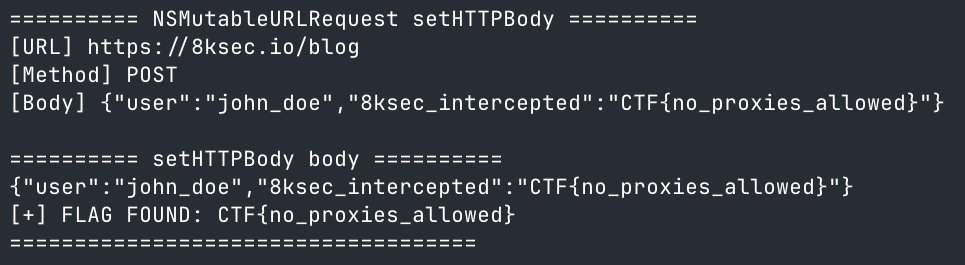
Capturing the Final NSURLSession Request
Finally, the script captured the request immediately before it was dispatched through NSURLSession.
const taskMethod = ObjC.classes.NSURLSession['- dataTaskWithRequest:completionHandler:'];

Interceptor.attach(taskMethod.implementation, {
  onEnter(args) {
    const request = new ObjC.Object(args[2]);
    console.log('[URL]', request.URL().absoluteString().toString());
    console.log('[Method]', request.HTTPMethod().toString());
    const bodyText = nsdataToString(request.HTTPBody());
    printFlagIfFound(bodyText, 'NSURLSession HTTPBody');
  }
});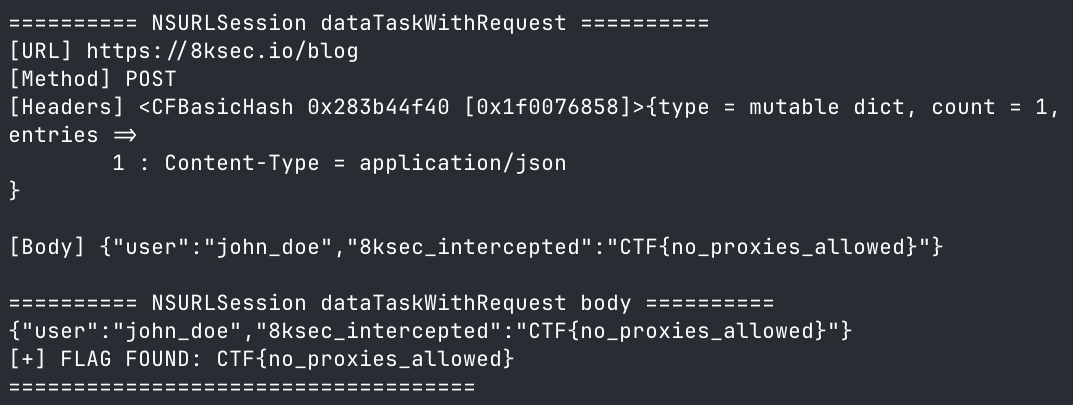
This confirmed that the flag was present from payload construction all the way to final request dispatch.
Why the Payload Appeared Multiple Times
The flag appeared multiple times because the tracer hooked several layers of the request lifecycle. The same payload passed through:
NSJSONSerialization object
NSJSONSerialization data
NSMutableURLRequest setHTTPBody:
NSURLSession dataTaskWithRequest:
This repeated output was expected and confirmed the full flow from payload construction to dispatch.
Final Flag
CTF{no_proxies_allowed}Demo Video
Scripts Used
ios-network-payload-tracerhooked the full JSON/request lifecycle from object serialization to NSURLSession dispatch.
Final Thoughts
This challenge is a good reminder that network interception does not always need to happen at the proxy layer. If the sensitive payload is built inside the app process, runtime instrumentation can capture it before TLS, pinning, proxy detection, or network failure ever matter.