picoCTF 2024 Forensics
picoCTF 2024 Forensics writeups covering image analysis, metadata, and disk forensics.
picoCTF 2024 - Forensics
Forensics Challenges
Solved: 8/8 challenges
- Scan Surprise - 50 points
- Verify - 50 points
- CanYouSee - 100 points
- Secret of the Polyglot - 100 points
- Mob psycho - 200 points
- endianness-v2 - 300 points
- Blast from the past - 300 points
- Dear Diary - 400 points
Blast from the past
Tags: `Forensics` `browser_webshell_solvable` `metadata`
Description
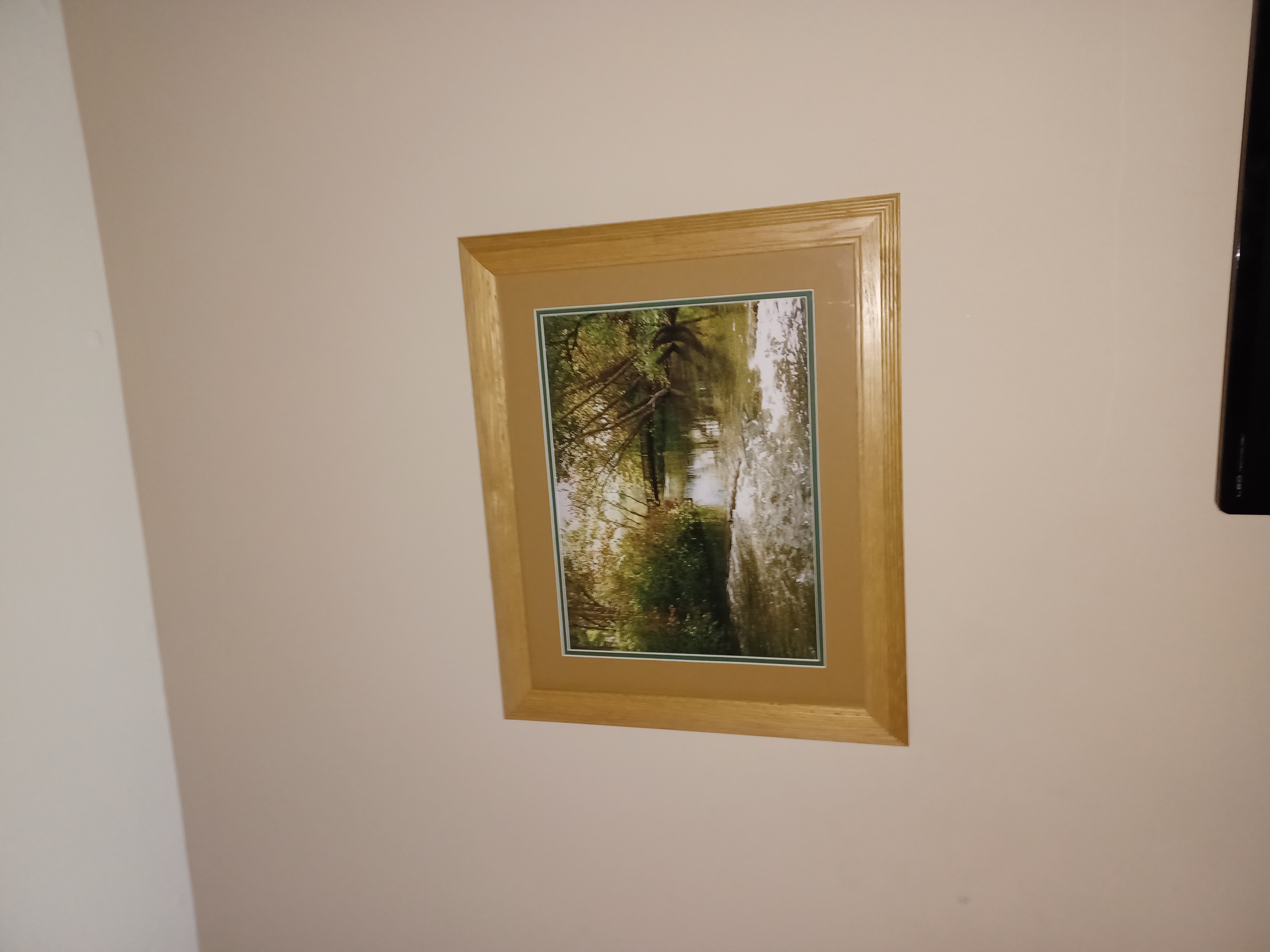
The judge for these pictures is a real fan of antiques. Can you age this photo to the specifications? Set the timestamps on this picture to 1970:01:01 00:00:00.001+00:00 with as much precision as possible for each timestamp. In this example, +00:00 is a timezone adjustment. Any timezone is acceptable as long as the time is equivalent. As an example, this timestamp is acceptable as well: 1969:12:31 19:00:00.001-05:00. For timestamps without a timezone adjustment, put them in GMT time (+00:00). The checker program provides the timestamp needed for each.
Solution Strategy
exiftool '-AllDates=1970:01:01 00:00:00.001' -OffsetTime="+00:00" original.jpg

exiftool -SubSecTime="001" -SubSecTimeOriginal="001" -SubSecTimeDigitized="001" original.jpg

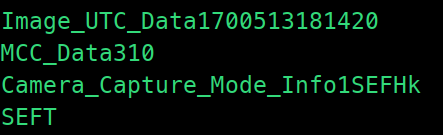
hexedit original.jpg
#Change 170051381420 -> 000000000001

ExifTool Version Number         : 12.65
File Name                       : original.jpg
Directory                       : .
File Size                       : 2.9 MB
File Modification Date/Time     : 2024:03:18 21:59:22+07:00
File Access Date/Time           : 2024:03:18 21:59:22+07:00
File Inode Change Date/Time     : 2024:03:18 21:59:22+07:00
File Permissions                : -rw-rw-r--
File Type                       : JPEG
File Type Extension             : jpg
MIME Type                       : image/jpeg
Exif Byte Order                 : Little-endian (Intel, II)
Image Description               :
Make                            : samsung
Camera Model Name               : SM-A326U
Orientation                     : Rotate 90 CW
X Resolution                    : 72
Y Resolution                    : 72
Resolution Unit                 : inches
Software                        : MediaTek Camera Application
Modify Date                     : 1970:01:01 00:00:00
Y Cb Cr Positioning             : Co-sited
Exposure Time                   : 1/24
F Number                        : 1.8
Exposure Program                : Program AE
ISO                             : 500
Sensitivity Type                : Unknown
Recommended Exposure Index      : 0
Exif Version                    : 0220
Date/Time Original              : 1970:01:01 00:00:00
Create Date                     : 1970:01:01 00:00:00
Offset Time                     : +00:00
Components Configuration        : Y, Cb, Cr, -
Shutter Speed Value             : 1/24
Aperture Value                  : 1.9
Brightness Value                : 3
Exposure Compensation           : 0
Max Aperture Value              : 1.8
Metering Mode                   : Center-weighted average
Light Source                    : Other
Flash                           : On, Fired
Focal Length                    : 4.6 mm
Sub Sec Time                    : 001
Sub Sec Time Original           : 001
Sub Sec Time Digitized          : 001
Flashpix Version                : 0100
Color Space                     : sRGB
Exif Image Width                : 4000
Exif Image Height               : 3000
Interoperability Index          : R98 - DCF basic file (sRGB)
Interoperability Version        : 0100
Exposure Mode                   : Auto
White Balance                   : Auto
Digital Zoom Ratio              : 1
Focal Length In 35mm Format     : 25 mm
Scene Capture Type              : Standard
Compression                     : JPEG (old-style)
Thumbnail Offset                : 1144
Thumbnail Length                : 64000
Image Width                     : 4000
Image Height                    : 3000
Encoding Process                : Baseline DCT, Huffman coding
Bits Per Sample                 : 8
Color Components                : 3
Y Cb Cr Sub Sampling            : YCbCr4:2:0 (2 2)
Time Stamp                      : 1970:01:01 07:00:00.001+07:00
MCC Data                        : United States / Guam (310)
Aperture                        : 1.8
Image Size                      : 4000x3000
Megapixels                      : 12.0
Scale Factor To 35 mm Equivalent: 5.4
Shutter Speed                   : 1/24
Create Date                     : 1970:01:01 00:00:00.001
Date/Time Original              : 1970:01:01 00:00:00.001
Modify Date                     : 1970:01:01 00:00:00.001+00:00
Thumbnail Image                 : (Binary data 64000 bytes, use -b option to extract)
Circle Of Confusion             : 0.006 mm
Field Of View                   : 71.5 deg
Focal Length                    : 4.6 mm (35 mm equivalent: 25.0 mm)
Hyperfocal Distance             : 2.13 m
Light Value                     : 4.0
Flag
MD5 of your picture:
6bc3fc93ab60e34d0284e37ee2066f2c  test.out

Checking tag 1/7
Looking at IFD0: ModifyDate
Looking for '1970:01:01 00:00:00'
Found: 1970:01:01 00:00:00
Great job, you got that one!

Checking tag 2/7
Looking at ExifIFD: DateTimeOriginal
Looking for '1970:01:01 00:00:00'
Found: 1970:01:01 00:00:00
Great job, you got that one!

Checking tag 3/7
Looking at ExifIFD: CreateDate
Looking for '1970:01:01 00:00:00'
Found: 1970:01:01 00:00:00
Great job, you got that one!

Checking tag 4/7
Looking at Composite: SubSecCreateDate
Looking for '1970:01:01 00:00:00.001'
Found: 1970:01:01 00:00:00.001
Great job, you got that one!

Checking tag 5/7
Looking at Composite: SubSecDateTimeOriginal
Looking for '1970:01:01 00:00:00.001'
Found: 1970:01:01 00:00:00.001
Great job, you got that one!

Checking tag 6/7
Looking at Composite: SubSecModifyDate
Looking for '1970:01:01 00:00:00.001'
Found: 1970:01:01 00:00:00.001
Great job, you got that one!

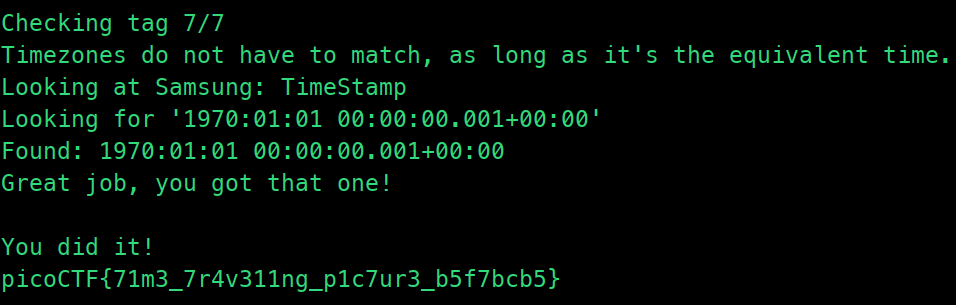
Checking tag 7/7
Timezones do not have to match, as long as it's the equivalent time.
Looking at Samsung: TimeStamp
Looking for '1970:01:01 00:00:00.001+00:00'
Found: 1970:01:01 00:00:00.001+00:00
Great job, you got that one!
CanYouSee
Tags: `Forensics` `browser_webshell_solvable`
Description
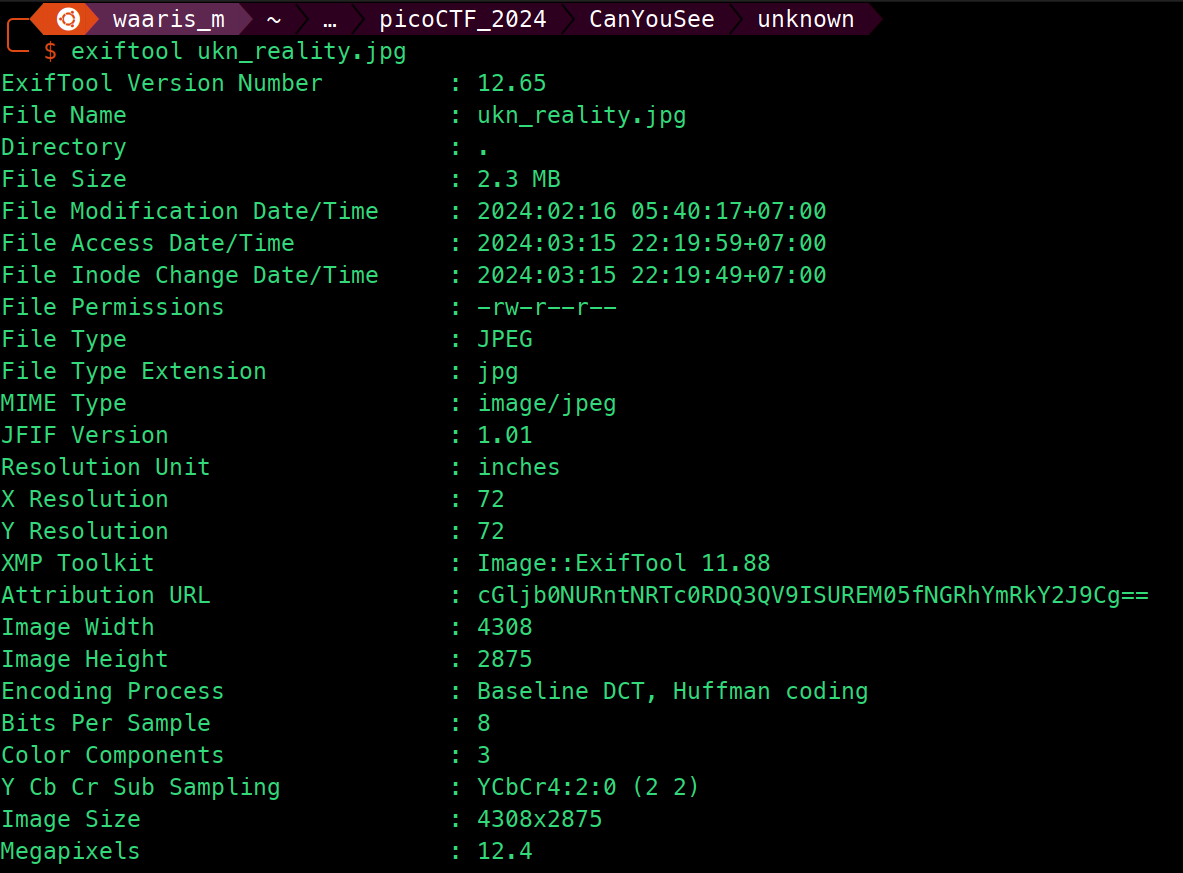
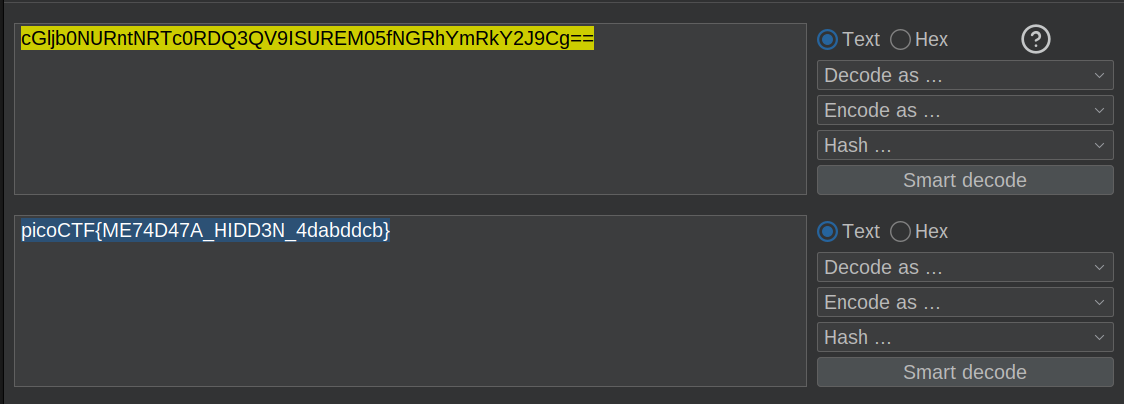
How about some hide and seek?

exiftool ukn_reality.jpg
Flag
Dear Diary
Tags: `Forensics` `browser_webshell_solvable` `disk`
Description
If you can find the flag on this disk image, we can close the case for good!

file disk.flag.img.gz

gzip -d disk.flag.img.gz

Using Autopsy, the built-in tool in Kali Linux.
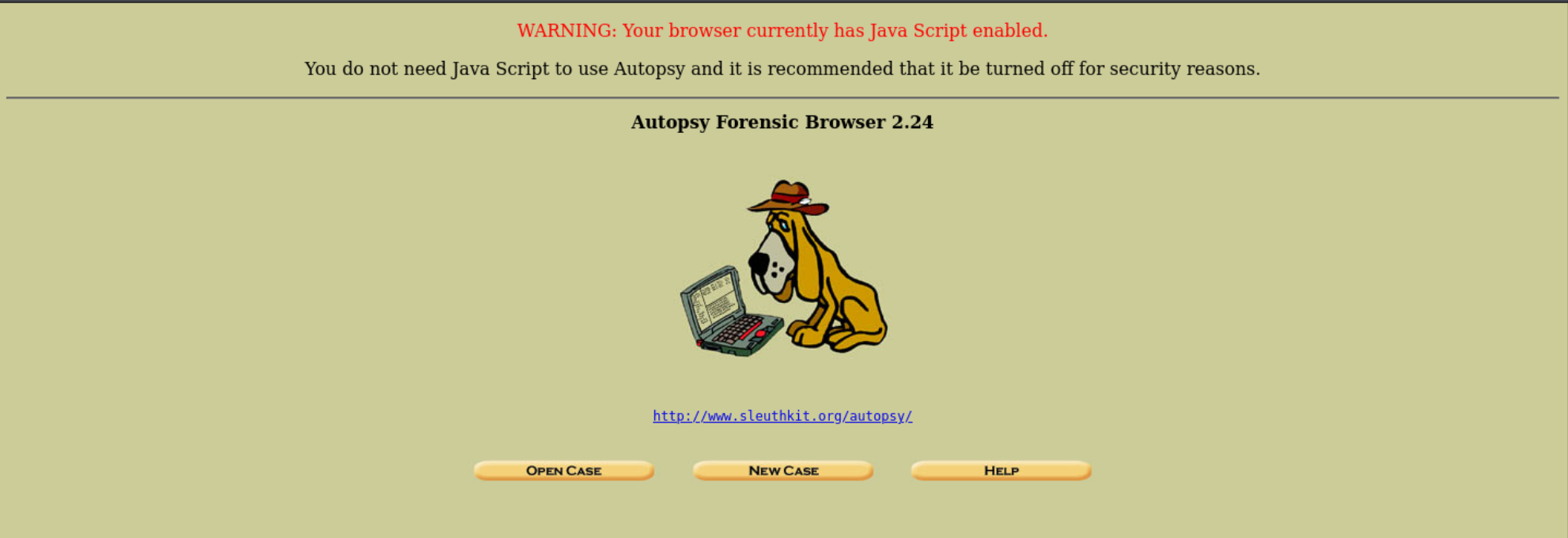
Open a new case and import a disk.flag.img.
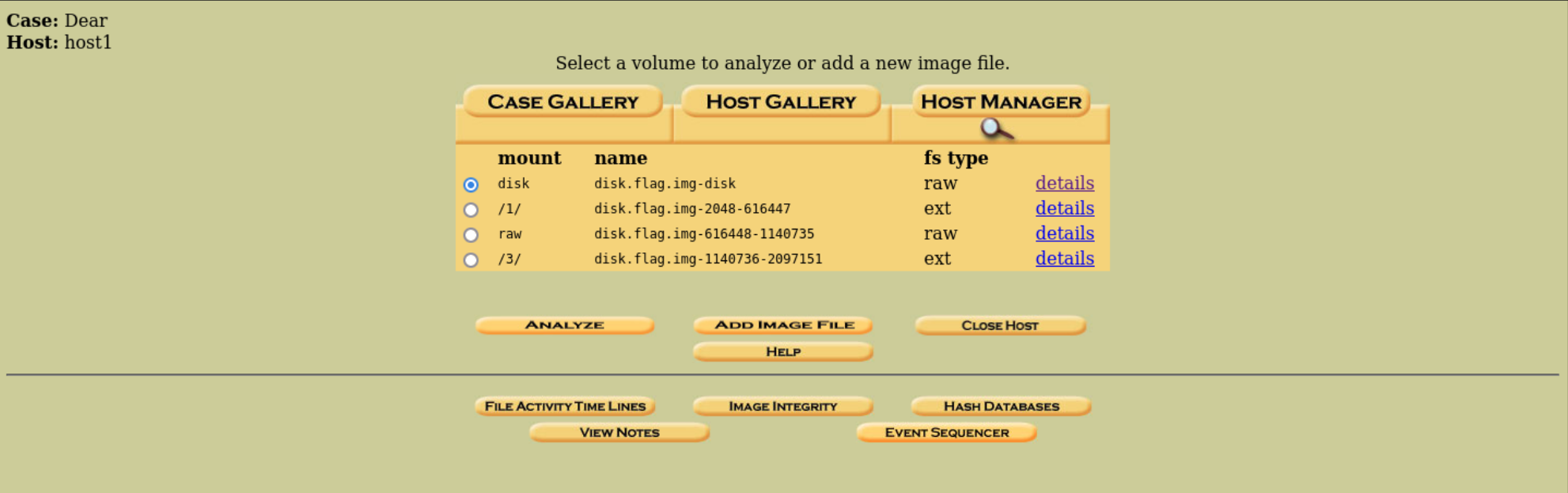
Wait for analysis to finish, then click Keyword Search.
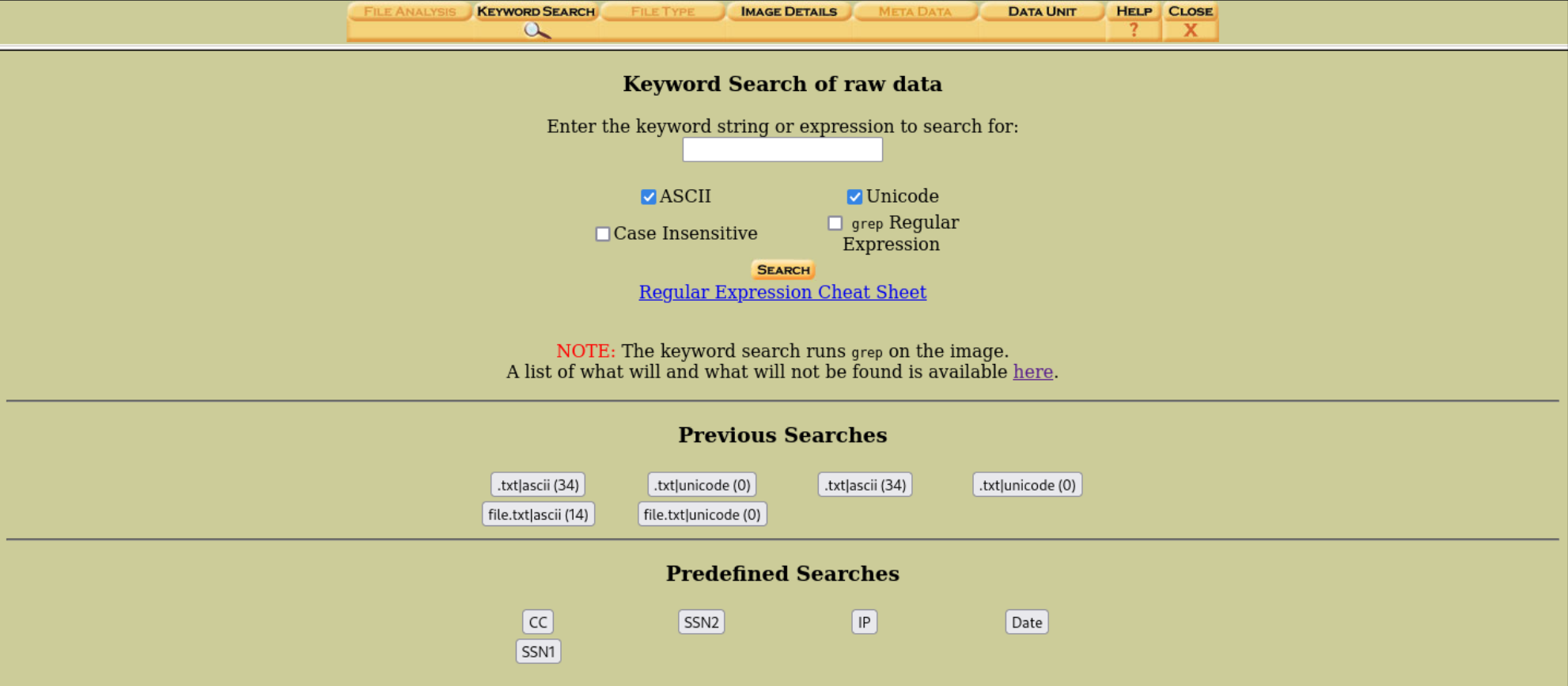
Enter .txt for keyword search.
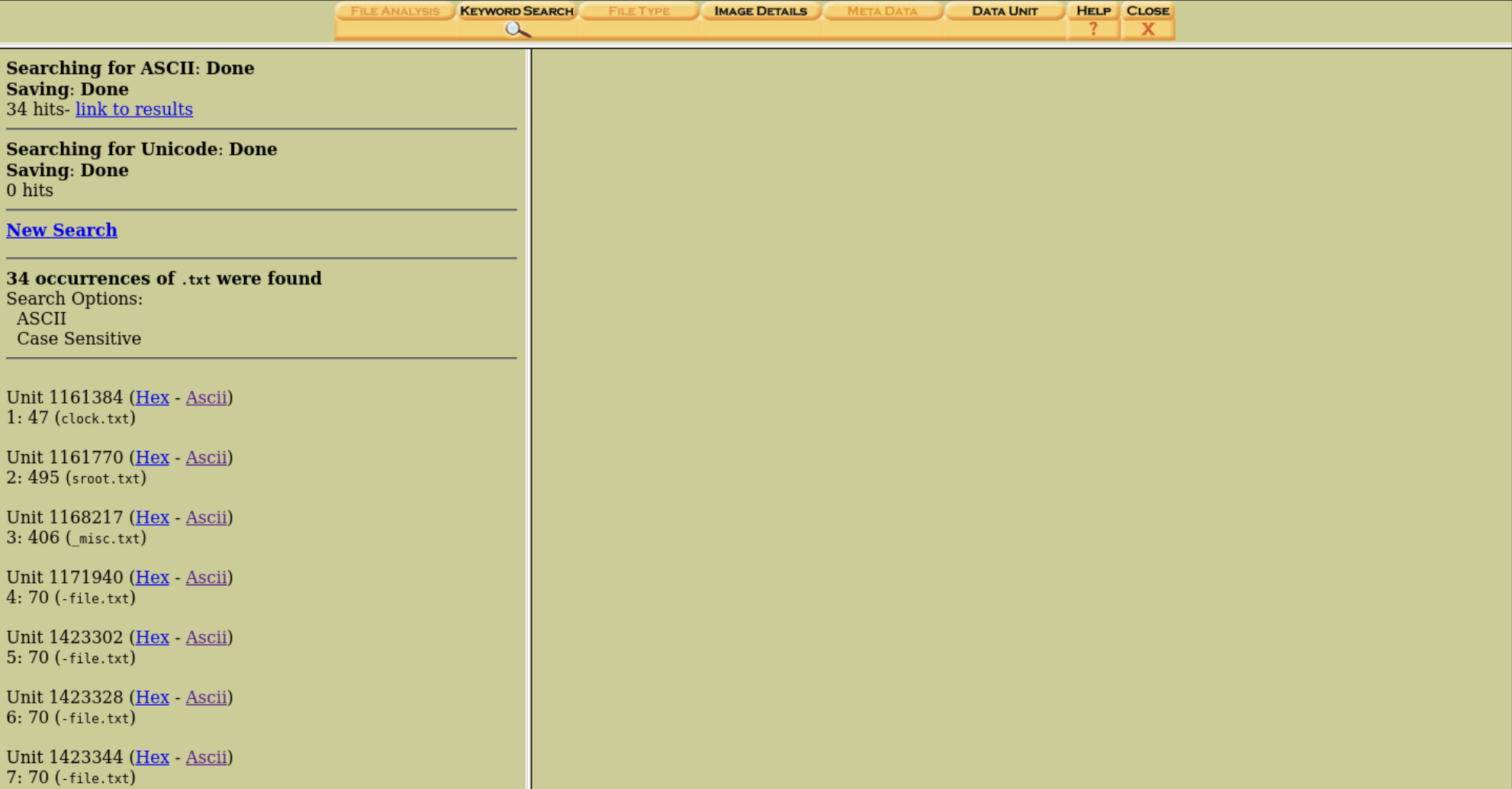
Flag
After reading all the files, the first flag fragment starts at file 7.
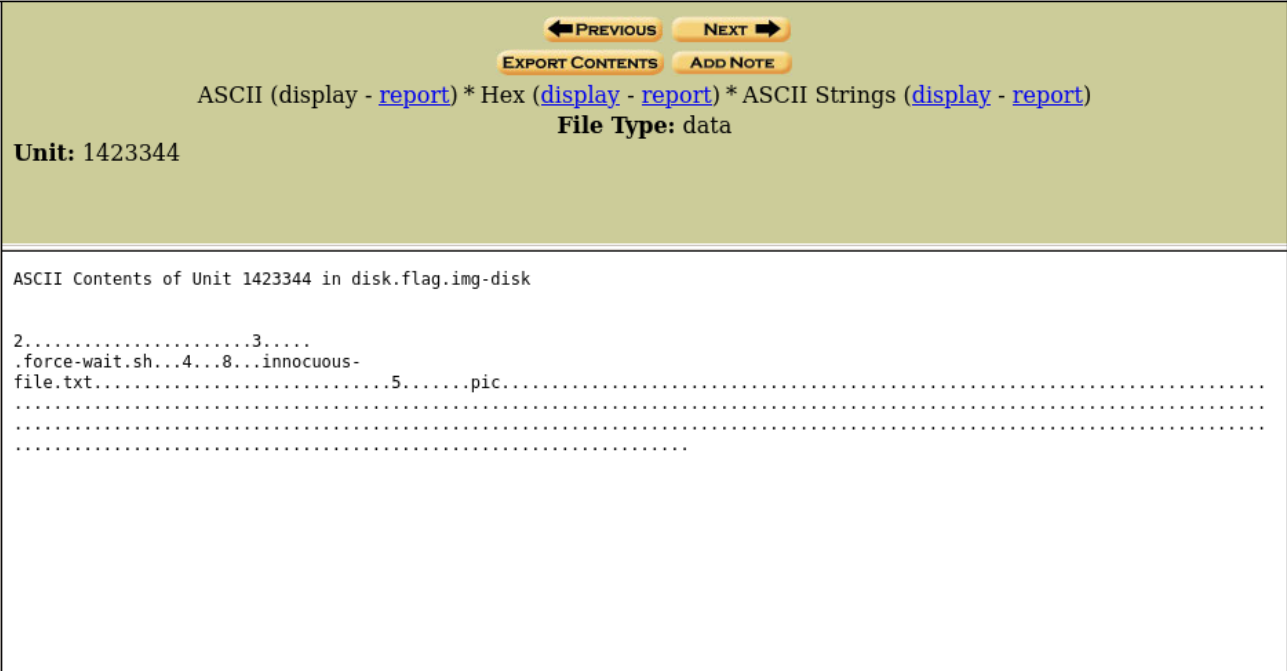
pic
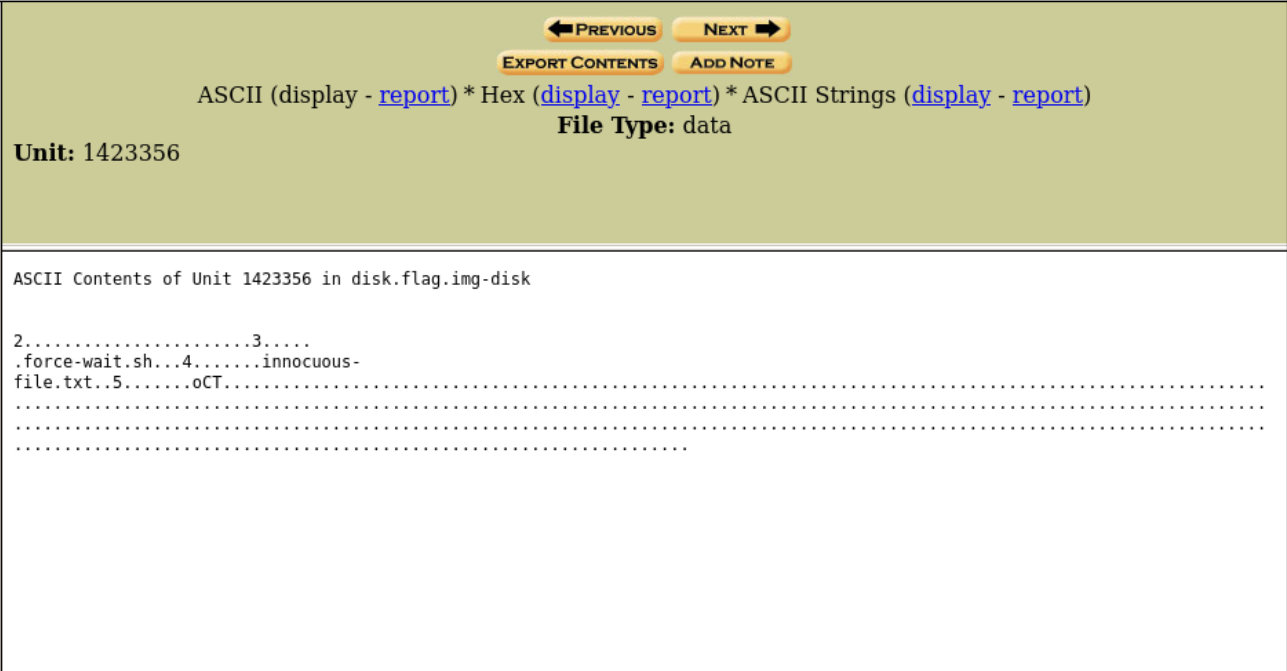
oCT
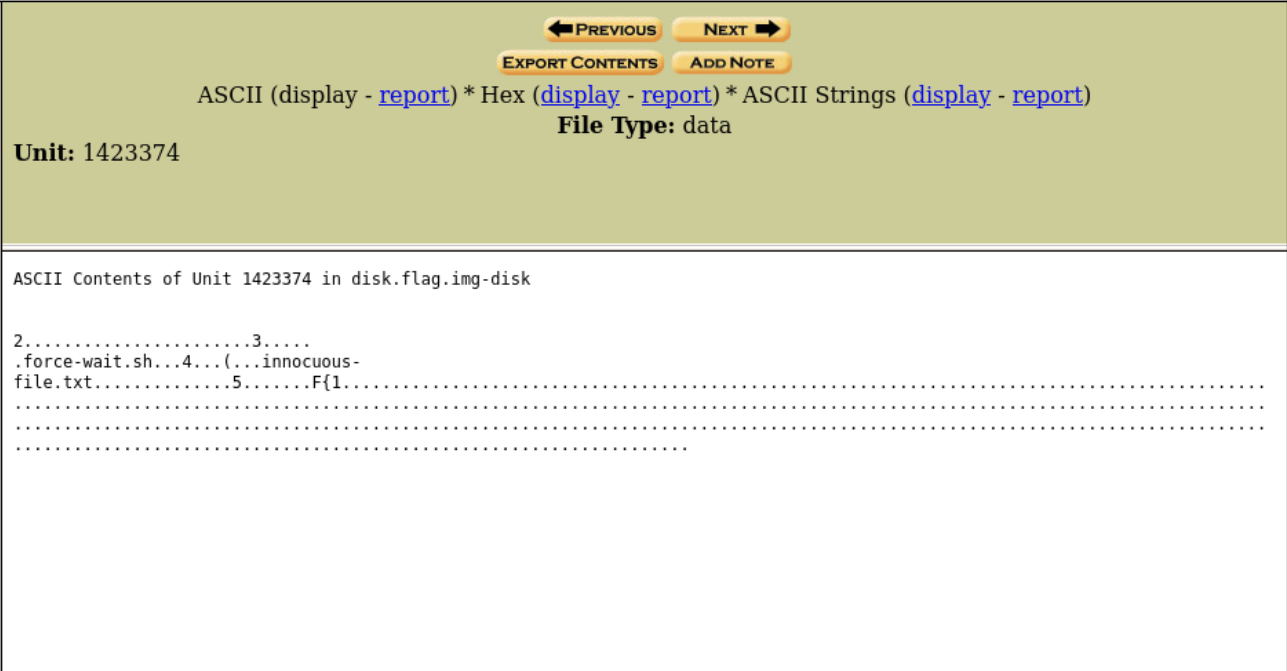
F{1
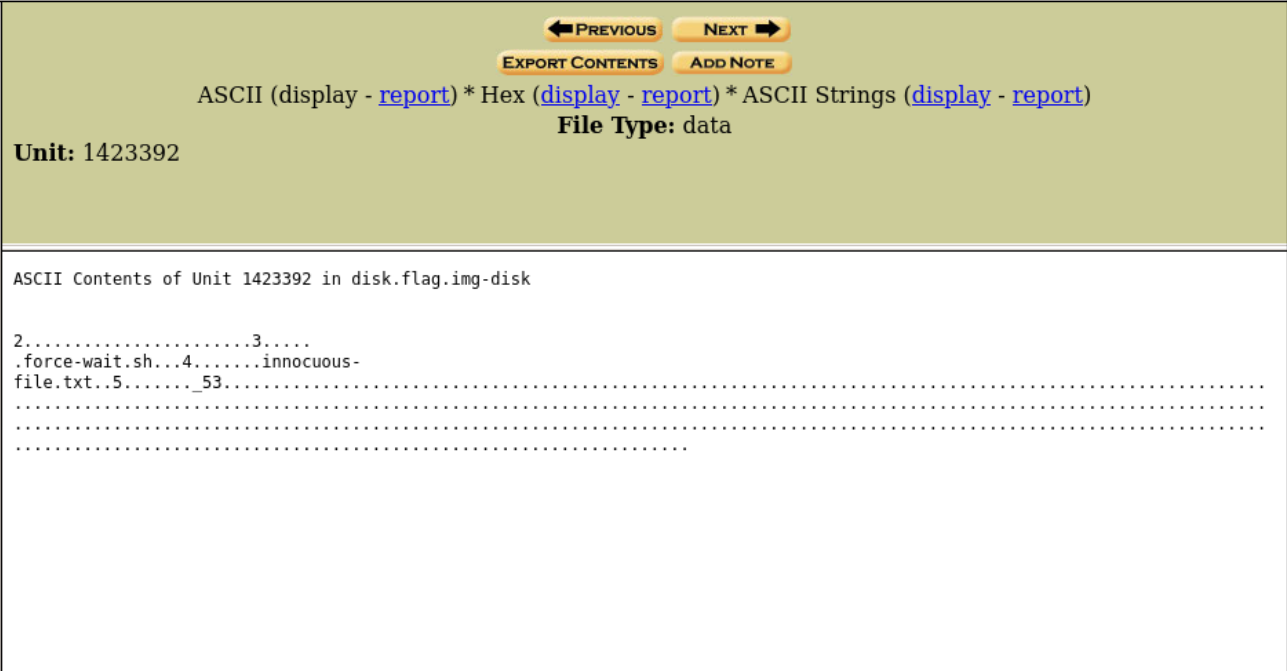
_53
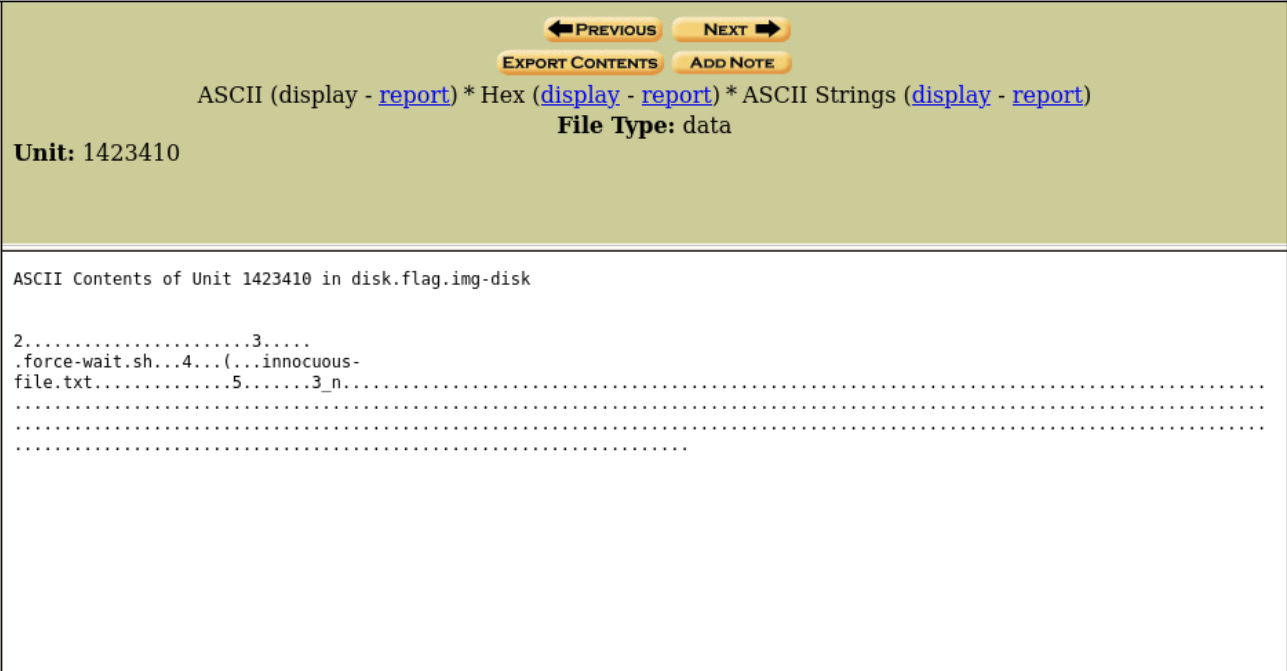
3_n
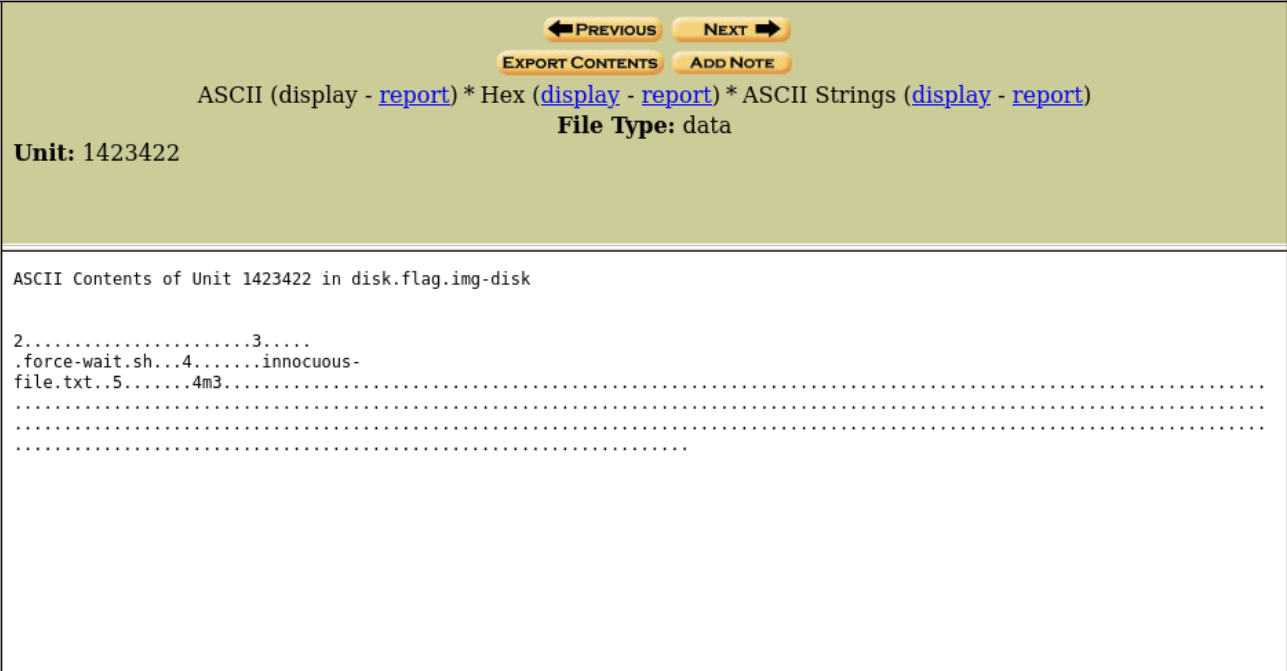
4m3
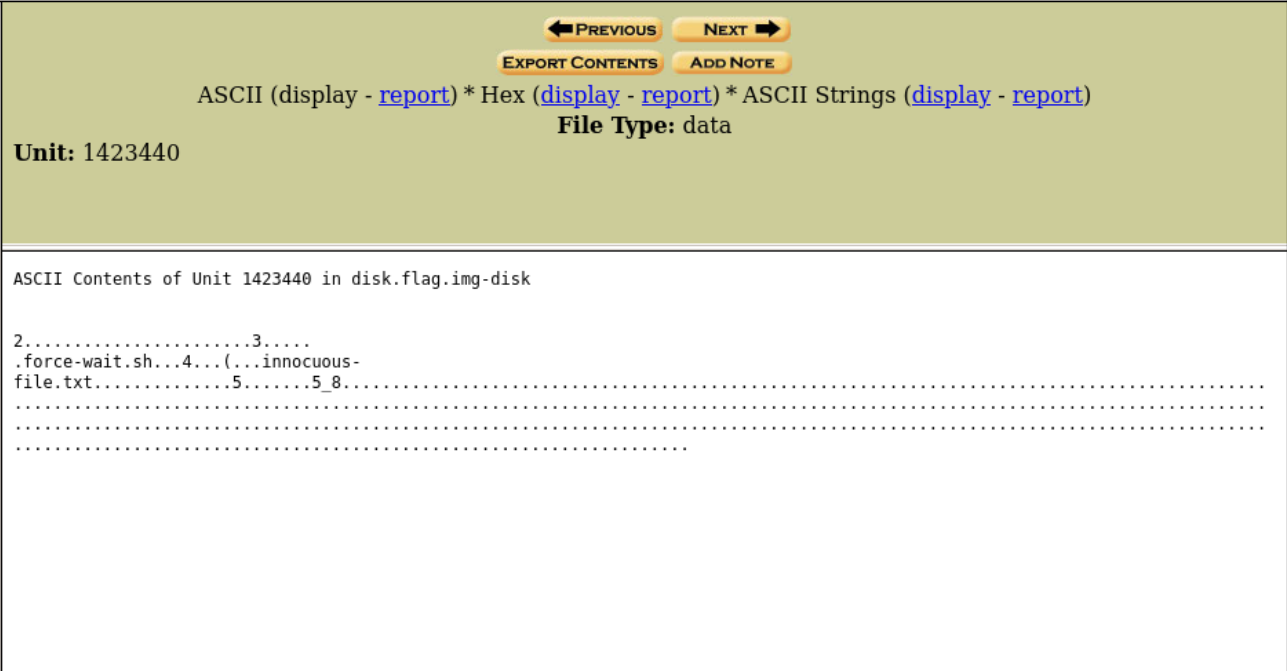
5_8
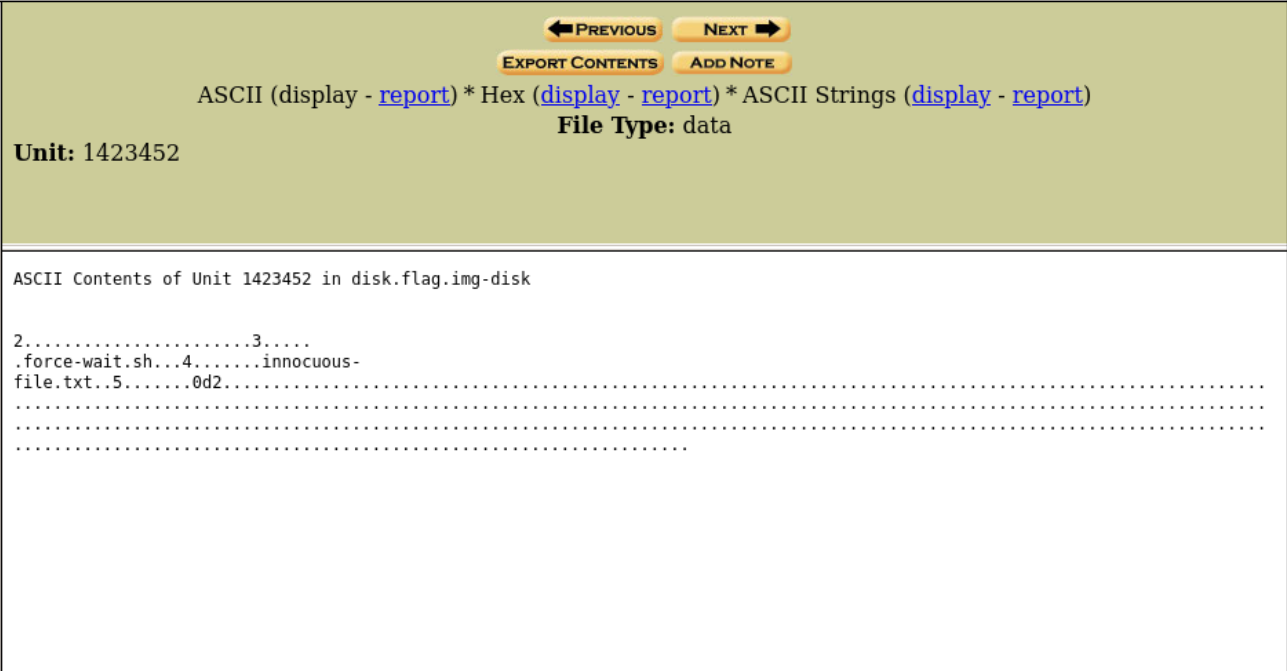
0d2
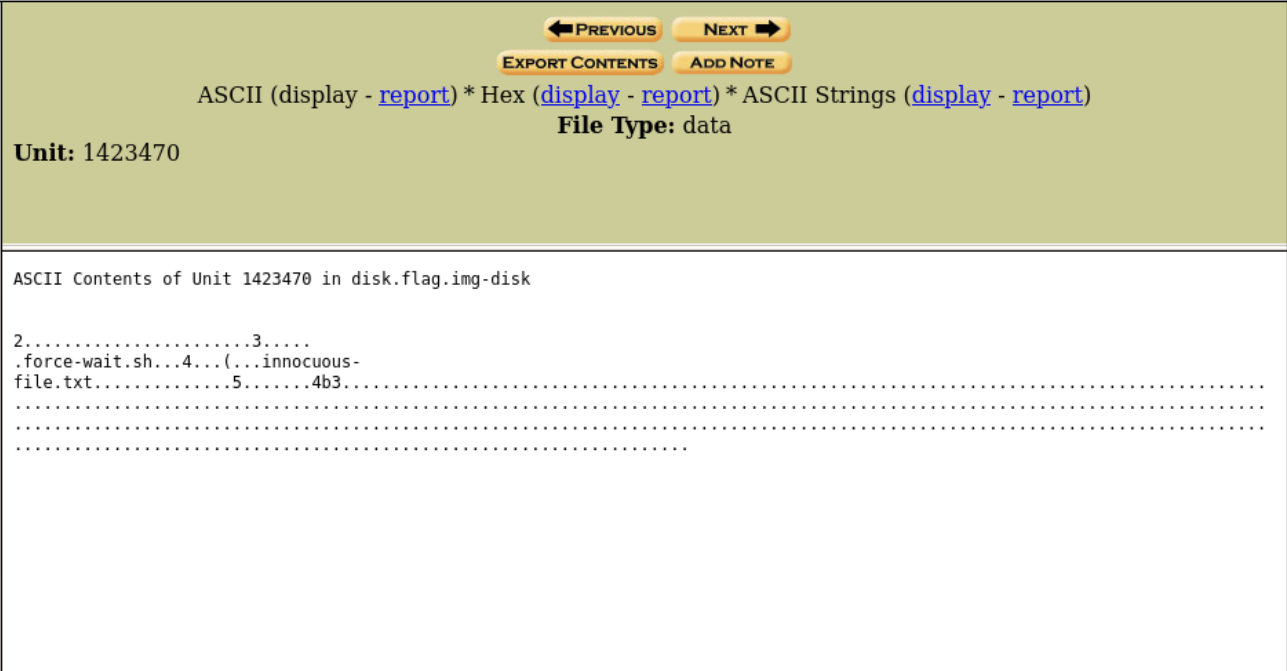
4b3
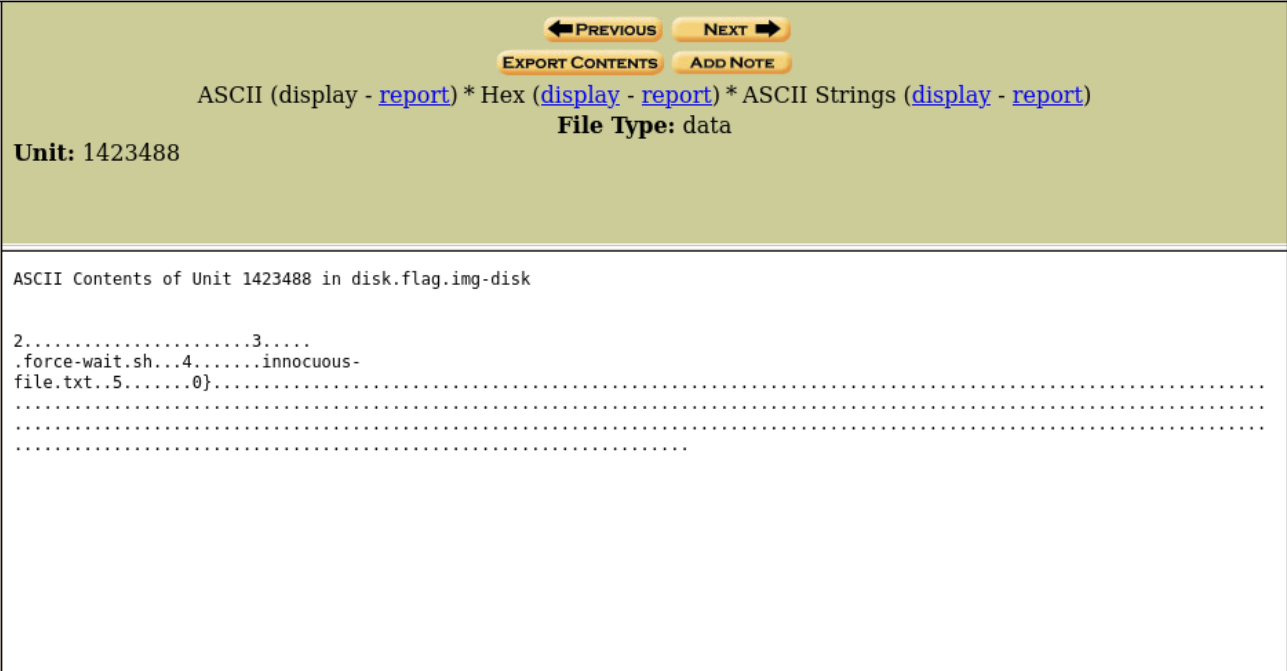
0}
picoCTF{1_533_n4m35_80d24b30}
endianness-v2
Tags: `Forensics` `browser_webshell_solvable`
Description
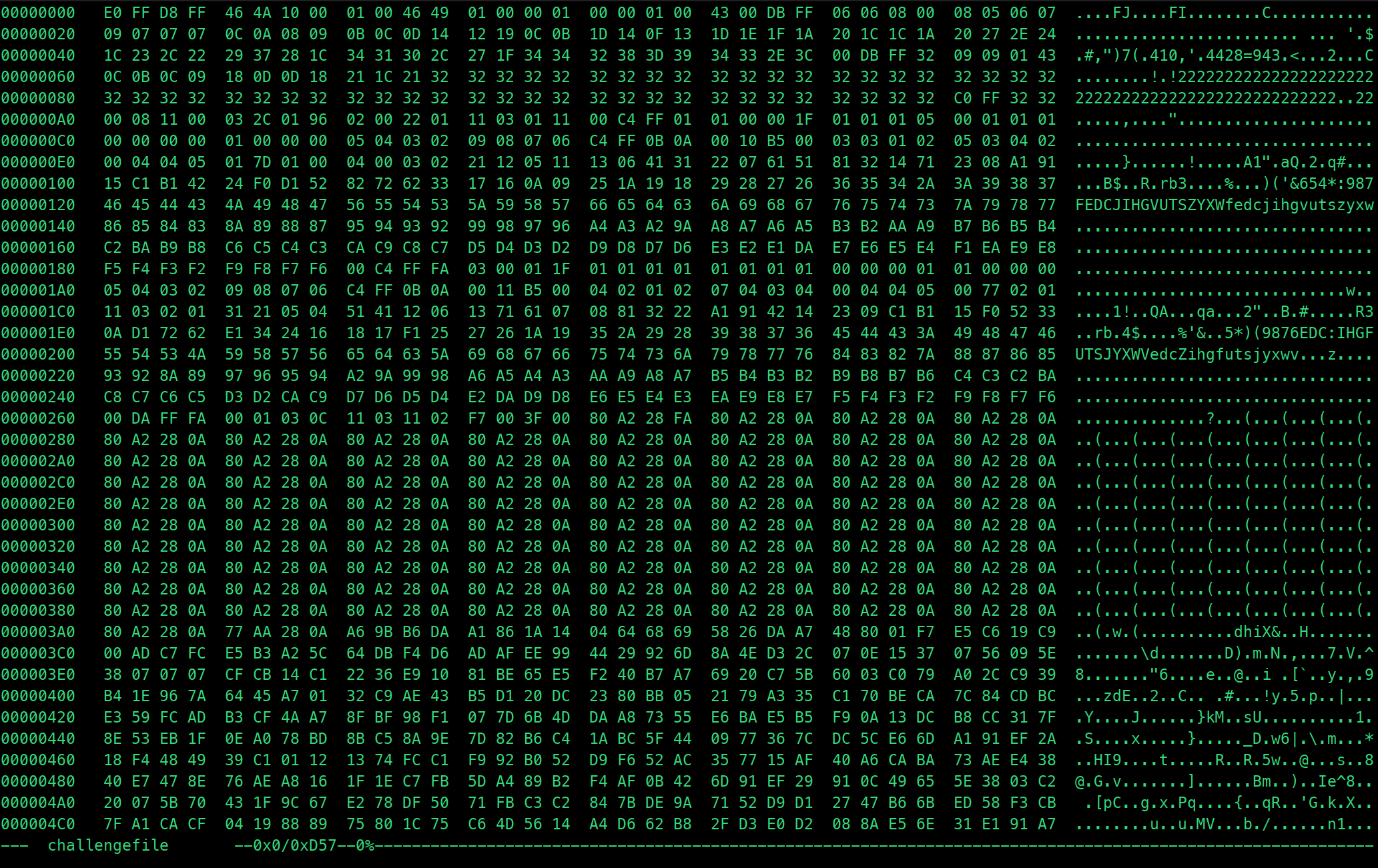
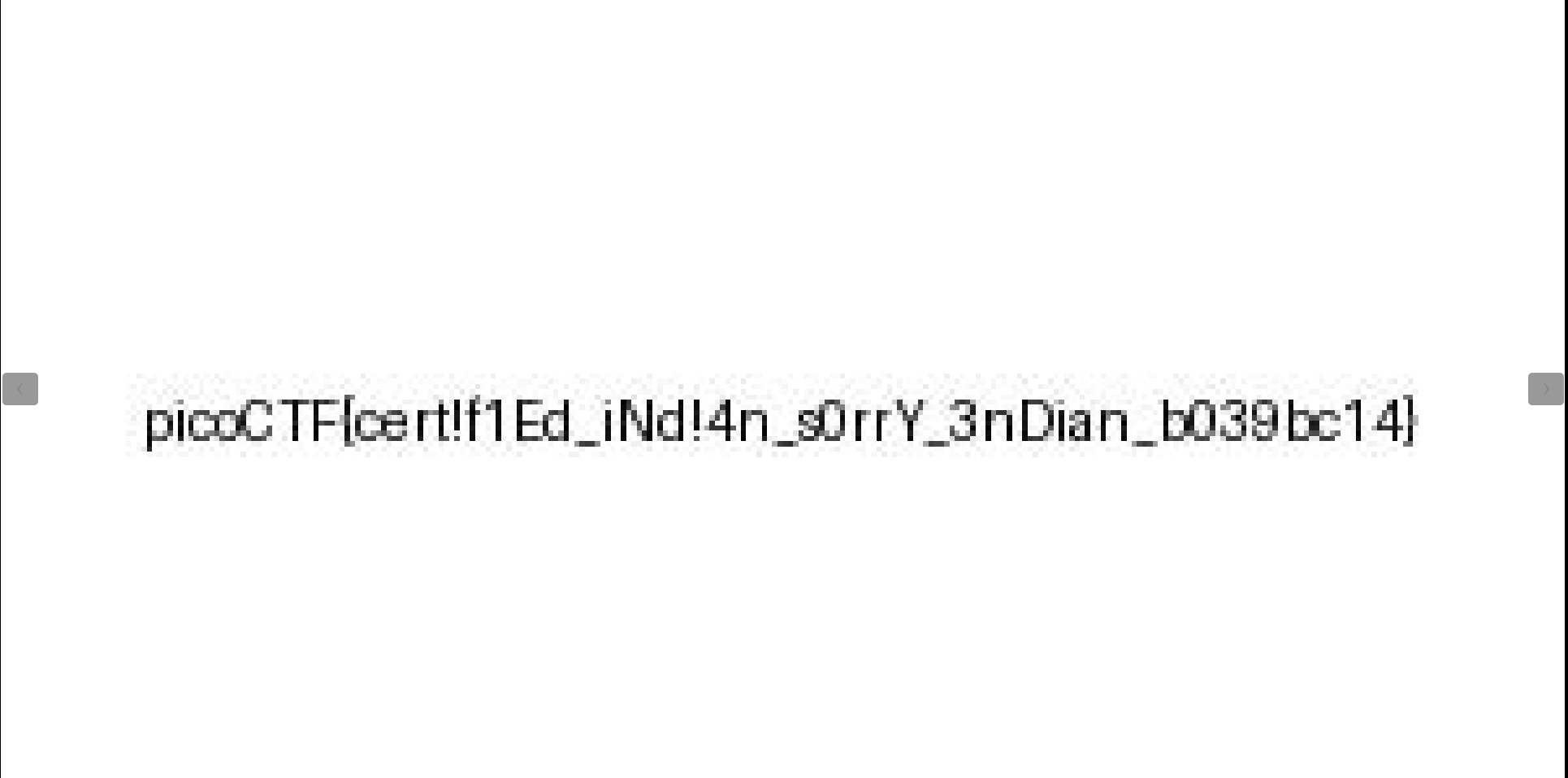
Here's a file that was recovered from a 32-bits system that organized the bytes a weird way. We're not even sure what type of file it is.

hexedit challengefile
Solution Strategy
def correct_byte_order(input_file_path, output_file_path):
    """
    Corrects the byte order within each 32-bit word of the file.

    Parameters:
    - input_file_path: Path to the input file with incorrect byte order.
    - output_file_path: Path where the corrected file will be saved.
    """
    corrected_bytes = bytearray()

    with open(input_file_path, 'rb') as file:
        while True:
            word = file.read(4)
            if not word:
                break
            corrected_bytes.extend(word[::-1])

    with open(output_file_path, 'wb') as corrected_file:
        corrected_file.write(corrected_bytes)

input_file_path = 'challengefile'
output_file_path = 'fixed_challengefile.jpeg'
correct_byte_order(input_file_path, output_file_path)

print(f'Corrected file has been saved to: {output_file_path}')
- The
correct_byte_orderfunction corrects the byte order within each 32-bit word of a file. - It takes two parameters:
input_file_path(path to the input file with incorrect byte order) andoutput_file_path(path where the corrected file will be saved). - Inside the function, it initializes an empty
bytearrayto store the corrected bytes. - It then opens the input file in binary mode and iterates over the file content in chunks of 4 bytes.
- For each 32-bit word read from the file, it reverses the byte order (from little-endian to big-endian or vice versa) and appends it to the
corrected_bytesbytearray. - After processing the entire input file, it opens the output file in binary write mode and writes the corrected bytes to it.
- Finally, an example usage of the function is provided where it takes an input file named
'challengefile', corrects the byte order, and saves the corrected file as'fixed_challengefile.jpeg'. - Upon execution, it prints a message indicating the path where the corrected file has been saved.
Flag
Mob psycho
Tags: `Forensics` `browser_webshell_solvable` `apk`
Description
Can you handle APKs?
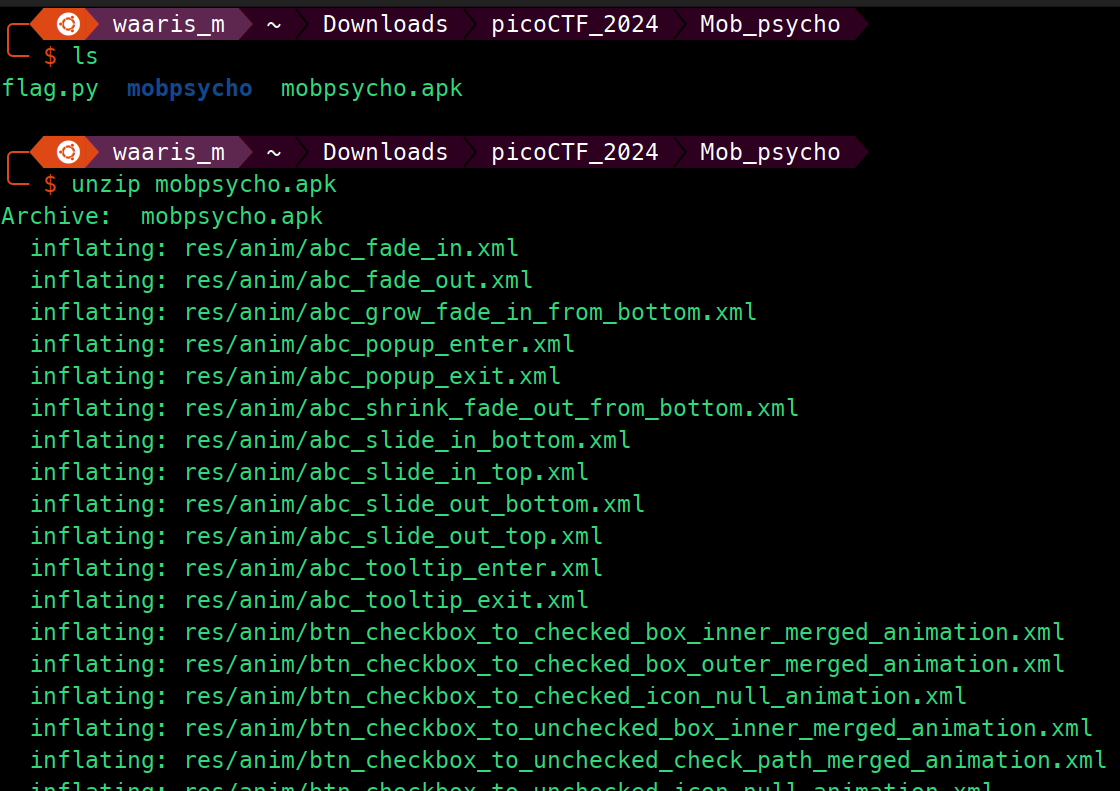
unzip mobpsycho.apk
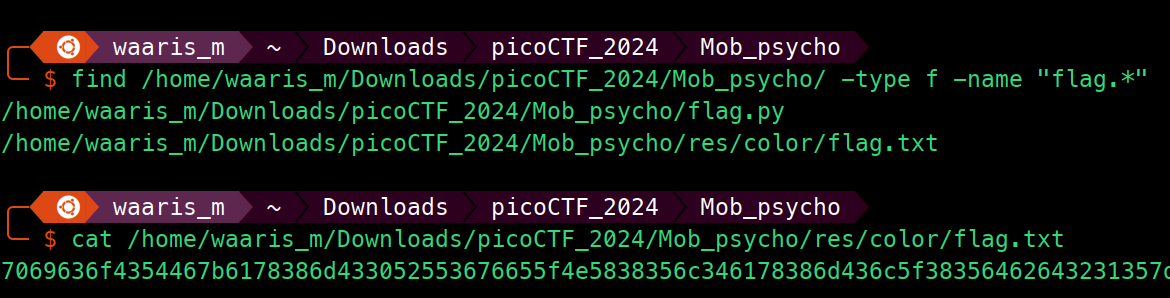
find /home/waaris_m/Downloads/picoCTF_2024/Mob_psycho/ -type f -name "flag.*"

cat /home/waaris_m/Downloads/picoCTF_2024/Mob_psycho/res/color/flag.txt
Solution Strategy
# Hexadecimal string from flag.txt
hex_string = "7069636f4354467b6178386d433052553676655f4e5838356c346178386d436c5f38356462643231357d"

# Convert the hexadecimal string to ASCII
ascii_string = bytes.fromhex(hex_string).decode()

print(ascii_string)
Flag

Scan Surprise
Tags: `Forensics` `qr_code` `browser_webshell_solvable` `shell`
Description
I've gotten bored of handing out flags as text. Wouldn't it be cool if they were an image instead?

QR-CODE IN SOURCE CODE
Flag
Thanks https://me-qr-scanner.com/qr-scanner
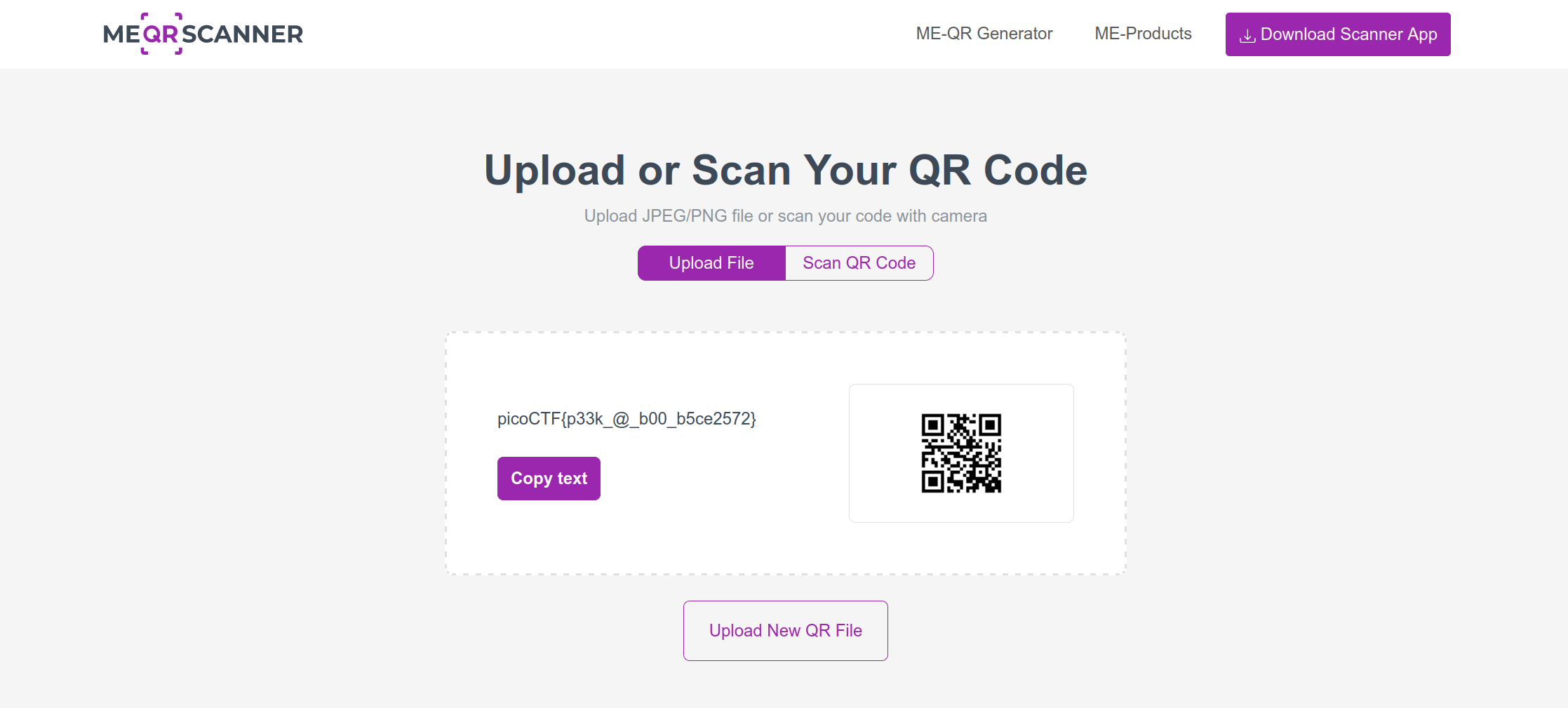
picoCTF{p33k@b00_b5ce2572}
Secret of the Polyglot
Tags: `Forensics` `file_format` `polyglot`
Description
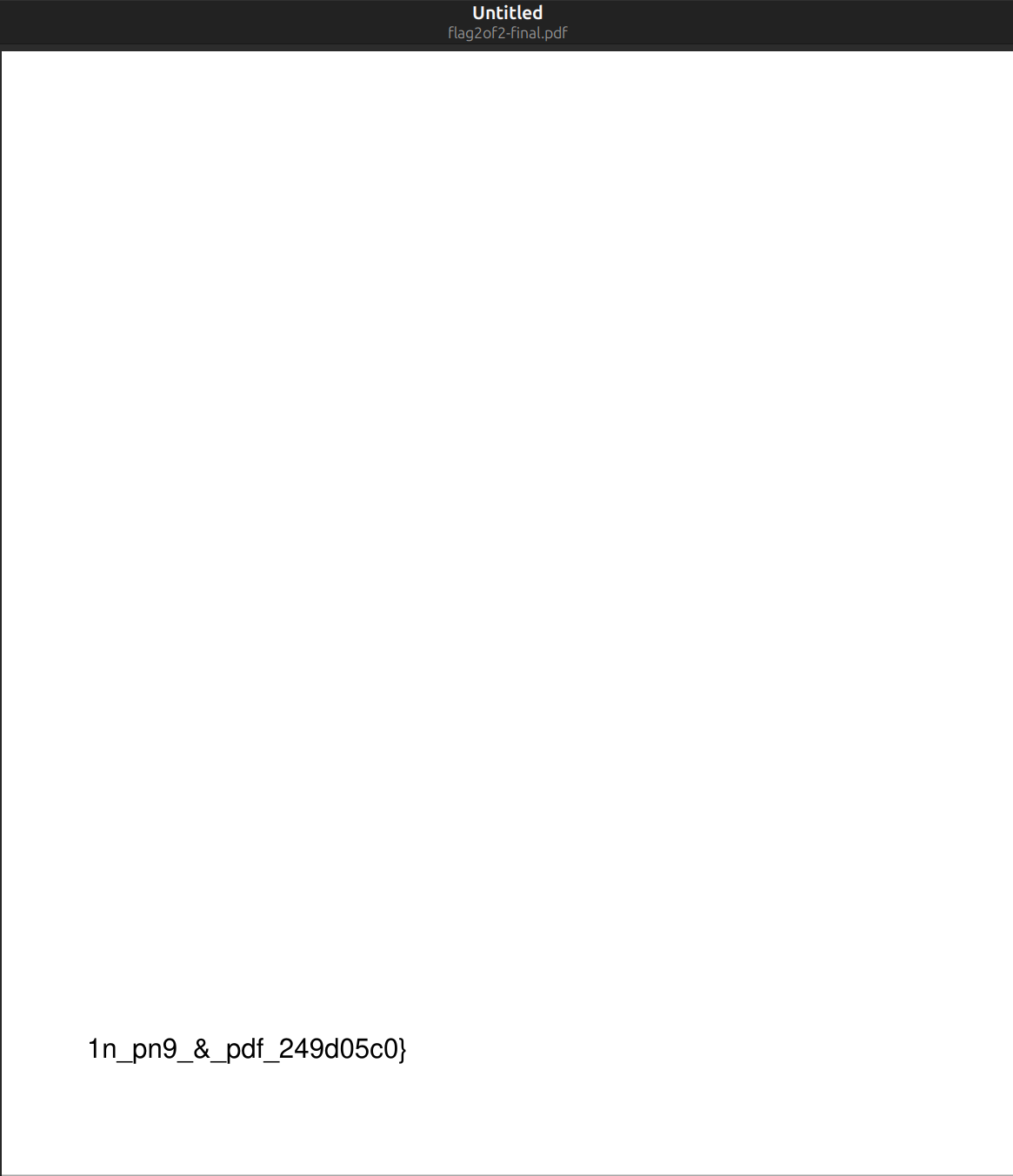
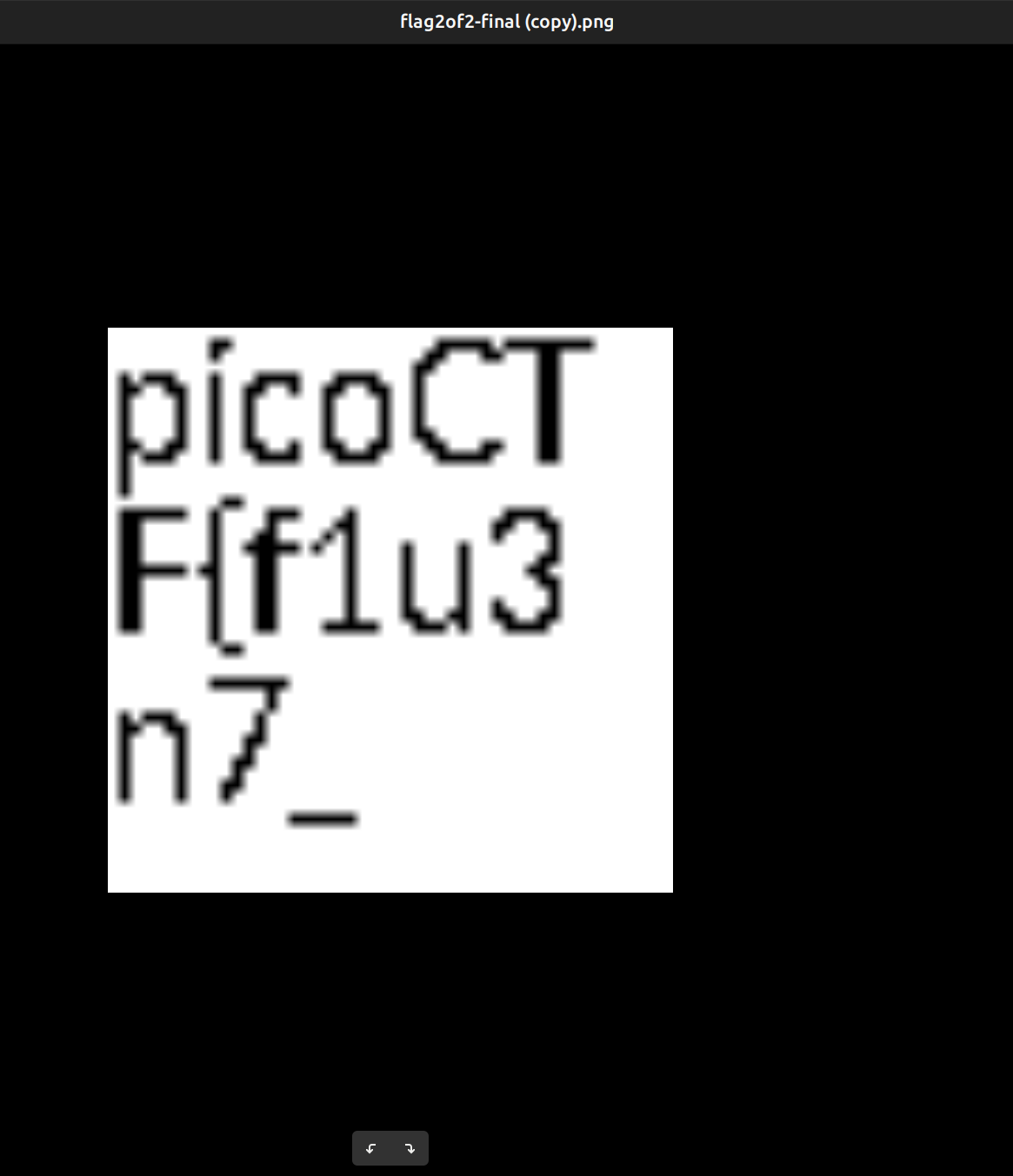
The Network Operations Center (NOC) of your local institution picked up a suspicious file, they're getting conflicting information on what type of file it is. They've brought you in as an external expert to examine the file. Can you extract all the information from this strange file?

Flag
Verify
Tags: `Forensics` `checksum` `browser_webshell_solvable` `grep`
Description
People keep trying to trick my players with imitation flags. I want to make sure they get the real thing! I'm going to provide the SHA-256 hash and a decrypt script to help you know that my flags are legitimate.
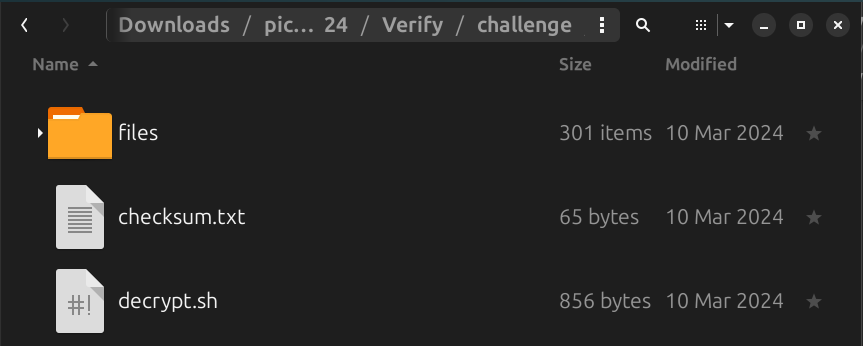
#decrypt.sh
        #!/bin/bash

        # Check if the user provided a file name as an argument
        if [ $# -eq 0 ]; then
            echo "Expected usage: decrypt.sh <filename>"
            exit 1
        fi

        # Store the provided filename in a variable
        file_name="$1"

        # Check if the provided argument is a file and not a folder
        if [ ! -f "/home/ctf-player/drop-in/$file_name" ]; then
            echo "Error: '$file_name' is not a valid file. Look inside the 'files' folder with 'ls -R'!"
            exit 1
        fi

        # If there's an error reading the file, print an error message
        if ! openssl enc -d -aes-256-cbc -pbkdf2 -iter 100000 -salt -in "/home/ctf-player/drop-in/$file_name" -k picoCTF; then
            echo "Error: Failed to decrypt '$file_name'. This flag is fake! Keep looking!"
        fi
Solution Strategy
import os
import subprocess
import sys

if len(sys.argv) != 2:
    print("Expected usage: decrypt.py <directory_path>")
    sys.exit(1)

directory_path = sys.argv[1]

if not os.path.isdir(directory_path):
    print(f"Error: '{directory_path}' is not a valid directory. Provide a valid directory path!")
    sys.exit(1)

for file_name in os.listdir(directory_path):
    full_path = os.path.join(directory_path, file_name)
    if os.path.isfile(full_path):
        print(f"Attempting to decrypt: {file_name}")
        try:
            subprocess.run(['openssl', 'enc', '-d', '-aes-256-cbc', '-pbkdf2', '-iter', '100000', '-salt',
                            '-in', full_path, '-k', 'picoCTF'], check=True)
            print(f"Decrypted: {file_name}")
        except subprocess.CalledProcessError:
            print(f"Error: Failed to decrypt '{file_name}'. This flag might be fake or the file is not encrypted with the expected parameters!")

print("Finished processing all files.")
- This script is designed to decrypt files within a specified directory using OpenSSL.
- It expects one command-line argument, which should be the path to the directory containing the files to decrypt.
- If the argument count is not exactly 2, it prints an error message and exits with a status code of 1.
- It checks if the provided directory path exists and is indeed a directory; if not, it prints an error message and exits with a status code of 1.
- It iterates over each file in the directory, attempting to decrypt each file using OpenSSL with AES-256 CBC encryption, PBKDF2 key derivation, 100000 iterations, and a salt.
- If decryption is successful, it prints a success message; otherwise, it prints an error message indicating the failure to decrypt the file.
- Finally, it prints a message indicating that it has finished processing all files in the directory.
Flag
