picoCTF 2024 General Skills
picoCTF 2024 General Skills writeups covering git, shell commands, and foundational CTF techniques.
picoCTF 2024 - General Skills
General Skills Challenges
Solved: 10/10 challenges
- Super SSH - 25 points
- Commitment Issues - 50 points
- Time Machine - 50 points
- Blame Game - 75 points
- Collaborative Development - 75 points
- binhexa - 100 points
- Binary Search - 100 points
- endianness - 200 points
- dont-you-love-banners - 300 points
- SansAlpha - 400 points
Binary Search
Tags: `General Skills` `browser_webshell_solvable` `ls` `shell`
Description
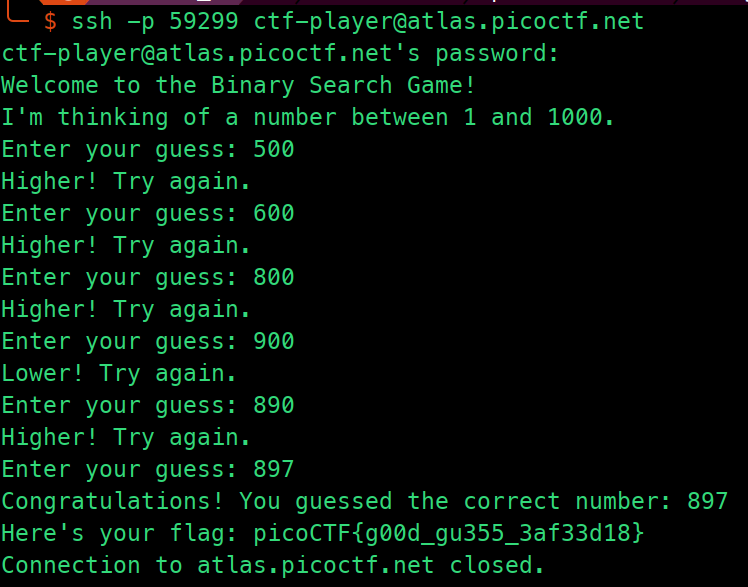
Want to play a game? As you use more of the shell, you might be interested in how they work! Binary search is a classic algorithm used to quickly find an item in a sorted list. Can you find the flag? You'll have 1000 possibilities and only 10 guesses. Cyber security often has a huge amount of data to look through - from logs, vulnerability reports, and forensics. Practicing the fundamentals manually might help you in the future when you have to write your own tools!
Flag
binhexa
Tags: `General Skills` `browser_webshell_solvable`
Description
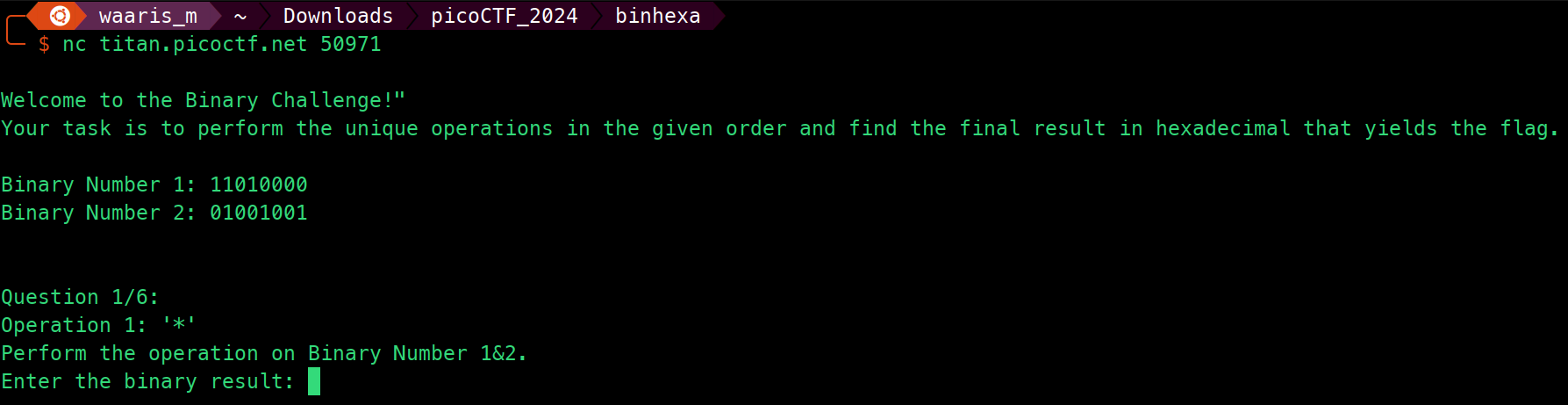
How well can you perform basic binary operations? Start searching for the flag here nc titan.picoctf.net 50971
Solution Strategy
import socket
import re

def perform_operation(num1, num2, operation):
    match operation:
        case '>>':
            return num1 >> 1
        case '<<':
            return num1 << 1
        case '|':
            return num1 | num2
        case '&':
            return num1 & num2
        case '+':
            return num1 + num2
        case '-':
            return num1 - num2
        case '*':
            return num1 * num2
        case '/':
            return num1 // num2
        case _:
            raise ValueError(f"Unsupported operation: {operation}")

def connect_and_solve(host, port):
    with socket.socket(socket.AF_INET, socket.SOCK_STREAM) as sock:
        sock.connect((host, port))
        num1, num2 = None, None
        last_binary_result = ""

        while True:
            message = ''
            while True:
                part = sock.recv(4096).decode()
                message += part
                if "Enter the binary result:" in part or "The flag is:" in part or "Incorrect" in part or "Enter the results of the last operation in hexadecimal:" in part:
                    break
                print(part)

            new_nums = re.findall(r"Binary Number \d+: ([01]+)", message)
            if new_nums:
                num1, num2 = (int(n, 2) for n in new_nums)

            operation_search = re.search(r"Operation \d+: '([^']+)'", message)
            if operation_search:
                operation = operation_search.group(1)
                if '>>' in operation or '<<' in operation:
                    if "Binary Number 1" in message:
                        result = perform_operation(num1, 1, operation)
                    elif "Binary Number 2" in message:
                        result = perform_operation(num2, 1, operation)
                else:
                    result = perform_operation(num1, num2, operation)

                last_binary_result = bin(result)[2:]
                print("Sending:", last_binary_result)
                sock.send((last_binary_result + "\n").encode())

            if "Enter the results of the last operation in hexadecimal:" in message:
                hex_result = hex(int(last_binary_result, 2))[2:].upper()
                print("Sending in hex:", hex_result)
                sock.send((hex_result + "\n").encode())

            if "Incorrect" in message:
                print("Incorrect answer. Exiting.")
                break
            if "The flag is:" in message:
                print(message)
                break

if __name__ == "__main__":
    HOST = 'titan.picoctf.net'
    PORT = 64026
    connect_and_solve(HOST, PORT)
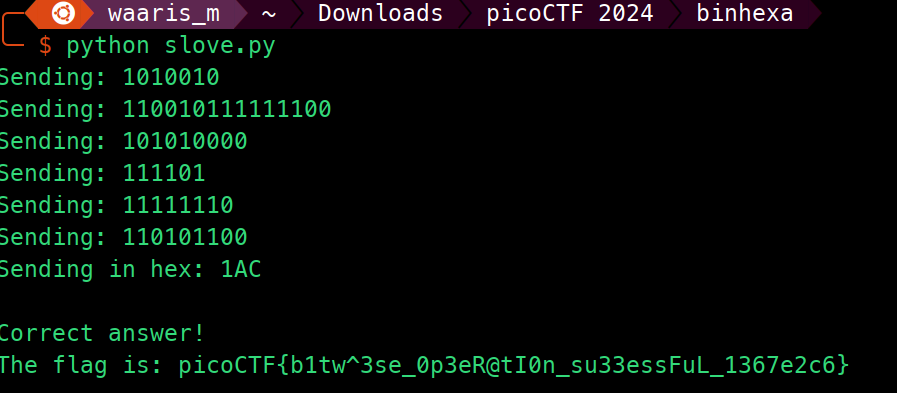
- This Python script connects to a server specified by the
HOSTandPORTconstants using a TCP socket. - It defines a function
perform_operationto perform various bitwise and arithmetic operations on two numbers (num1andnum2). - Supported operations include shifting (
>>and<<), bitwise OR (|), bitwise AND (&), addition (+), subtraction (-), multiplication (*), integer division (/), and raising aValueErrorfor unsupported operations. - Inside
connect_and_solvefunction, it establishes a connection with the server, receives messages, and parses them to extract binary numbers, operations, and expected responses. - It continuously receives messages from the server until it receives a message indicating either to enter the binary result, enter the result of the last operation in hexadecimal, or the flag.
- It performs operations based on the received message, sends the result back to the server, and handles incorrect responses.
- When it receives the message to enter the result of the last operation in hexadecimal, it converts the last binary result to hexadecimal and sends it back.
- The main function initiates the connection and solving process when the script is executed directly.
Flag
Blame Game
Tags: `General Skills` `git` `browser_webshell_solvable`
Description
Someone's commits seem to be preventing the program from working. Who is it?
Flag
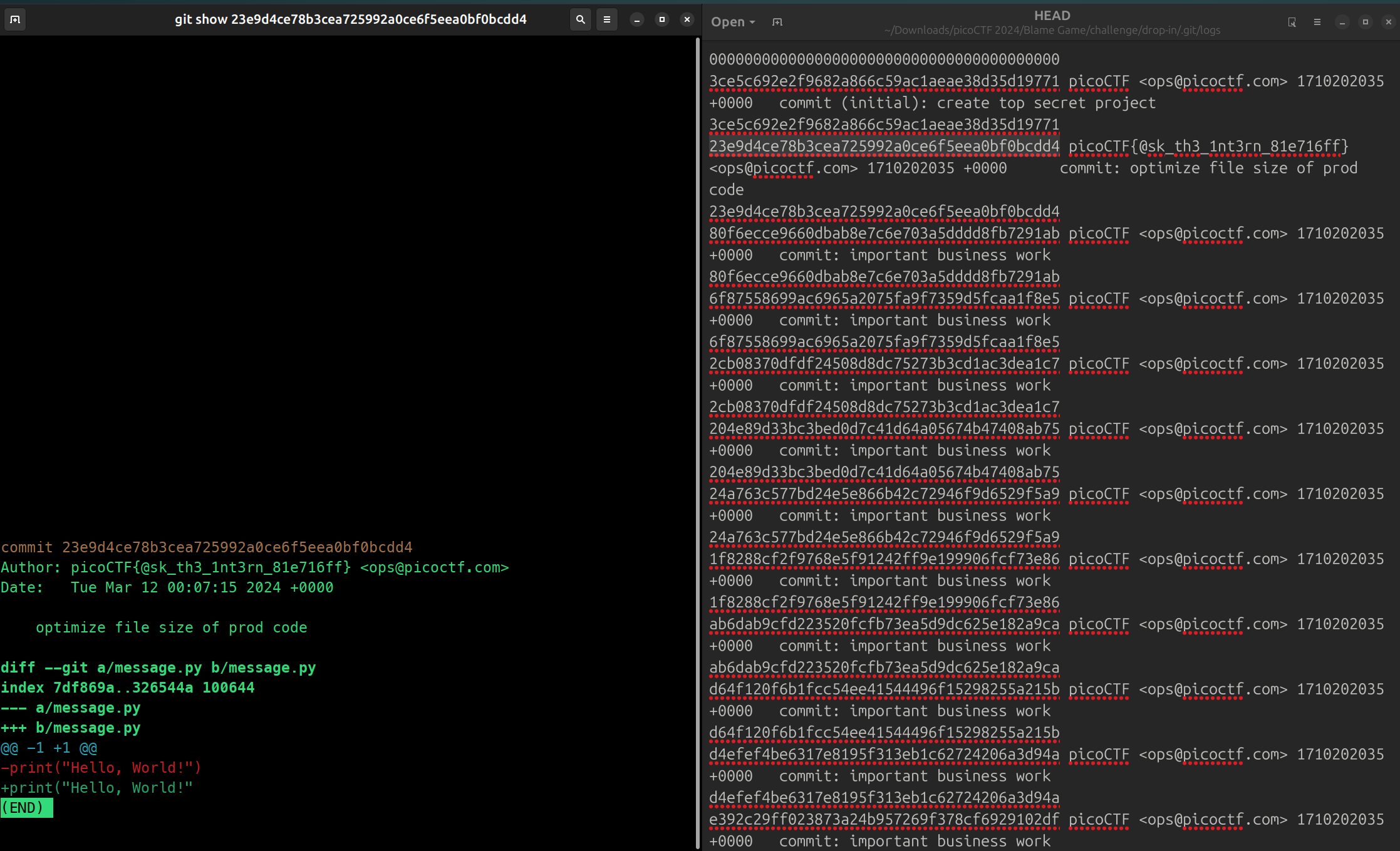
git show 23e9d4ce78b3cea725992a0ce6f5eea0bf0bcdd4
Collaborative Development
Tags: `General Skills` `git` `browser_webshell_solvable`
Description
My team has been working very hard on new features for our flag printing program! I wonder how they'll work together?
Flag
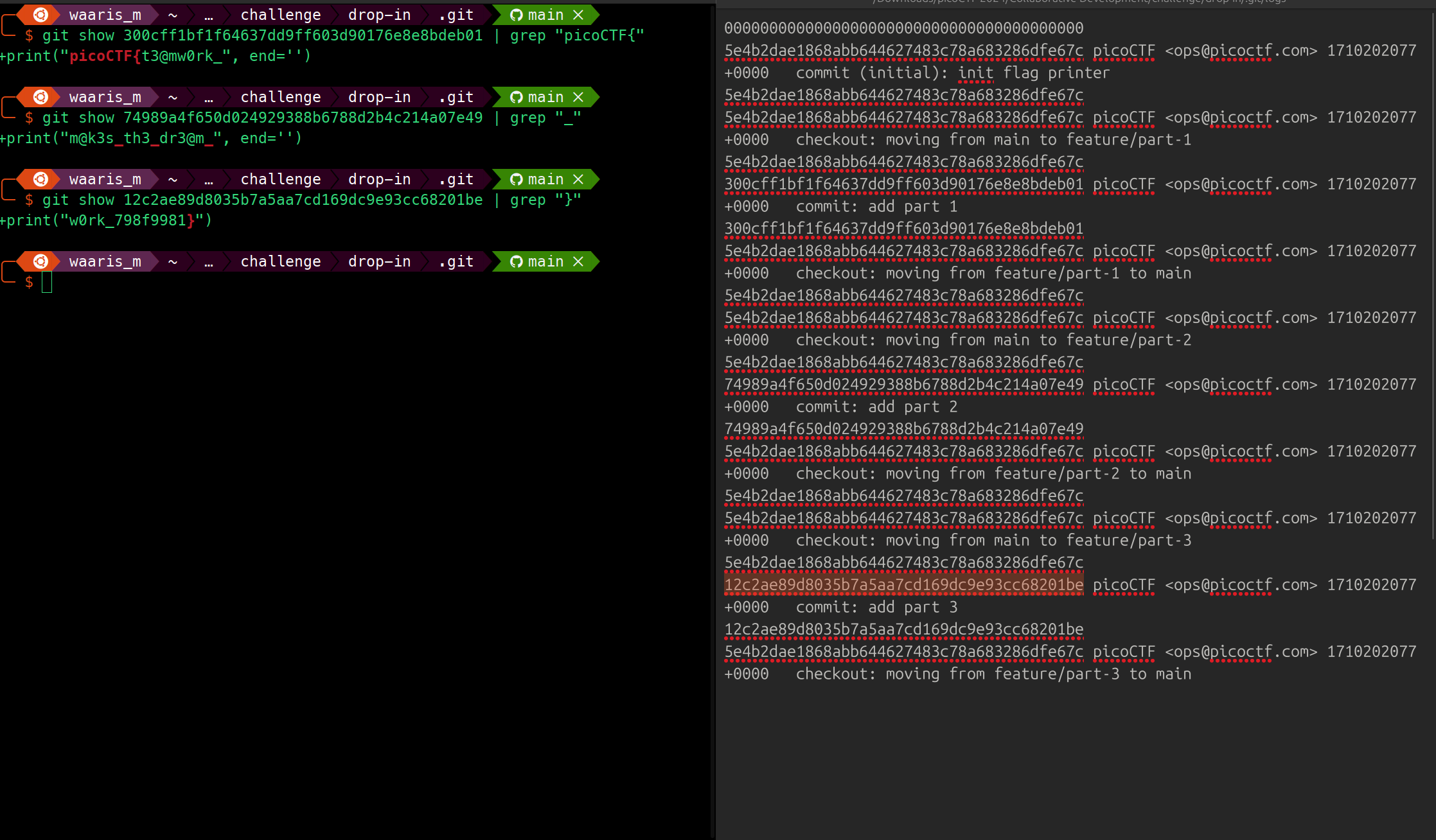
git show 300cff1bf1f64637dd9ff603d90176e8e8bdeb01 | grep "picoCTF{"
+print("picoCTF{t3@mw0rk_", end='')

git show 74989a4f650d024929388b6788d2b4c214a07e49 | grep "_"
+print("m@k3s_th3_dr3@m_", end='')

git show 12c2ae89d8035b7a5aa7cd169dc9e93cc68201be | grep "}"
+print("w0rk_798f9981}")
Commitment Issues
Tags: `General Skills` `git` `browser_webshell_solvable`
Description
I accidentally wrote the flag down. Good thing I deleted it!
Flag
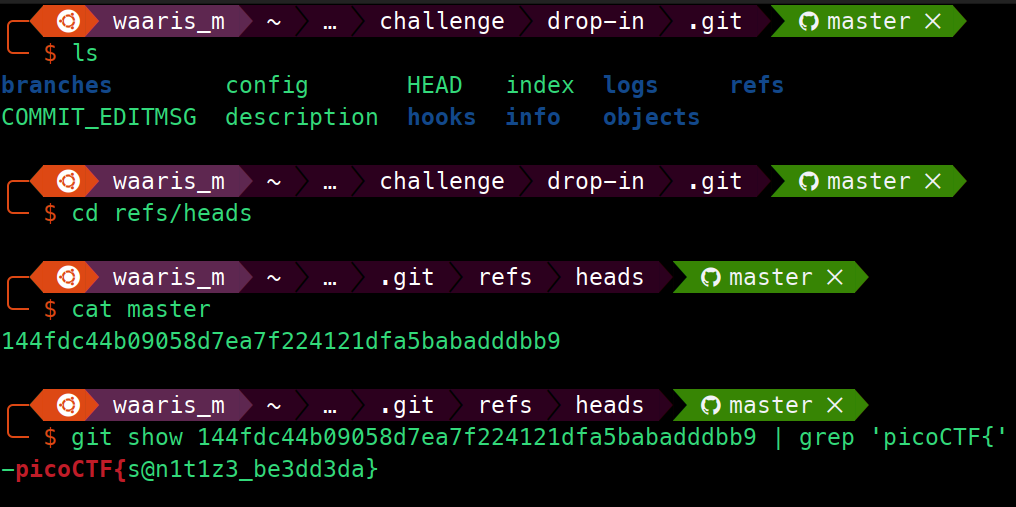
git show 144fdc44b09058d7ea7f224121dfa5babadddbb9 | grep 'picoCTF{'
dont-you-love-banners
Tags: `General Skills` `browser_webshell_solvable` `shell`
Description
Can you abuse the banner?

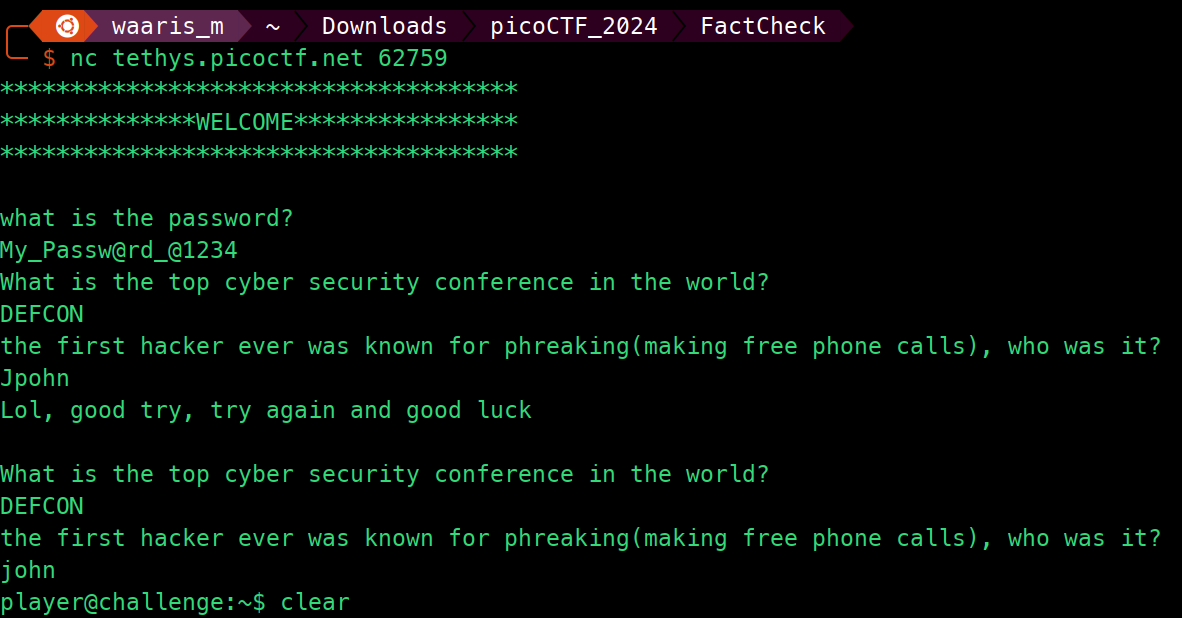
Source Code
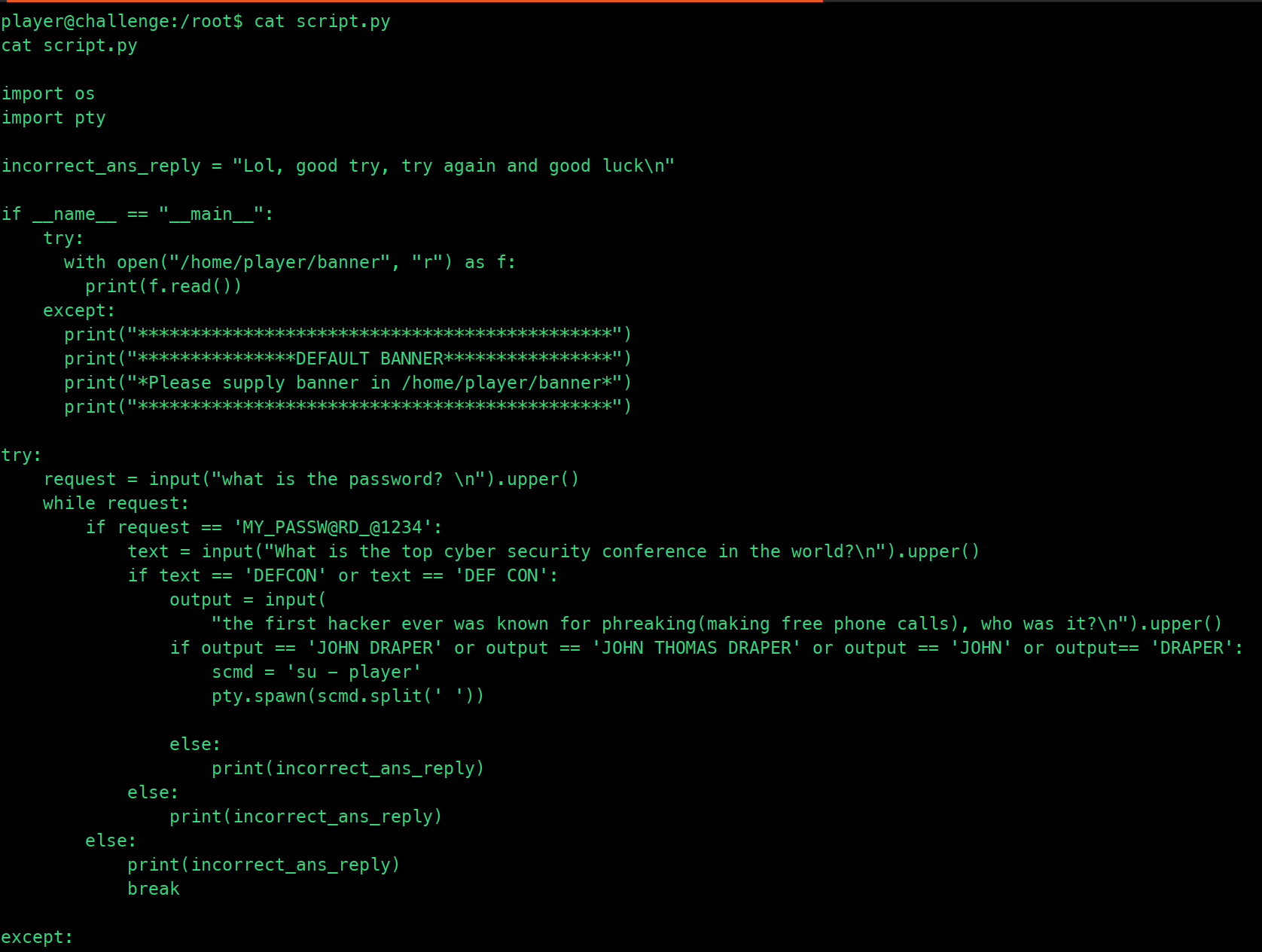
Flag


endianness
Tags: `General Skills` `browser_webshell_solvable`
Description
Do you know about little-endian and big-endian formats?
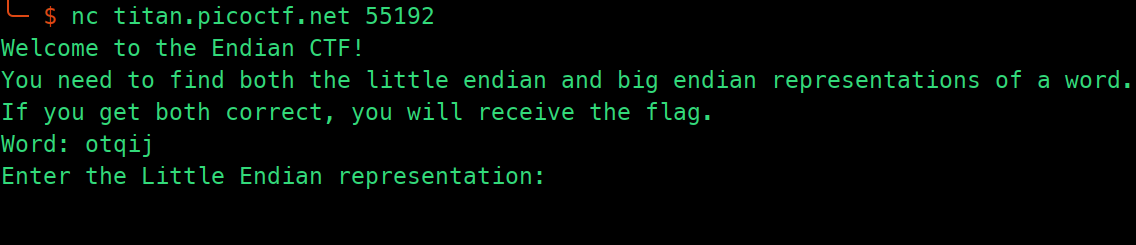
Solution Strategy
from pwn import *

def to_little_endian(word):
    return ''.join(format(ord(c), '02x') for c in reversed(word))

def to_big_endian(word):
    return ''.join(format(ord(c), '02x') for c in word)

conn = remote('titan.picoctf.net', 51008)

conn.recvuntil(b'Word: ')
word = conn.recvline().decode().strip()
print(f"Word: {word}")

little_endian = to_little_endian(word).upper()
big_endian = to_big_endian(word).upper()

conn.sendline(little_endian.encode())
print(f"Sent Little Endian: {little_endian}")

conn.recvuntil(b'Enter the Big Endian representation: ')
conn.sendline(big_endian.encode())
print(f"Sent Big Endian: {big_endian}")

response = conn.recvall().decode()
print(response)

conn.close()
- This Python script uses the
pwntoolslibrary, commonly used for exploit development and CTF challenges. - It connects to a remote server (
titan.picoctf.net) on port51008. - The
to_little_endianfunction takes a word as input, converts it to little-endian hexadecimal representation, and returns the result as a string. - The
to_big_endianfunction takes a word as input, converts it to big-endian hexadecimal representation, and returns the result as a string. - It receives a word from the server, converts it to both little-endian and big-endian representations, and sends them back to the server.
- After sending both representations, it receives the response from the server and prints it.
- Finally, it closes the connection.
- This script is likely part of a challenge where the server expects the client to convert a word into little-endian and big-endian representations and send them back.
Flag
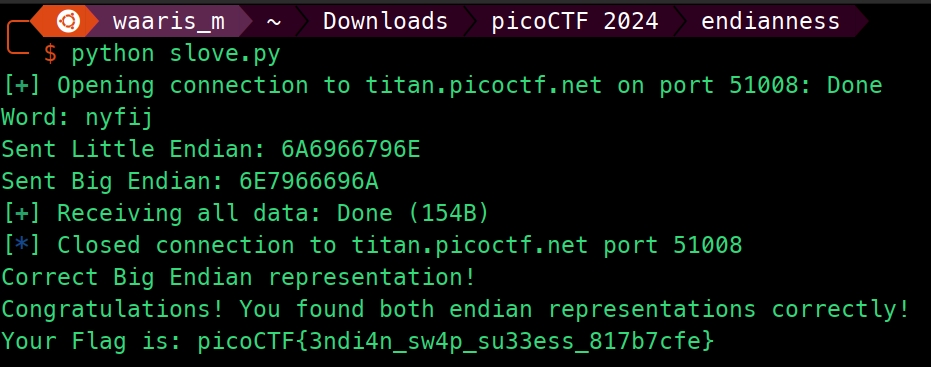
SansAlpha
Tags: `General Skills` `bash` `browser_webshell_solvable` `ssh` `shell_escape`
Description
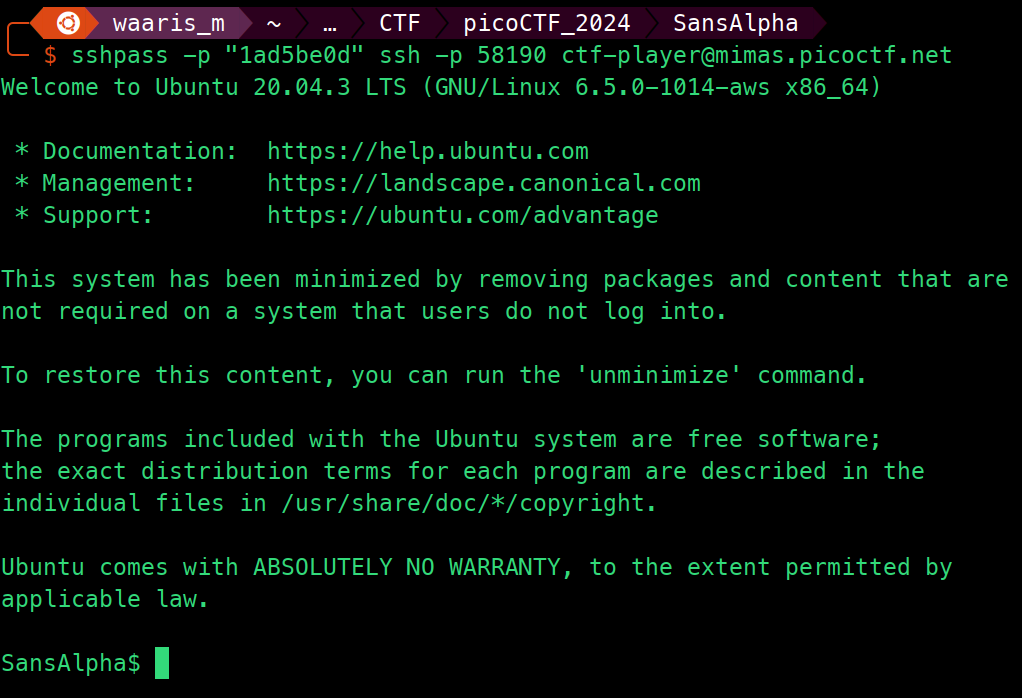
The Multiverse is within your grasp! Unfortunately, the server that contains the secrets of the multiverse is in a universe where keyboards only have numbers and (most) symbols.
Solution Strategy
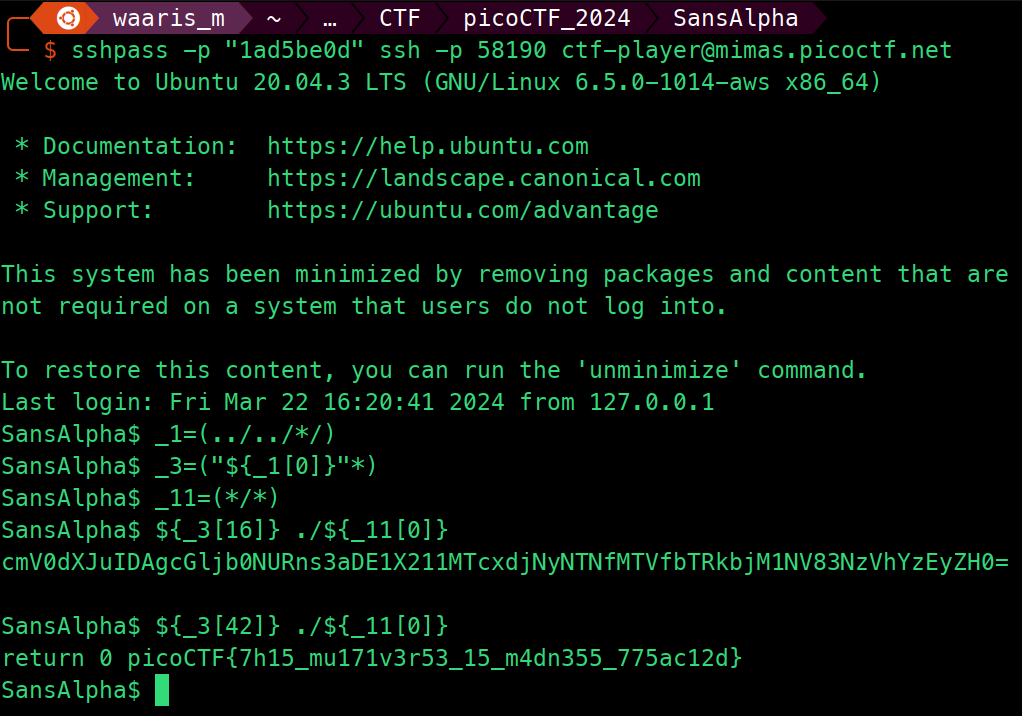
_1=(../../*/)
_3=("${_1[0]}"*)
_11=(*/*)
${_3[42]} ./${_11[0]}
_1=(../../*/): Stores paths of all directories two levels up from the current directory into array_1. Specifically targets thebindirectory at this level._3=("${_1[0]}"*): Populates array_3with everything (files and directories) inside the first directory listed in_1, effectively capturing the contents of thebindirectory._11=(*/*): Assigns to array_11paths to all items one level down from every directory in the current directory, notably includesblargh/flag.txt.${_3[42]} ./${_11[0]}: Executes the 43rd item from_3with./${_11[0]}(the first item in_11,blargh/flag.txt) as its argument. This process iterates over all items in_3, executing each againstblargh/flag.txt.- Overall Goal: Iteratively execute each file or script found within the
bindirectory (two levels up) against the fileblargh/flag.txtlocated in a directly accessible subdirectory, aiming to identify specific behaviors or outputs.
Flag
Super SSH
Tags: `General Skills` `shell` `ssh` `browser_webshell_solvable`
Description
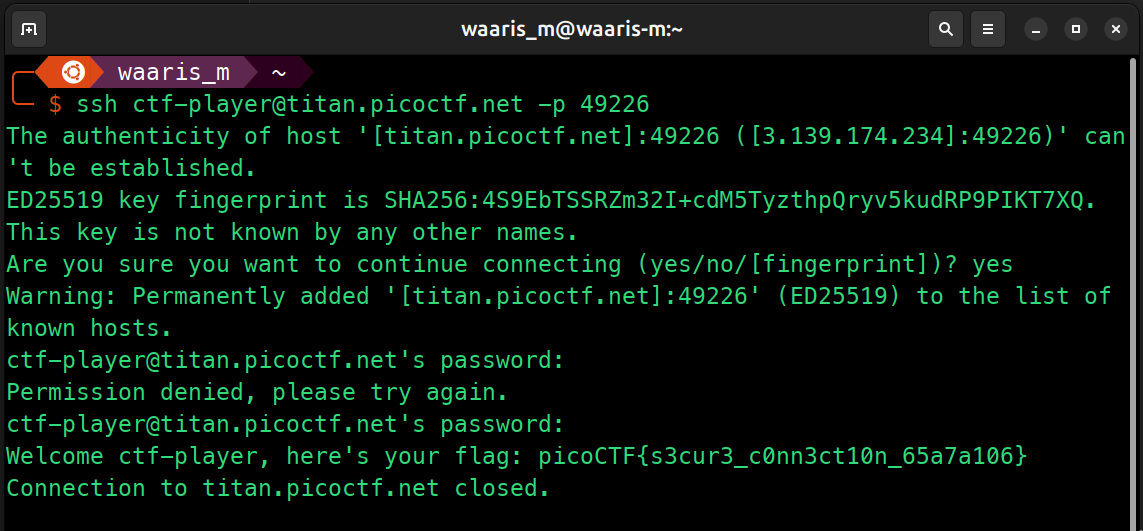
Using a Secure Shell (SSH) is going to be pretty important. Can you ssh as ctf-player to titan.picoctf.net at port 60572 to get the flag? You'll also need the password 1ad5be0d. If asked, accept the fingerprint with yes. If your device doesn't have a shell, you can use: https://webshell.picoctf.org If you're not sure what a shell is, check out our Primer: https://primer.picoctf.com/#_the_shell
Flag
ssh ctf-player@titan.picoctf.net -p 60572
Time Machine
Tags: `General Skills` `git` `browser_webshell_solvable`
Description
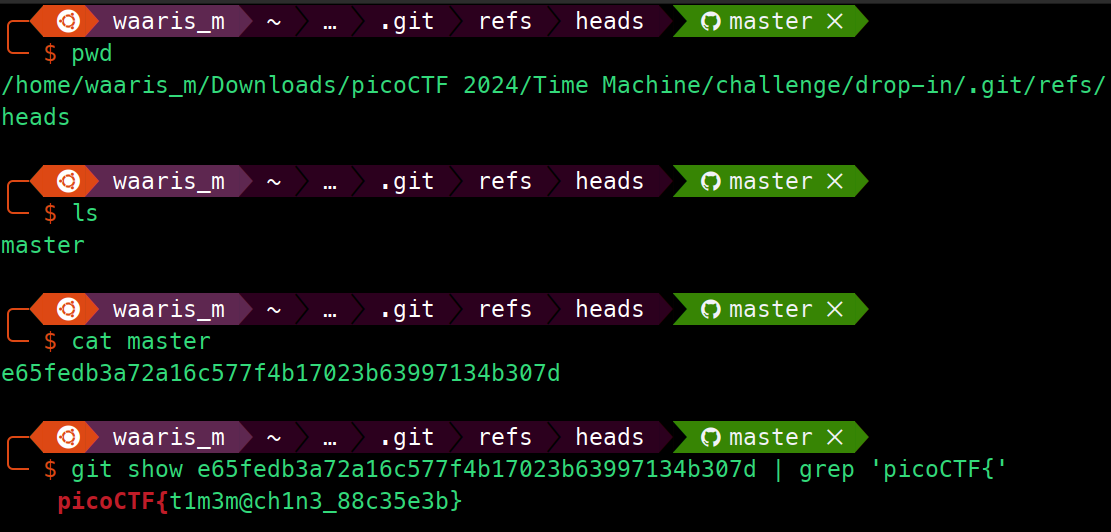
What was I last working on? I remember writing a note to help me remember...
Flag
git show e65fedb3a72a16c577f4b17023b63997134b307d | grep 'picoCTF{'