picoCTF 2024 Reverse Engineering
picoCTF 2024 Reverse Engineering writeups covering binary analysis and anti-debugging techniques.

picoCTF 2024 - Reverse Engineering
Reverse Engineering Challenges
Solved: 5/7 challenges
- packer - 100 points
- FactCheck - 200 points
- WinAntiDbg0x100 - 200 points
- weirdSnake - 300 points
- WinAntiDbg0x200 - 300 points
FactCheck
Tags: `Reverse Engineering` `browser_webshell_solvable`
Description
This binary is putting together some important piece of information... Can you uncover that information? Examine this file. Do you understand its inner workings?Reverse this linux executable?

Open it with Ghidra.
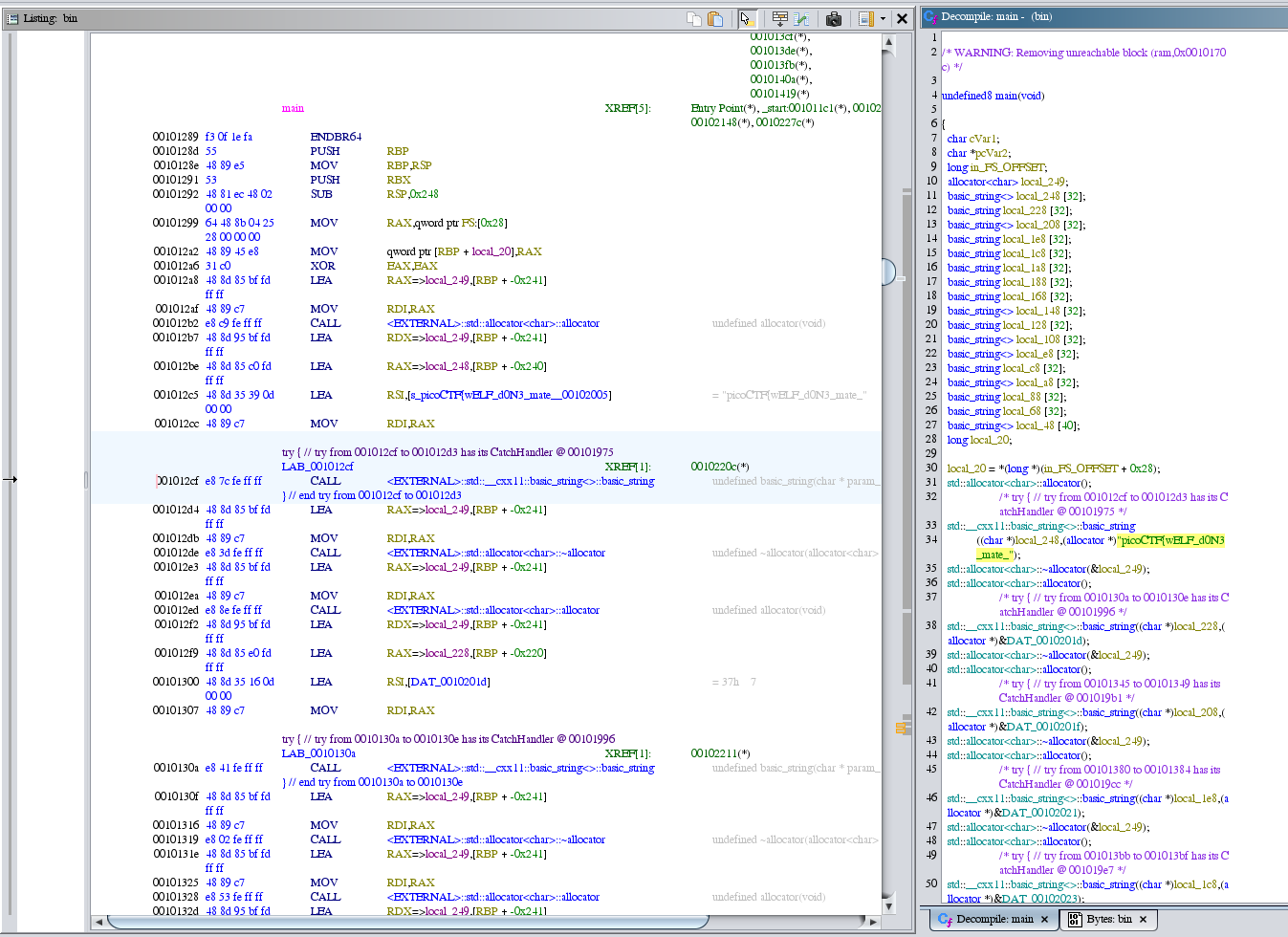
After analyzing it, I found several key conditions.
- The condition
if v24[0] <= 65:checks if the ASCII value of the first character inv24(which is "5") is less than or equal to 65. This condition evaluates to False because the ASCII value of "5" is 53, which is not less than or equal to 65. - The condition
if v35[0] != 65:checks if the ASCII value of the first character inv35(which is "6") is not equal to 65. This condition evaluates to True because the ASCII value of "6" is 54, which is not equal to 65. - The condition
if "Hello" == "World":checks if the string "Hello" is equal to the string "World". This condition evaluates to False since the two strings are not the same. - The condition
if v19 - v30[0] == 3:calculates the difference betweenv19(the ASCII value of the first character inv26, which is "3") and the ASCII value of the first character inv30(which is "e"), and checks if this difference equals 3. This condition evaluates based on the ASCII values of "3" (51) and "e" (101), which does not result in 3, so it evaluates to False. - The condition
if v29[0] == 71:checks if the ASCII value of the first character inv29(which is "a") is equal to 71. This condition evaluates to False because the ASCII value of "a" is 97, not 71.
Solution Strategy
def main():
    v3 = None
    v4 = None
    v5 = None
    v6 = None
    v7 = None
    v8 = None
    v9 = None
    v10 = None
    v11 = None
    v12 = None
    v13 = None
    v14 = None
    v15 = None
    v16 = None
    v17 = None
    v18 = None
    v19 = None
    v21 = bytearray()
    v22 = bytearray("picoCTF{wELF_d0N3_mate_", 'utf-8')
    v23 = bytearray("7", 'utf-8')
    v24 = bytearray("5", 'utf-8')
    v25 = bytearray("4", 'utf-8')
    v26 = bytearray("3", 'utf-8')
    v27 = bytearray("6", 'utf-8')
    v28 = bytearray("9", 'utf-8')
    v29 = bytearray("a", 'utf-8')
    v30 = bytearray("e", 'utf-8')
    v31 = bytearray("3", 'utf-8')
    v32 = bytearray("d", 'utf-8')
    v33 = bytearray("b", 'utf-8')
    v34 = bytearray("1", 'utf-8')
    v35 = bytearray("6", 'utf-8')
    v36 = bytearray("e", 'utf-8')
    v37 = bytearray("c", 'utf-8')
    v38 = bytearray("8", 'utf-8')
    v39 = None

    # Simulating readfsqword(0x28u)
    v39 = 0

    if v24[0] <= 65:
        v22.extend(v34)
    if v35[0] != 65:
        v22.extend(v37)
    if "Hello" == "World":
        v22.extend(v25)

    v19 = v26[0]
    if v19 - v30[0] == 3:
        v22.extend(v26)

    v22.extend(v25)
    v22.extend(v28)

    if v29[0] == 71:
        v22.extend(v29)

    v22.extend(v27)
    v22.extend(v36)
    v22.extend(v23)
    v22.extend(v31)
    v22.append(125)
    print(v22)

if __name__ == "__main__":
    main()
Flag

packer
Tags: `Reverse Engineering` `browser_webshell_solvable`
Description
Reverse this linux executable?
strings out
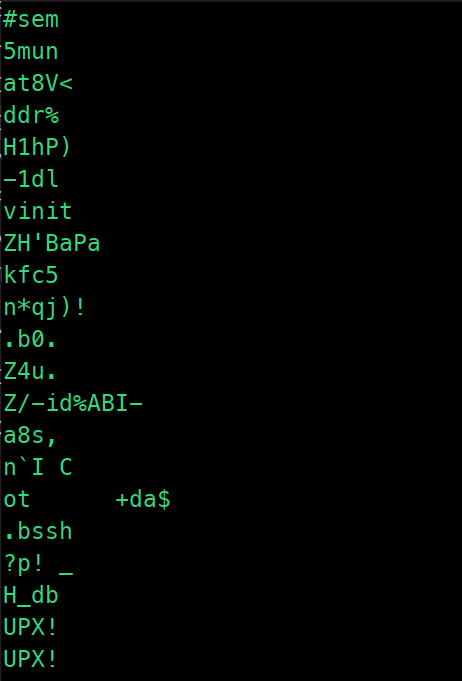
upx -d out
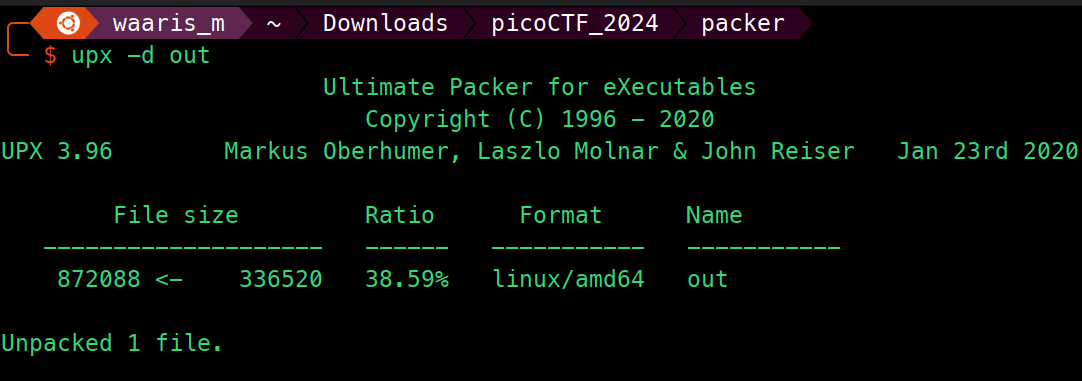
strings out
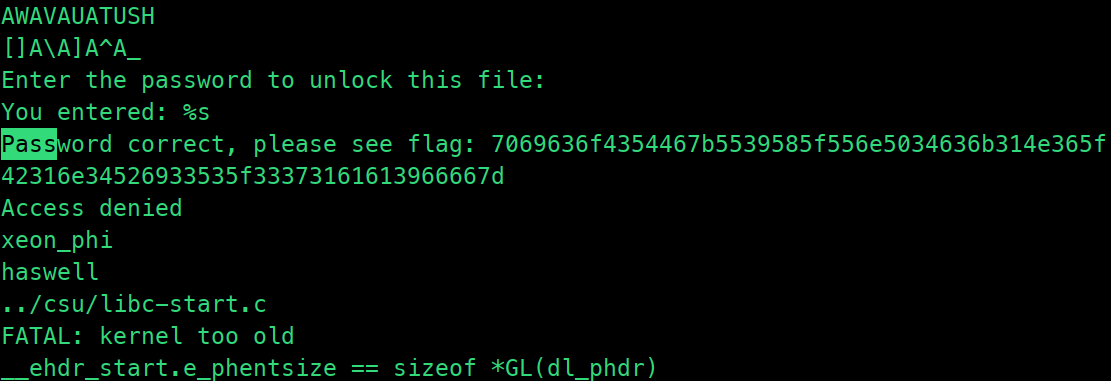
Solution Strategy
# Hexadecimal string from flag.txt
hex_string = "7069636f4354467b5539585f556e5034636b314e365f42316e34526933535f33373161613966667d"

# Convert the hexadecimal string to ASCII
ascii_string = bytes.fromhex(hex_string).decode()

print(ascii_string)
Flag

weirdSnake
Tags: `Reverse Engineering` `browser_webshell_solvable` `python`
Description
I have a friend that enjoys coding and he hasn't stopped talking about a snake recently He left this file on my computer and dares me to uncover a secret phrase from it. Can you assist?
  1           0 LOAD_CONST               0 (4)
              2 LOAD_CONST               1 (54)
              4 LOAD_CONST               2 (41)
              6 LOAD_CONST               3 (0)
              8 LOAD_CONST               4 (112)
             10 LOAD_CONST               5 (32)
             12 LOAD_CONST               6 (25)
             14 LOAD_CONST               7 (49)
             16 LOAD_CONST               8 (33)
             18 LOAD_CONST               9 (3)
             20 LOAD_CONST               3 (0)
             22 LOAD_CONST               3 (0)
             24 LOAD_CONST              10 (57)
             26 LOAD_CONST               5 (32)
             28 LOAD_CONST              11 (108)
             30 LOAD_CONST              12 (23)
             32 LOAD_CONST              13 (48)
             34 LOAD_CONST               0 (4)
             36 LOAD_CONST              14 (9)
             38 LOAD_CONST              15 (70)
             40 LOAD_CONST              16 (7)
             42 LOAD_CONST              17 (110)
             44 LOAD_CONST              18 (36)
             46 LOAD_CONST              19 (8)
             48 LOAD_CONST              11 (108)
             50 LOAD_CONST              16 (7)
             52 LOAD_CONST               7 (49)
             54 LOAD_CONST              20 (10)
             56 LOAD_CONST               0 (4)
             58 LOAD_CONST              21 (86)
             60 LOAD_CONST              22 (43)
             62 LOAD_CONST              17 (110)
             64 LOAD_CONST              22 (43)
             66 LOAD_CONST              23 (88)
             68 LOAD_CONST               3 (0)
             70 LOAD_CONST              24 (67)
             72 LOAD_CONST              25 (104)
             74 LOAD_CONST              26 (125)
             76 LOAD_CONST              14 (9)
             78 LOAD_CONST              27 (78)
             80 BUILD_LIST              40
             82 STORE_NAME               0 (input_list)

  2          84 LOAD_CONST              28 ('J')
             86 STORE_NAME               1 (key_str)

  3          88 LOAD_CONST              29 ('_')
             90 LOAD_NAME                1 (key_str)
             92 BINARY_ADD
             94 STORE_NAME               1 (key_str)

  4          96 LOAD_NAME                1 (key_str)
             98 LOAD_CONST              30 ('o')
            100 BINARY_ADD
            102 STORE_NAME               1 (key_str)

  5         104 LOAD_NAME                1 (key_str)
            106 LOAD_CONST              31 ('3')
            108 BINARY_ADD
            110 STORE_NAME               1 (key_str)

  6         112 LOAD_CONST              32 ('t')
            114 LOAD_NAME                1 (key_str)
            116 BINARY_ADD
            118 STORE_NAME               1 (key_str)

  9         120 LOAD_CONST              33 (<code object <listcomp> at 0x7ffb38066d40, file "snake.py", line 9>)
            122 LOAD_CONST              34 ('<listcomp>')
            124 MAKE_FUNCTION            0
            126 LOAD_NAME                1 (key_str)
            128 GET_ITER
            130 CALL_FUNCTION            1
            132 STORE_NAME               2 (key_list)

 11     >>  134 LOAD_NAME                3 (len)
            136 LOAD_NAME                2 (key_list)
            138 CALL_FUNCTION            1
            140 LOAD_NAME                3 (len)
            142 LOAD_NAME                0 (input_list)
            144 CALL_FUNCTION            1
            146 COMPARE_OP               0 (<)
            148 POP_JUMP_IF_FALSE      162

 12         150 LOAD_NAME                2 (key_list)
            152 LOAD_METHOD              4 (extend)
            154 LOAD_NAME                2 (key_list)
            156 CALL_METHOD              1
            158 POP_TOP
            160 JUMP_ABSOLUTE          134

 15     >>  162 LOAD_CONST              35 (<code object <listcomp> at 0x7ffb38066df0, file "snake.py", line 15>)
            164 LOAD_CONST              34 ('<listcomp>')
            166 MAKE_FUNCTION            0
            168 LOAD_NAME                5 (zip)
            170 LOAD_NAME                0 (input_list)
            172 LOAD_NAME                2 (key_list)
            174 CALL_FUNCTION            2
            176 GET_ITER
            178 CALL_FUNCTION            1
            180 STORE_NAME               6 (result)

 18         182 LOAD_CONST              36 ('')
            184 LOAD_METHOD              7 (join)
            186 LOAD_NAME                8 (map)
            188 LOAD_NAME                9 (chr)
            190 LOAD_NAME                6 (result)
            192 CALL_FUNCTION            2
            194 CALL_METHOD              1
            196 STORE_NAME              10 (result_text)
            198 LOAD_CONST              37 (None)
            200 RETURN_VALUE

Disassembly of <code object <listcomp> at 0x7ffb38066d40, file "snake.py", line 9>:
  9           0 BUILD_LIST               0
              2 LOAD_FAST                0 (.0)
        >>    4 FOR_ITER                12 (to 18)
              6 STORE_FAST               1 (char)
              8 LOAD_GLOBAL              0 (ord)
             10 LOAD_FAST                1 (char)
             12 CALL_FUNCTION            1
             14 LIST_APPEND              2
             16 JUMP_ABSOLUTE            4
        >>   18 RETURN_VALUE

Disassembly of <code object <listcomp> at 0x7ffb38066df0, file "snake.py", line 15>:
 15           0 BUILD_LIST               0
              2 LOAD_FAST                0 (.0)
        >>    4 FOR_ITER                16 (to 22)
              6 UNPACK_SEQUENCE          2
              8 STORE_FAST               1 (a)
             10 STORE_FAST               2 (b)
             12 LOAD_FAST                1 (a)
             14 LOAD_FAST                2 (b)
             16 BINARY_XOR
             18 LIST_APPEND              2
             20 JUMP_ABSOLUTE            4
        >>   22 RETURN_VALUE
Solution Strategy
input_list = [4, 54, 41, 0, 112, 32, 25, 49, 33, 3, 0, 0, 57, 32, 108, 23, 48, 4, 9, 70, 7, 110, 36, 8, 108, 7, 49, 10, 4, 86, 43, 110, 43, 88, 0, 67, 104, 125, 9, 78]

key_str = 't_Jo3'

key_list = [ord(char) for char in key_str]

while len(key_list) < len(input_list):
    key_list.extend(key_list)

result = [a ^ b for a, b in zip(input_list, key_list)]

result_text = ''.join(map(chr, result))

print(result_text)
Flag

WinAntiDbg0x100
Tags: `Reverse Engineering` `windows`
Description
This challenge will introduce you to 'Anti-Debugging.' Malware developers don't like it when you attempt to debug their executable files because debugging these files reveals many of their secrets! That's why, they include a lot of code logic specifically designed to interfere with your debugging process. Now that you've understood the context, go ahead and debug this Windows executable! This challenge binary file is a Windows console application and you can start with running it using cmd on Windows. Challenge can be downloaded here.
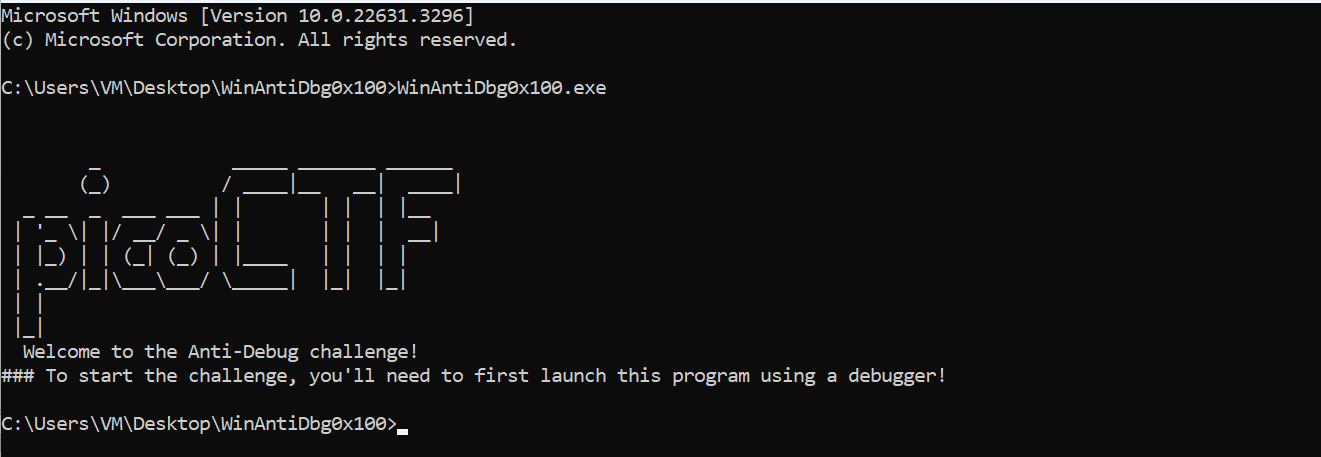
Open it with x32dbg.
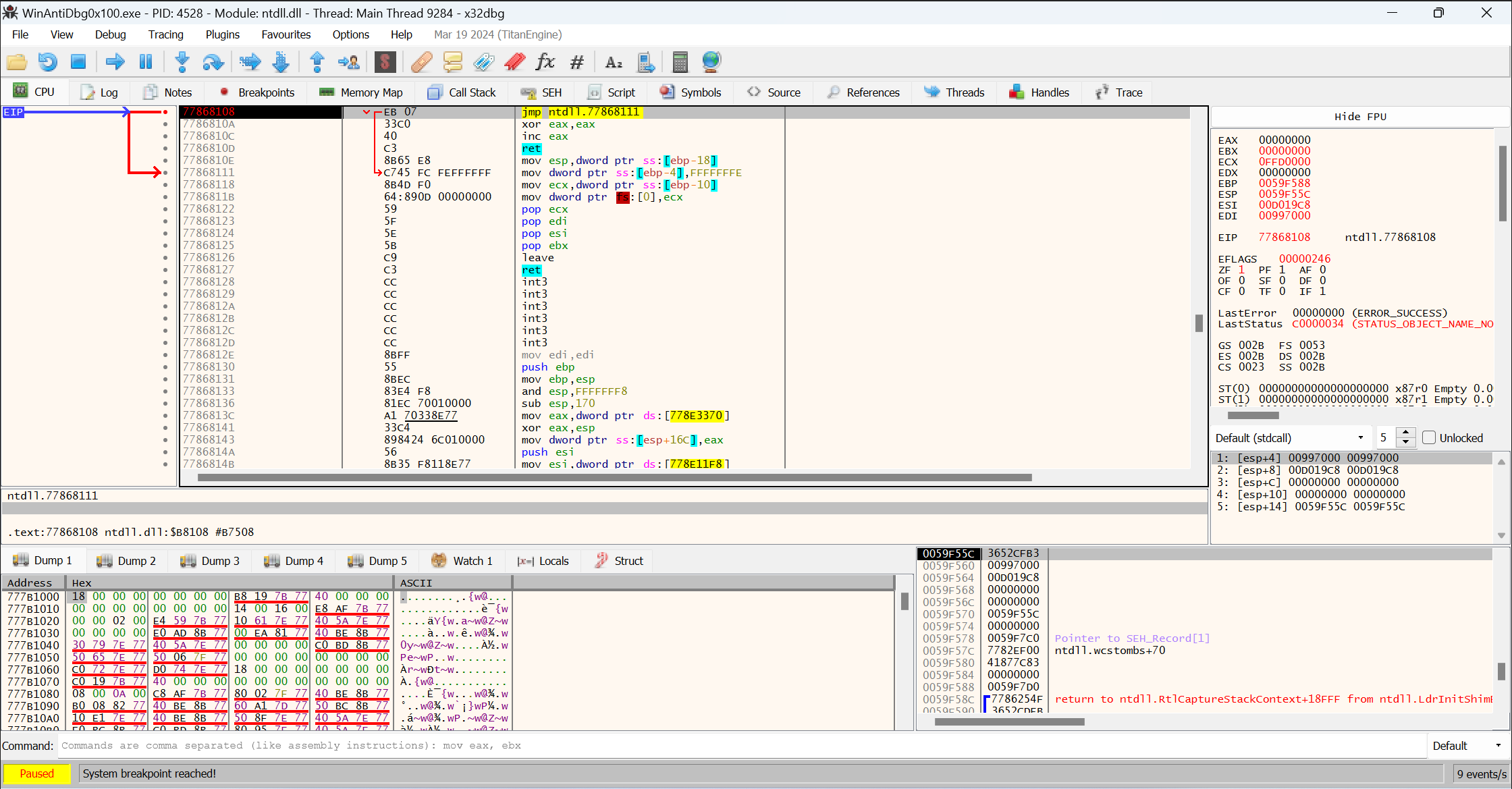
After analyzing it, I set breakpoints on IsDebuggerPresent.
bp IsDebuggerPresent
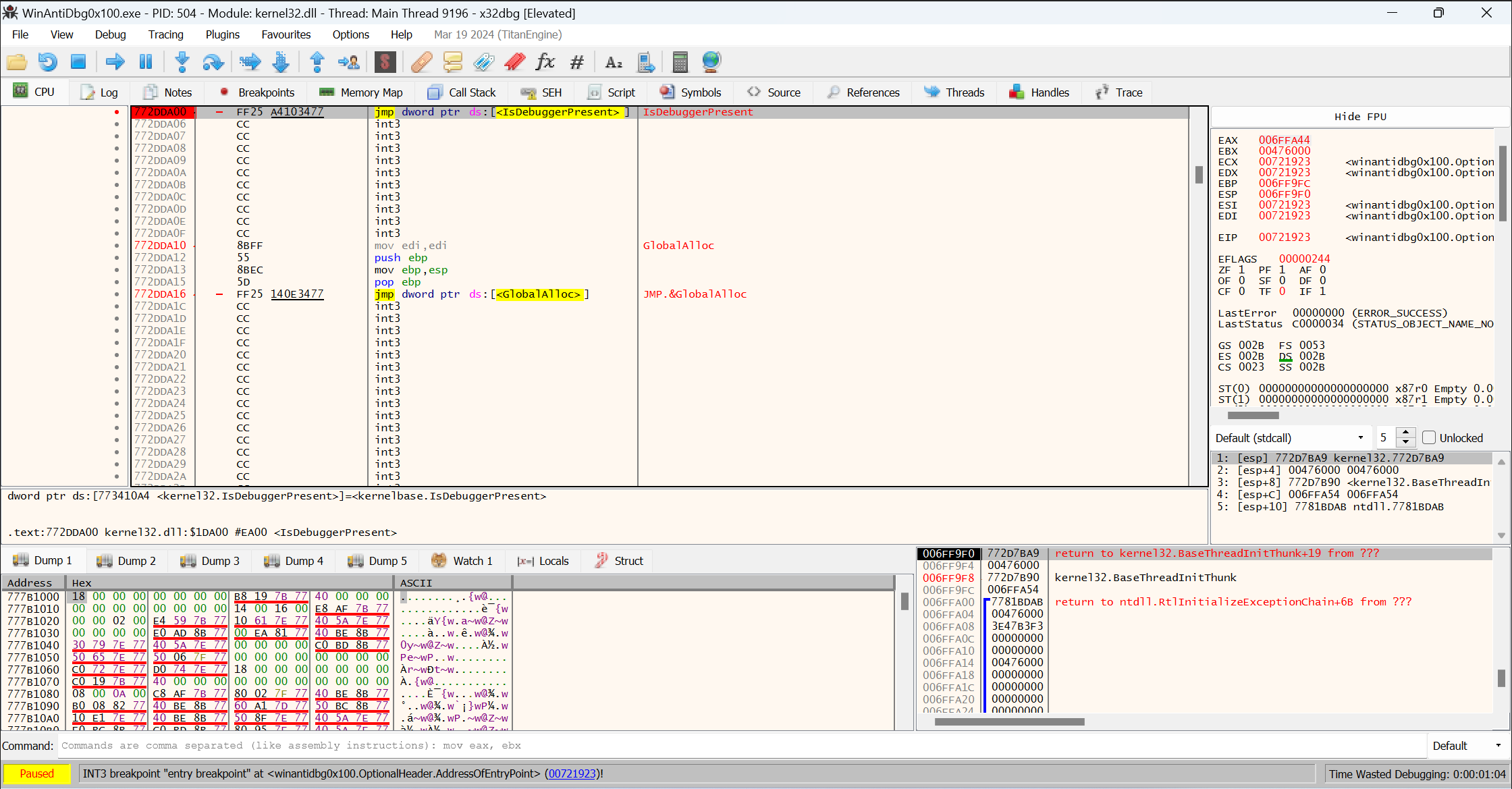
Double Click IsDebuggerPresent
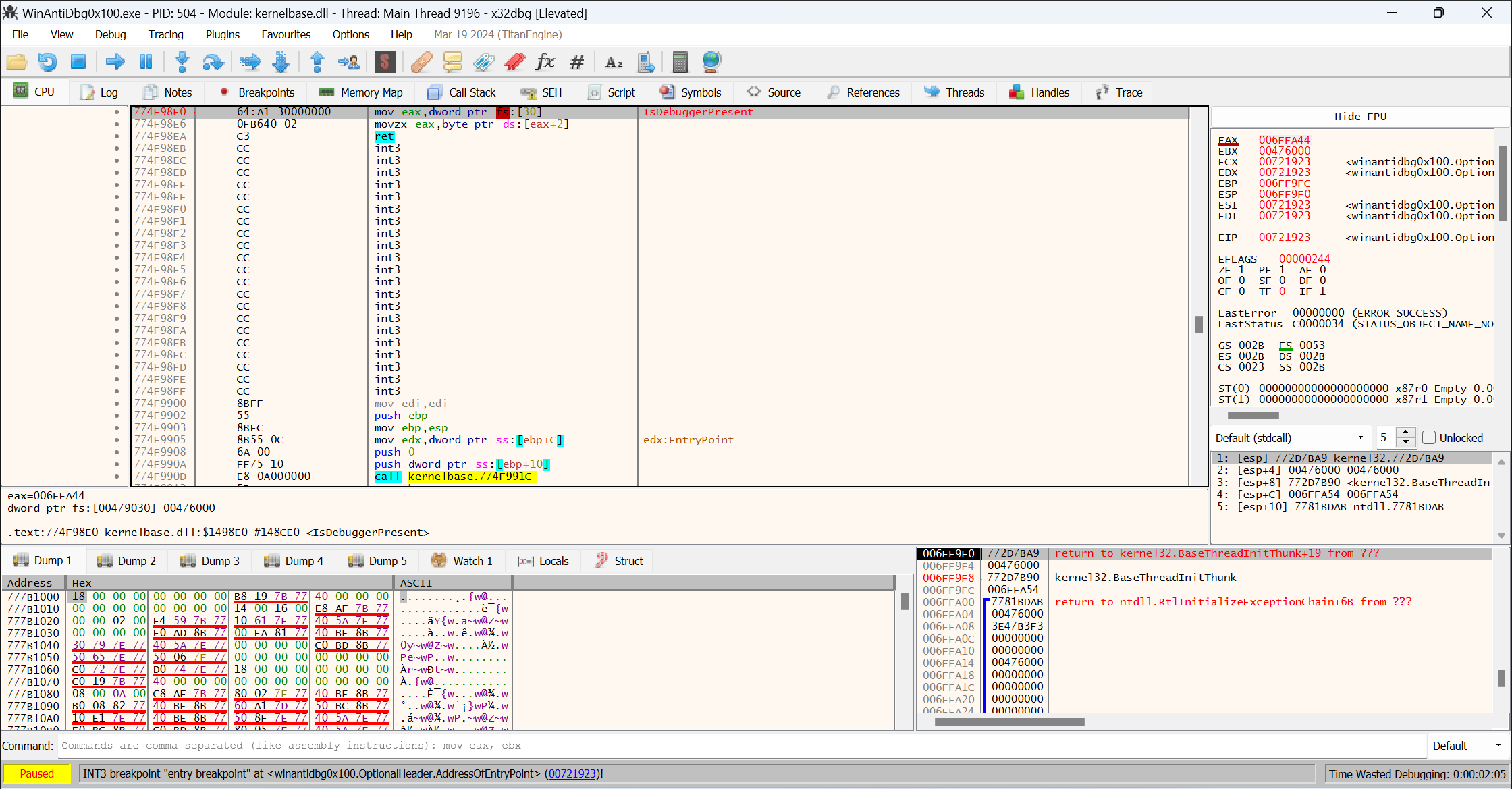
Double Click ret
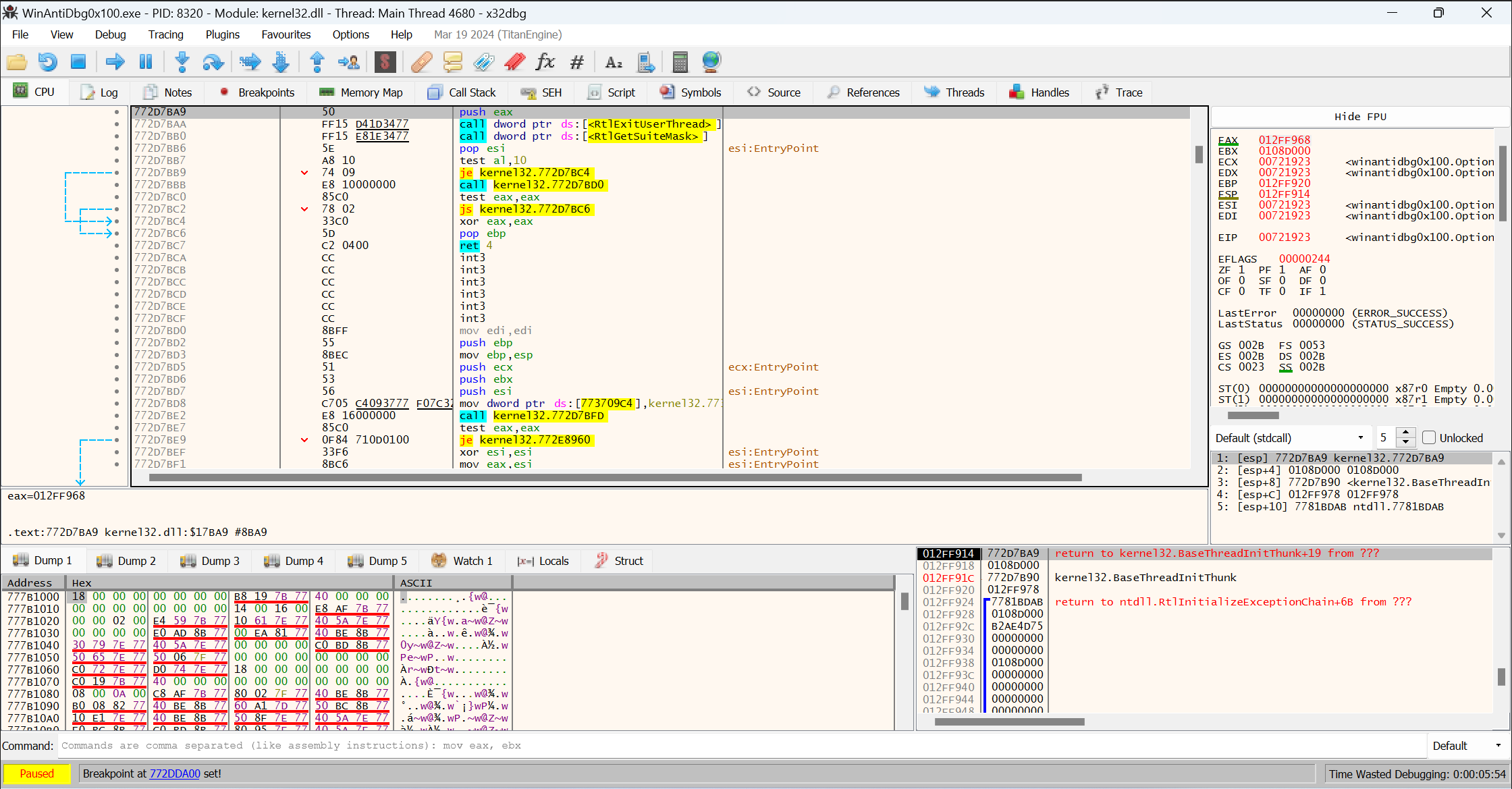
Click Step Over to follow the app's control flow, then stop at je winantidbgx100
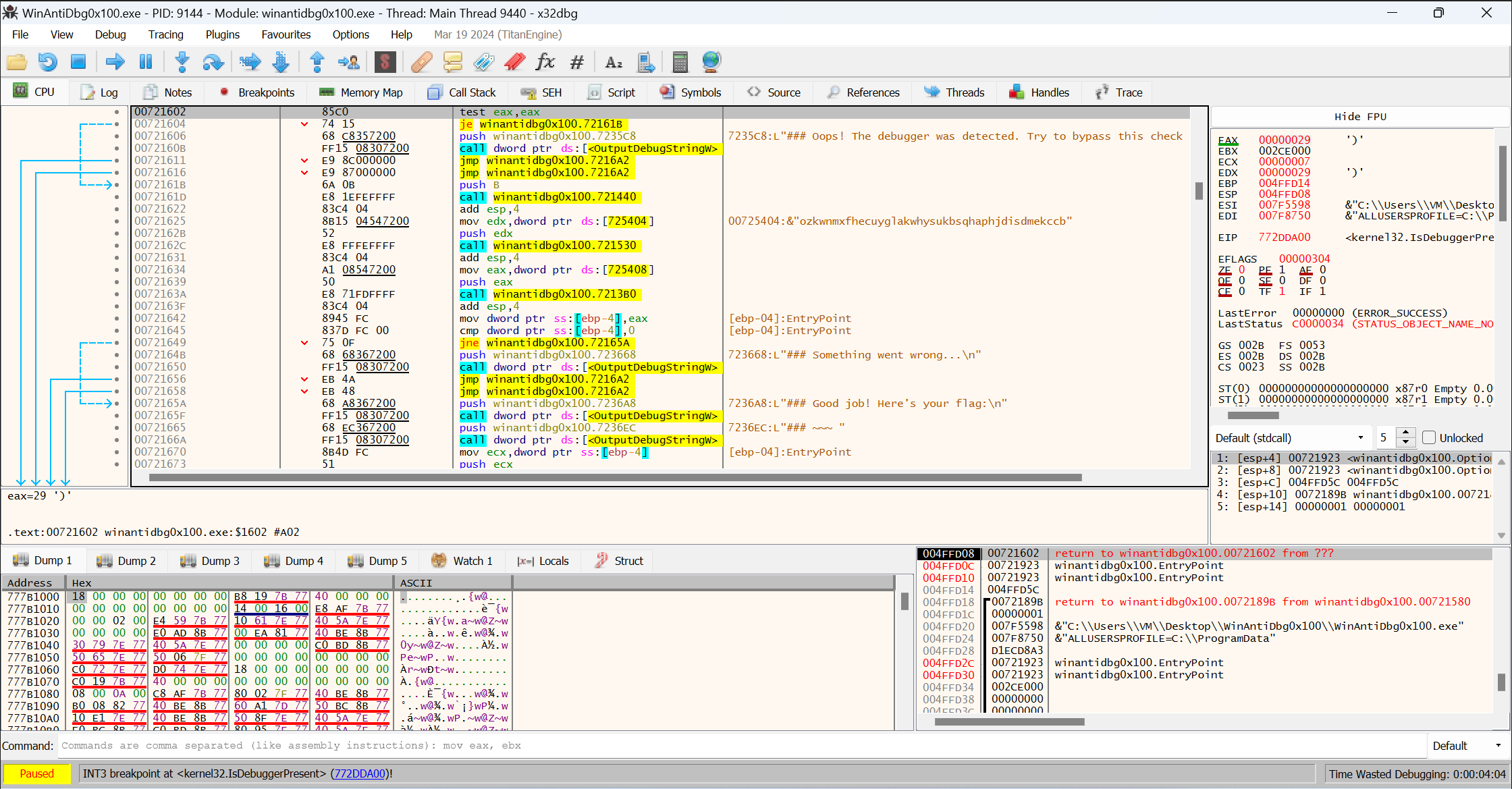
Solution Strategy
Set breakpoints at je winantidbgx100
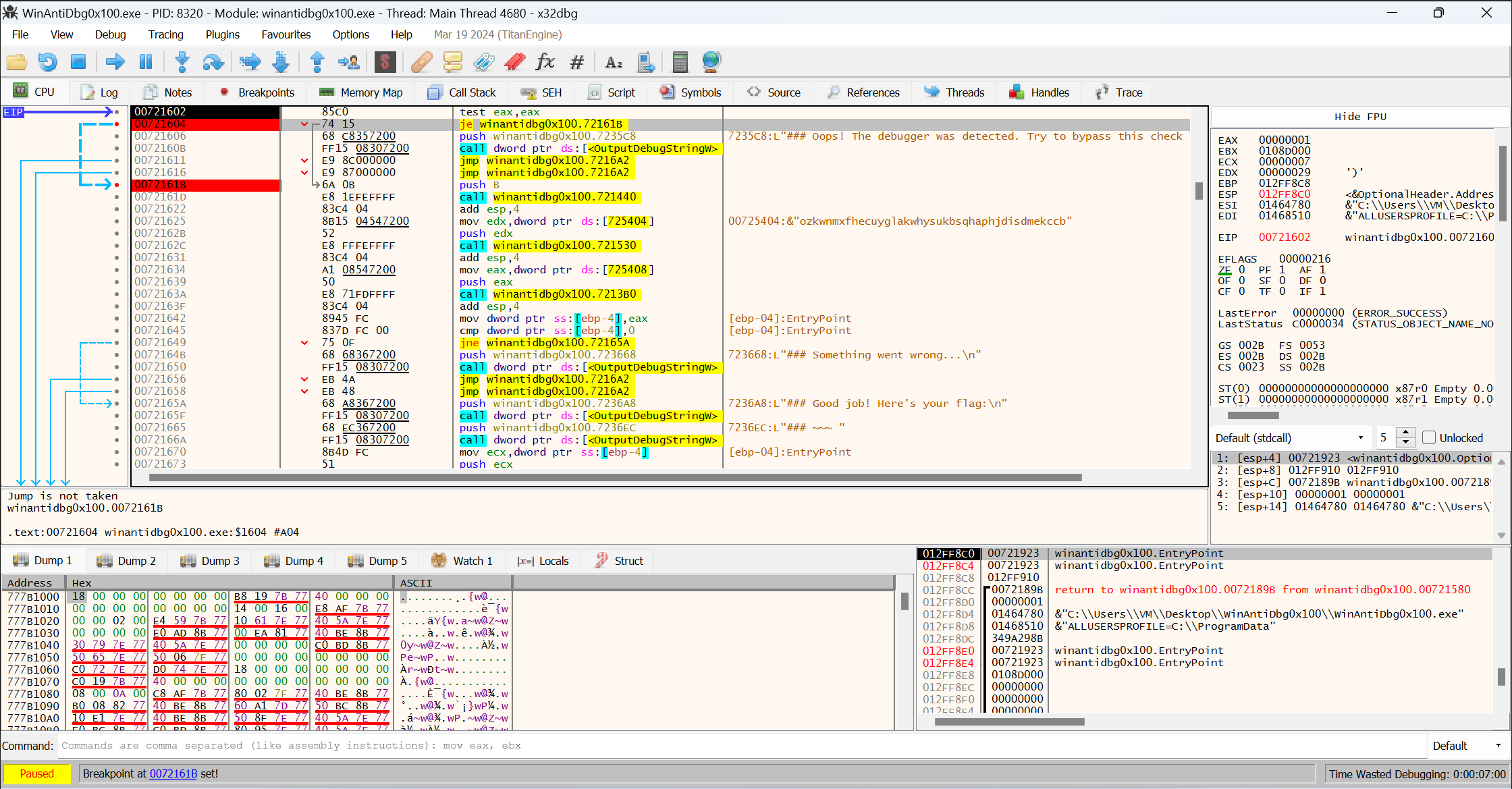
Change je winantidbgx100 --> jne winantidbgx100
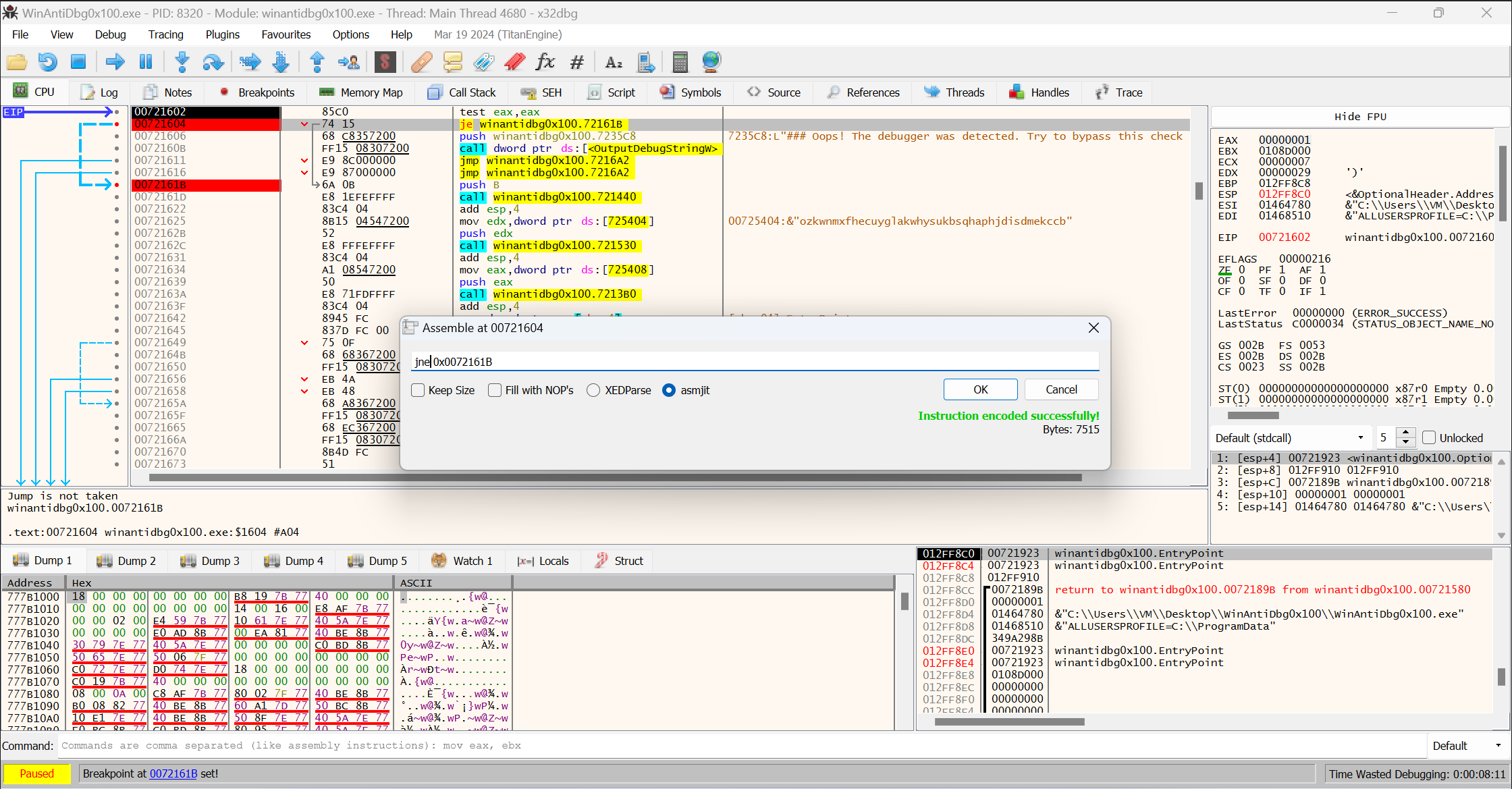
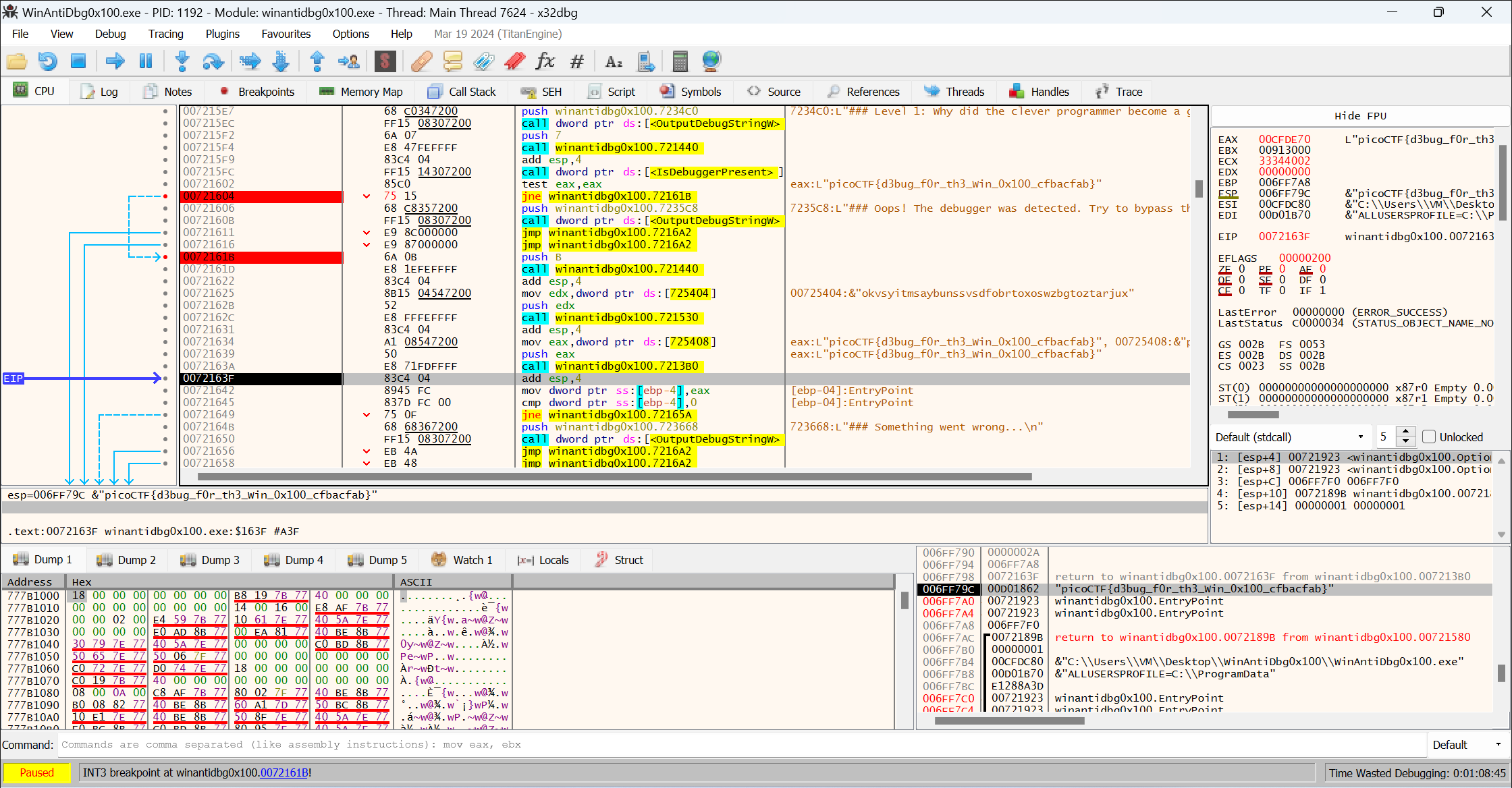
Click Step Over repeatedly to get the flag.
Flag
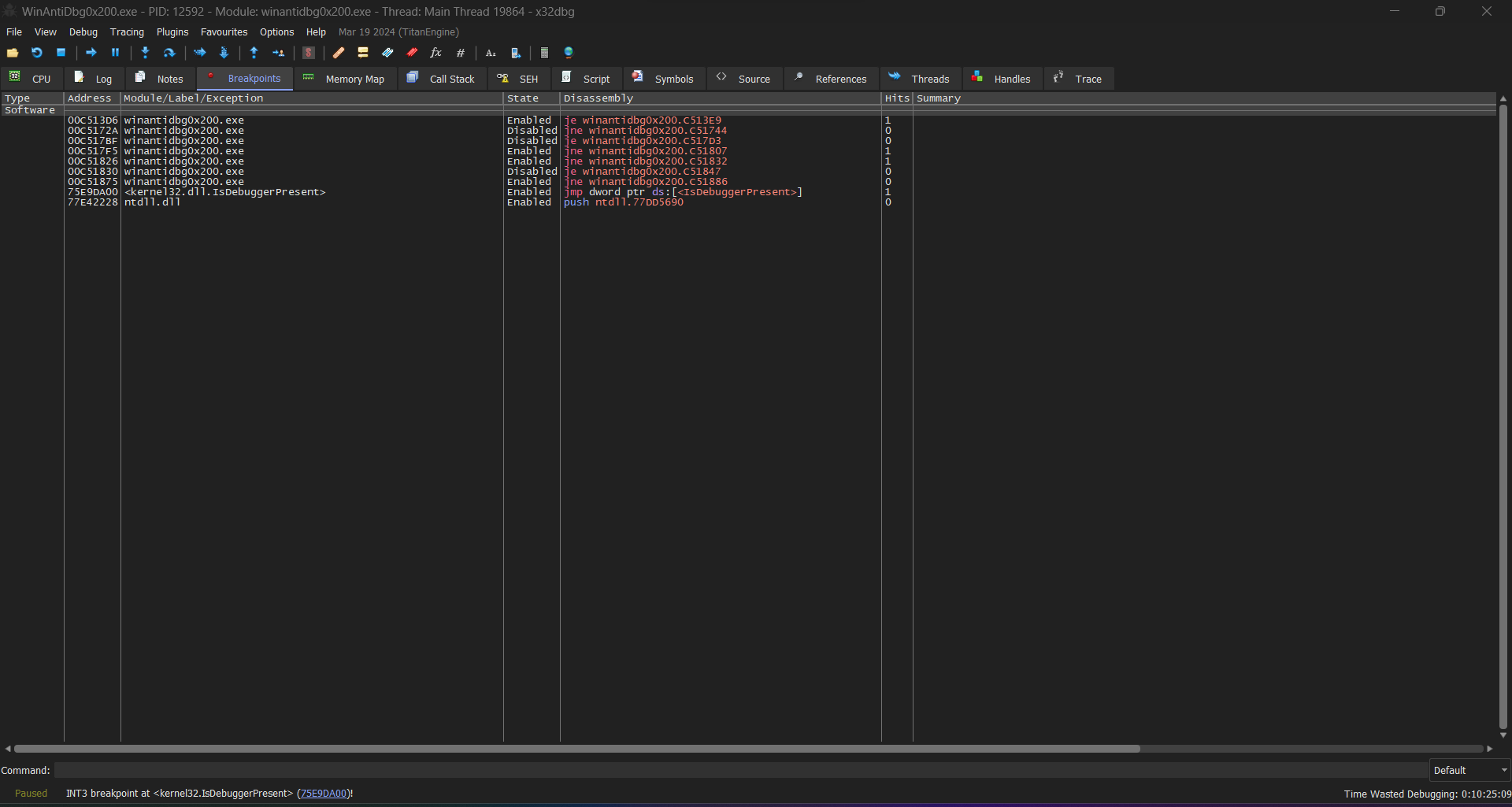
WinAntiDbg0x200
Tags: `Reverse Engineering` `windows`
Description
If you have solved WinAntiDbg0x100, you'll discover something new in this one. Debug the executable and find the flag! This challenge executable is a Windows console application, and you can start by running it using Command Prompt on Windows. This executable requires admin privileges. You might want to start Command Prompt or your debugger using the 'Run as administrator' option. Challenge can be downloaded here.
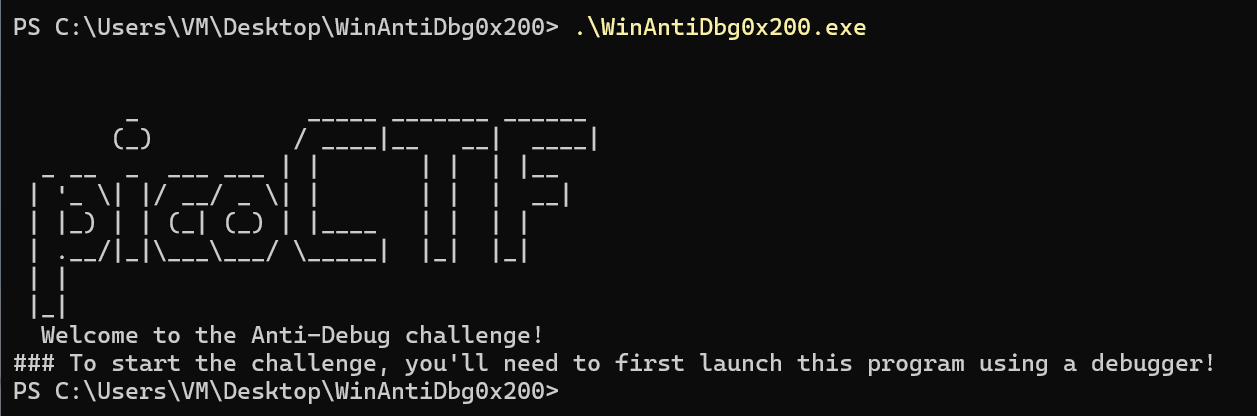
Open it with x32dbg.
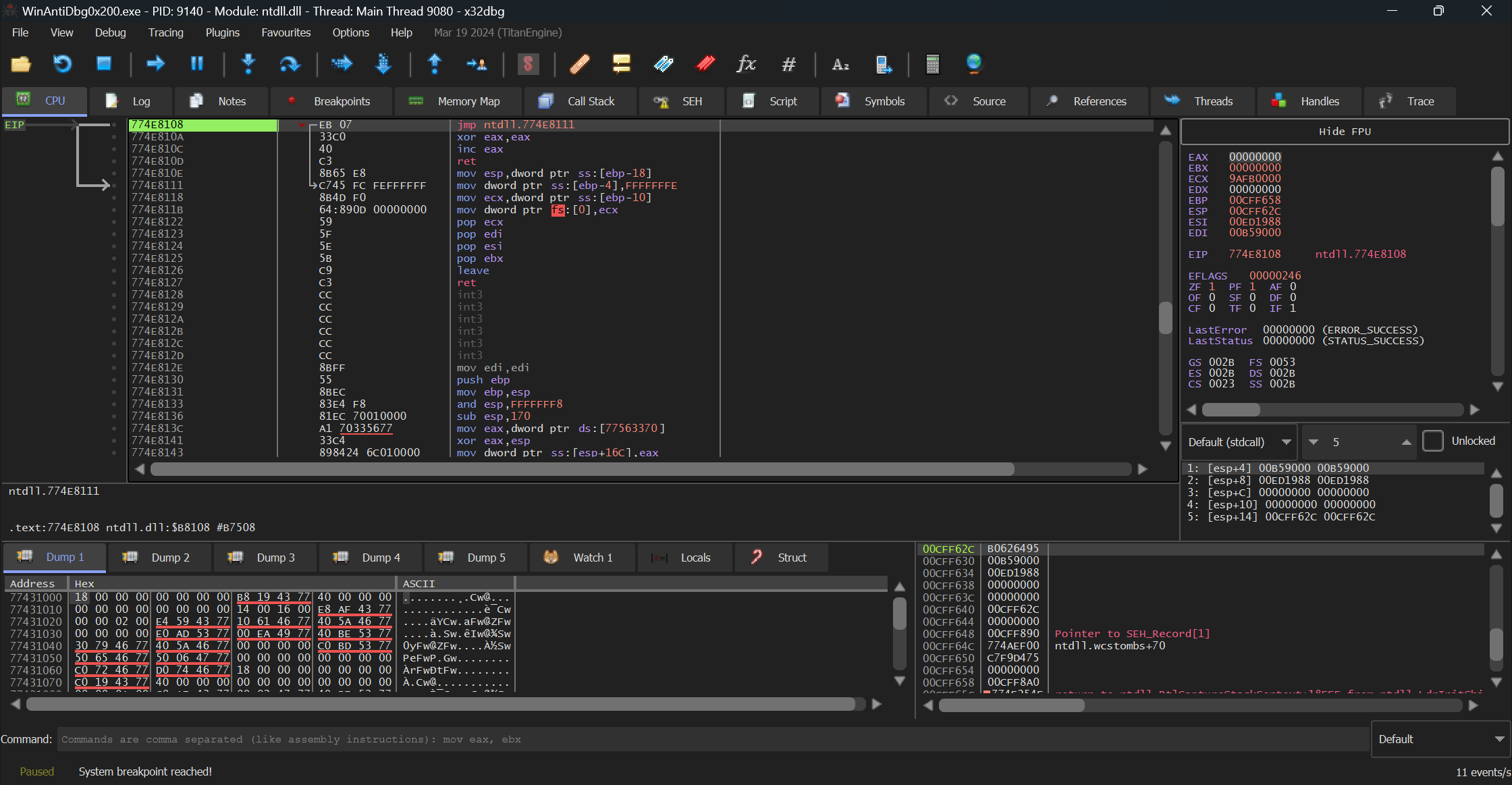
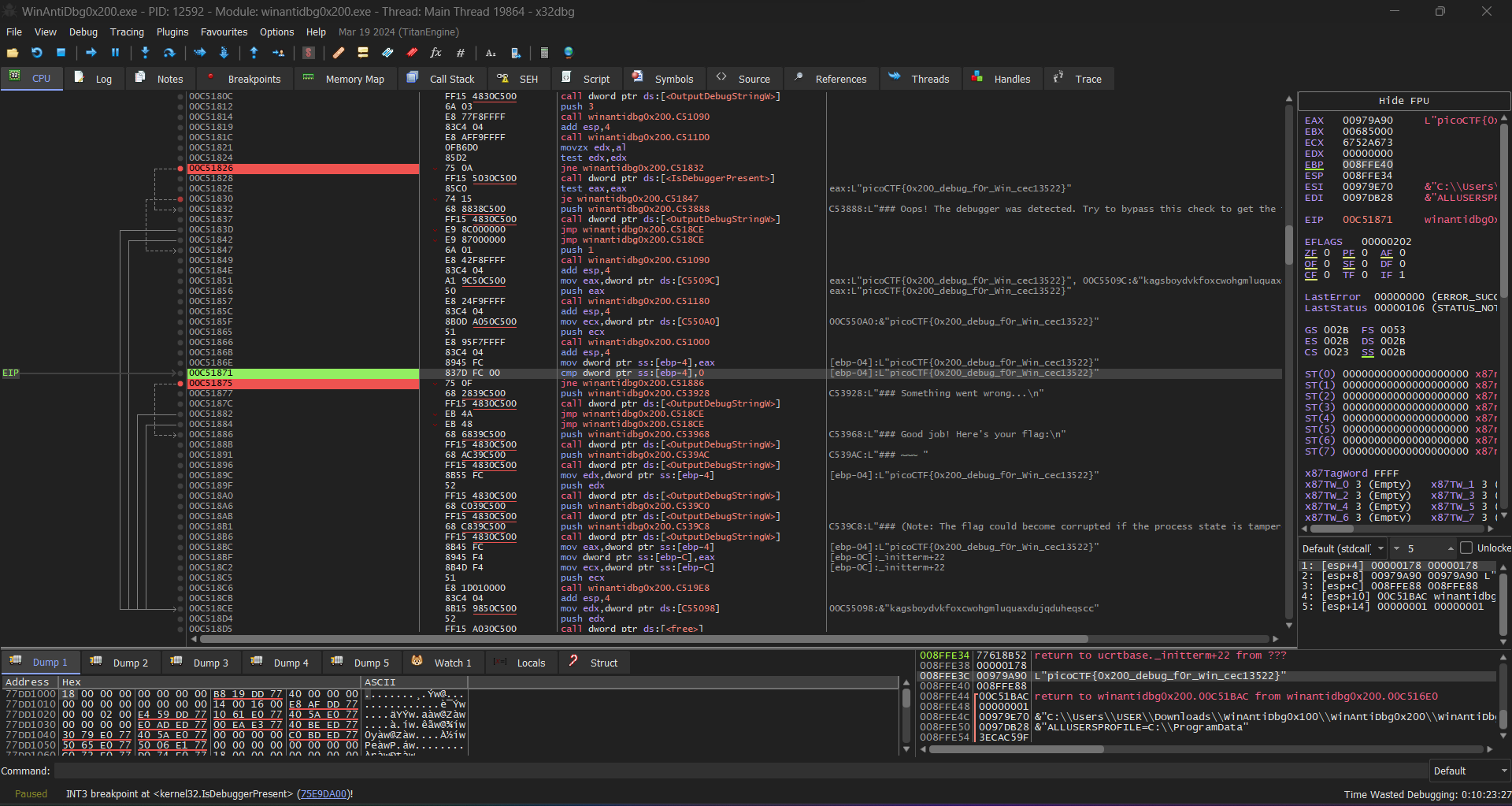
After analyzing it, I set breakpoints on IsDebuggerPresent.
bp IsDebuggerPresent
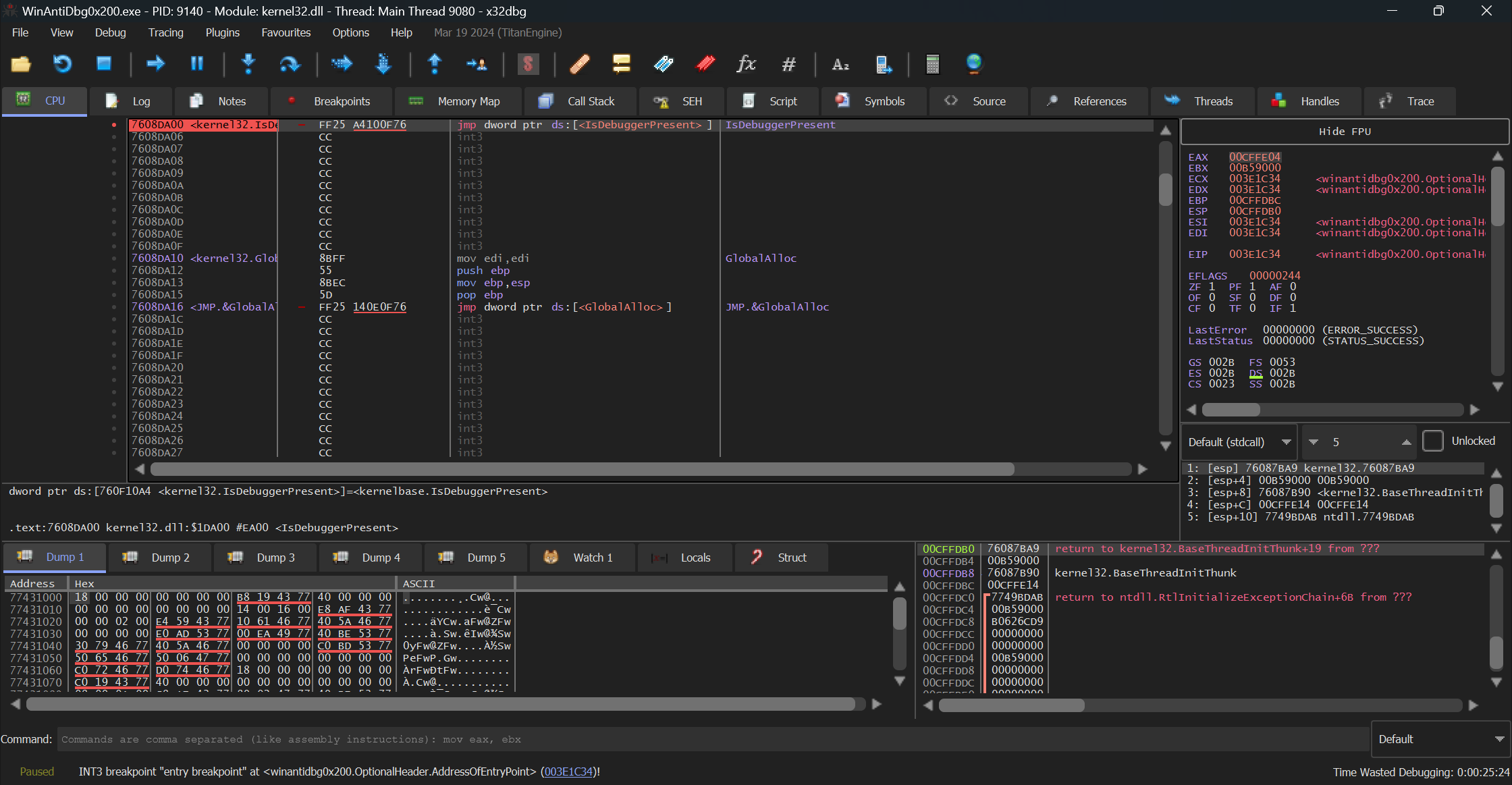
Double Click IsDebuggerPresent
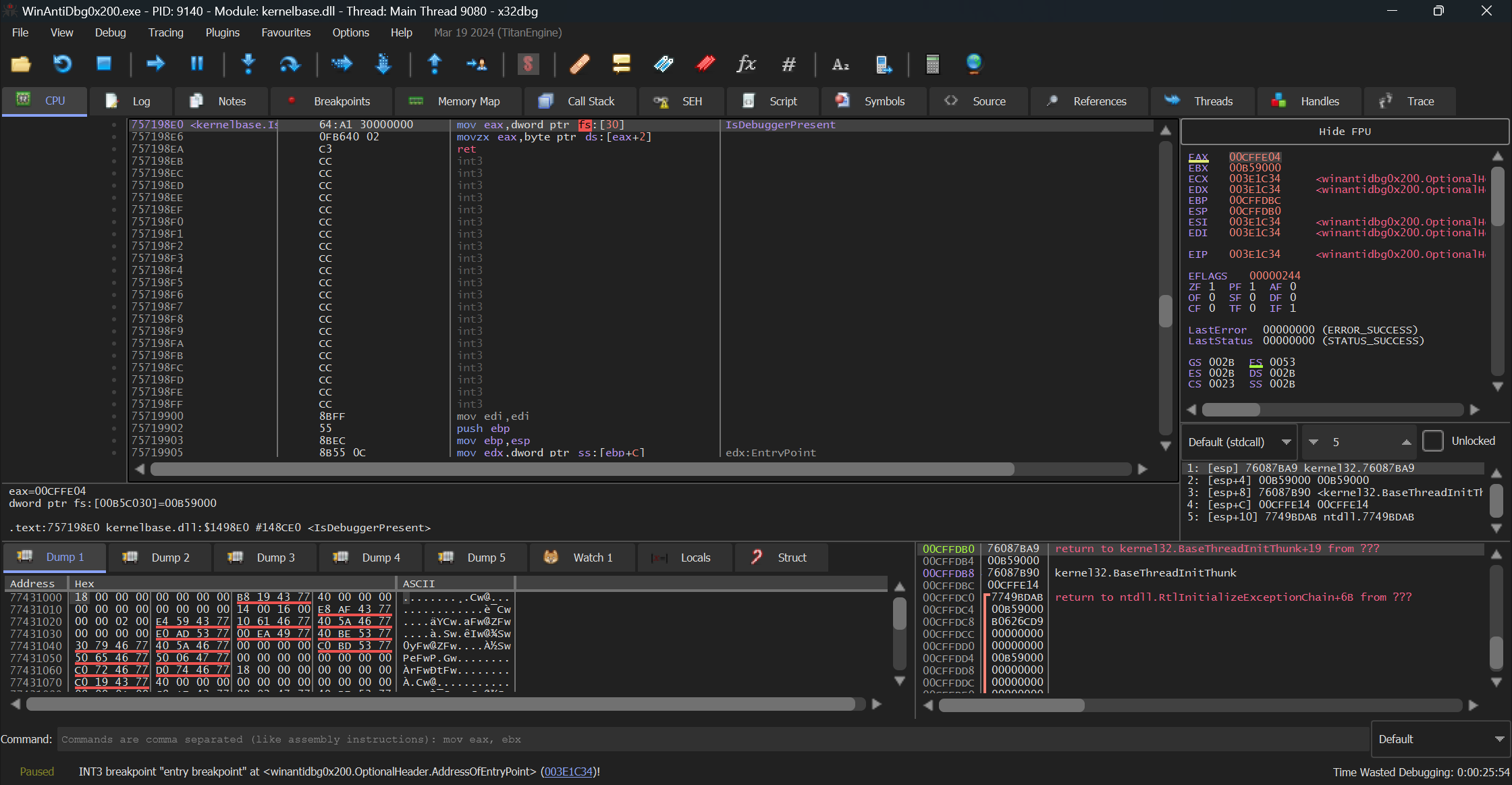
Solution Strategy
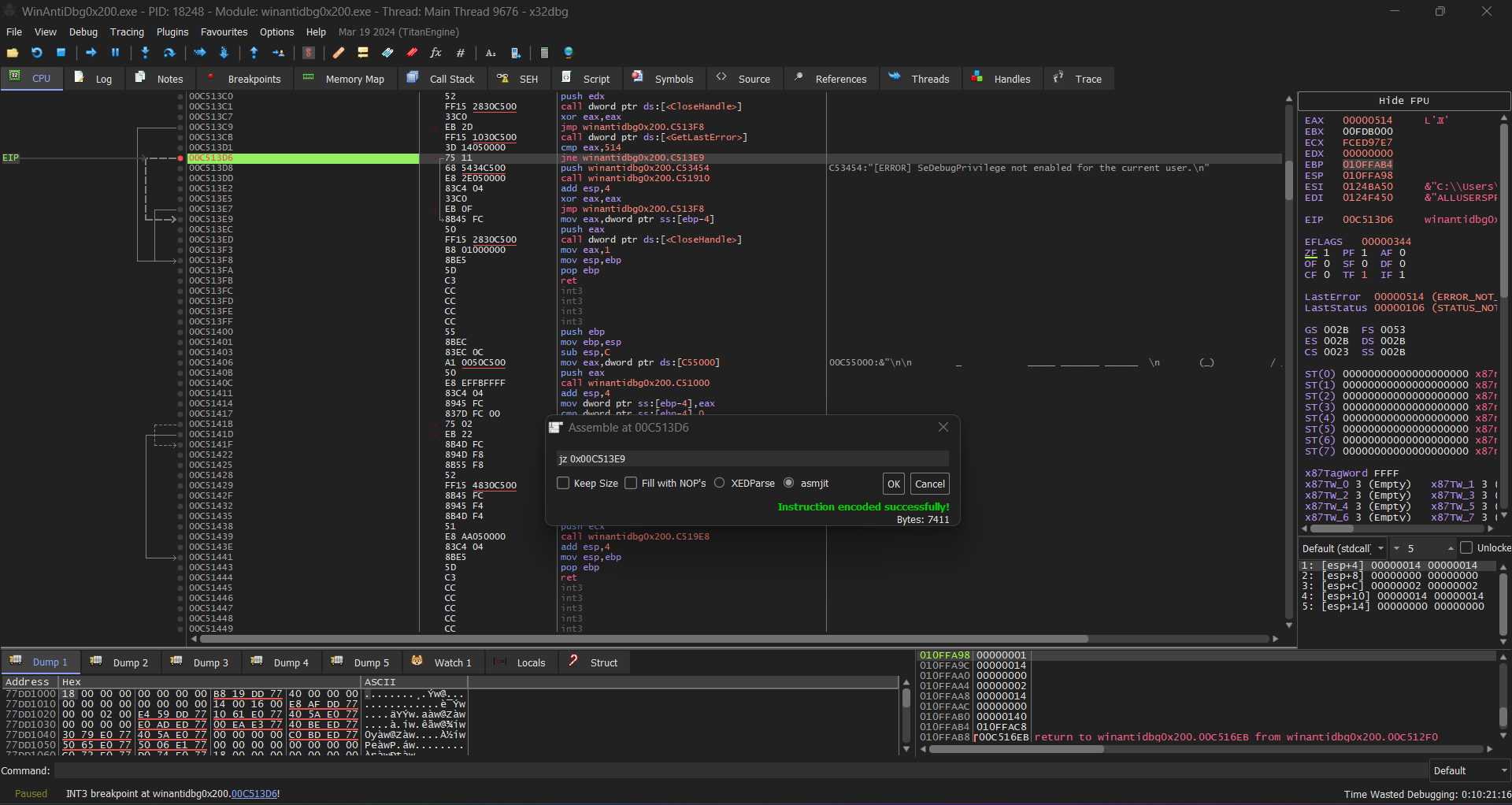
Click Step Over to follow the app's control flow, then stop at jne winantidbg0x200.C513E9
Click Step Over to follow the app's control flow, then stop at jz winantidbg0x200.C517D3
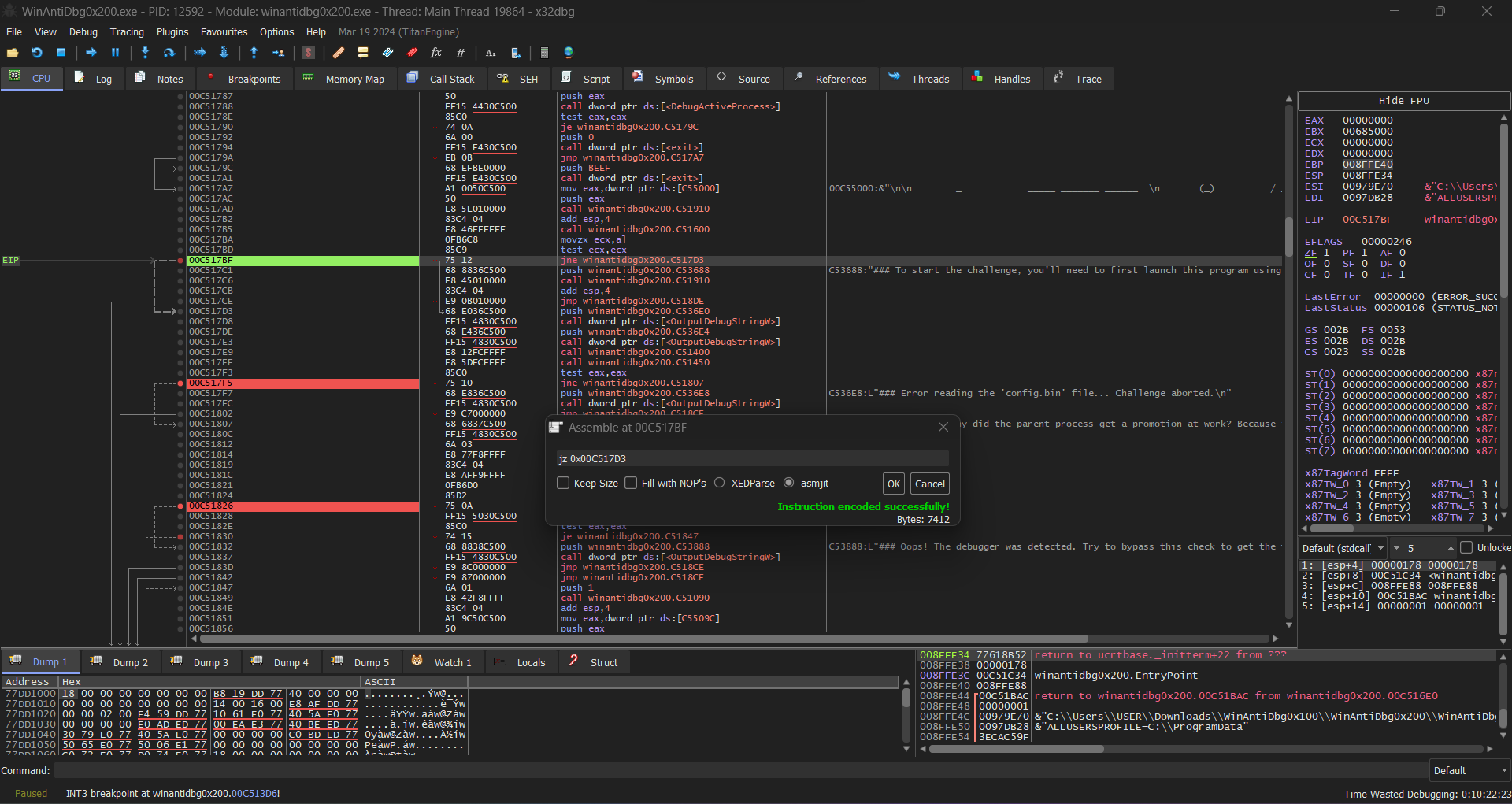
All Breakpoints
Flag